Earlier today, Apple released the fifth iOS 16 developer beta. It adds a handful of changes, but if you’ve spent any time on Twitter, you know there’s only one thing everyone wants to talk about: the return of the battery percentage indicator. For the first time since Apple removed the icon in 2017 to accommodate the iPhone X’s notch, it’s possible to see exactly how much battery your iPhone has left without pulling down the Control Center shade.
If you’re enrolled in the developer beta, you can add the indicator to your status bar by opening the Settings menu and navigating to the Battery section. Once there, you’ll see a new toggle labeled “Battery Percentage.” The resulting icon is slightly larger than the one you’re probably used to seeing. Additionally, if you plug your iPhone into a charger, the icon will turn green and display a lightning symbol next to the battery percentage. Conversely, it's yellow when your iPhone is in low power mode.
The option to see battery percentage is not available on the iPhone XR, iPhone 11, iPhone 12 and iPhone 13 mini. We’ll also note it’s possible the feature may not make it into the final release of iOS 16. The next version of Apple’s mobile operating system will arrive later this year. Some of the more notable features Apple announced at WWDC 2022 include new lock screen customization options, the ability to edit and recall texts in iMessage and real-time notifications called Live Activities.
It took the better part of a year, but HBO Max's app should (hopefully) be more pleasant to use. Warner Bros. Discovery has finished rolling out its redesigned app on desktop, Android and iOS, delivering a more intuitive interface, a performance boost and some arguably overdue features. It finally supports tablets in both portrait and vertical modes, for instance. You'll also find a dedicated video download page, split-screen support, SharePlay (on Apple devices in the US) and a shuffle button on mobile.
The move ends a long and painful saga. In its haste to launch HBO Max, WarnerMedia based the original app on the same foundations as its aging Go and Now apps. The result was, frankly, a mess — it was buggy, sluggish and otherwise less polished than software from competing services. While the new app won't persuade you to subscribe on its own, it could reduce any skittishness.
The timing is less than ideal. Warner Bros. just recently confirmed that it's merging HBO Max and Discovery+ into one service next summer. The app you see today won't last long. With that said, the redesign promises a better starting point for the new platform.
Now's a good time to pick up a new charger for your phone, tablet and other devices while a number of Anker's charging accessories are down to record-low prices for Amazon Prime members. Standouts among the discounts are Anker's 521 magnetic battery pack for MagSafe-compatible iPhones, which is 40 percent off and on sale for $30, and Anker's 511 2-in-1 power bank, which is 30 percent off and down to $35.
Both portable batteries have a 5,000 mAh capacity, but they're each versatile in their own ways. The 521 magnetic power pack will snap onto the backs of the latest iPhones, charging them up wirelessly. It'll provide almost a full extra charge for your iPhone, depending on the model you have, and it'll even snap on and power up the handset when it has a MagSafe case on it.
The 511 battery pack is essentially a wall charger and a portable battery in one. If you're near an AC outlet, it can act as a USB-C adapter for all of your mobile devices — provided you have a USB-C charging cable with you. And when you're not near a power source, you can use its built-in battery to charge up your gadgets. Unlike the 512 magnetic pack, the 511 battery will work with iPhones as well as Google Pixel smartphones, Samsung devices and others.
Prime members can also get the Anker Nano Pro 20W charger with a USB-C to Lightning cable for $28, which is 30 percent off its usual rate. The bundle gives you everything you need to charge your iPhone as quickly as possible, and we like that Anker's 20W adapter is more compact than Apple's version. Other accessories on sale include the 623 MagGo 2-in-1 wireless charging station, which you can pick up for a record low of $70, and a two-pack of wireless charging stands, which is on sale for $35.
Amazon made a $1.7 billion offer for iRobot, the company that makes Roomba robot vacuums, mops and other household robots. The deal will keep Colin Angle as iRobot's CEO but is still contingent on the approval of regulators and iRobot shareholders.
iRobot has an intriguing origin story. Founded in 1990 by MIT researchers, the company initially focused on military robots like PackBot. It marked a major turning point in 2002 when it unveiled the first Roomba — the debut robovac racked up sales of a million units by 2004. The company eventually bowed out of the military business in 2016.
There are many iRobot rivals now, including Anker's Eufy brand, Neato, Shark, even Dyson. But with the power of Amazon, iRobot should be able to dominate. Just think of the Prime Day deals! Some of Amazon’s own robots often look like Roombas already — like its first fully autonomous warehouse robot, Proteus.
On July 31st, Étienne Klein, the director of France’s Alternative Energies and Atomic Energy Commission, shared an image he claimed the JWST captured of Proxima Centauri, the nearest-known star to the sun. "It was taken by the James Webb Space Telescope,” Klein told his 91,000-plus Twitter followers. “This level of detail... A new world is unveiled every day."
Except, it was actually a photo of a slice of chorizo against a black background. "In view of certain comments, I feel obliged to specify that this tweet showing an alleged picture of Proxima Centauri was a joke,” he said. Klein added he posted the image to educate the public about the threat of fake news.
Samsung has made major strides with its foldable phones, paving the way for innovative (though sometimes quite pricey) alternatives to the typical glass brick. On the advent of the fourth-generation of foldables from the company, likely to include both a new Galaxy Z Fold and the Galaxy Z Flip, Engadget’s Sam Rutherford reports on his own foldable purchase of a Z Fold 3 last year. The phones are increasingly tough, but that foldable display innovation gets derailed by bubbling under the screen protector after roughly half a year.
You can use the gamepads individually or as a matched pair.
Valve is finally adding Steam support for the console’s controllers. In an announcement spotted by PC Gamer, the company said the latest Steam beta adds Joy-Cons support. With the new software, it’s possible to use Joy-Cons either individually or as part of a matched pair for playing games. If you want to try the feature, you need to opt into the Steam beta. You’ll either need a Bluetooth adapter or a motherboard with Bluetooth connectivity to use your Joy-Cons with Steam because there’s no way of connecting a cable to the Switch controllers.
The company says it's running the first fully driverless service in China.
Baidu has permits to run a fully driverless robotaxi service in China. It says it's the first company in the country to obtain such permissions. Back in April, Baidu got approval to run an autonomous taxi service in Beijing, as long as there was a human operator in the driver or front passenger seat. Now, it can offer a service where the car's only occupants are passengers. There are some limits to the permits. Driverless Apollo Go vehicles can roam designated zones in Wuhan and Chongqing during daytime hours only. This does cover a good 13 square kilometers (5 square miles) in Wuhan alone, though.
Samsung has launched its Android 13-flavored One UI 5 OS in beta for Galaxy S22 smartphones, the company announced. Much like Android 13 itself, most of the changes are minor, with some cosmetic improvements along with enhancements for security, notifications, the camera and more. However, Android 13 may offer significant improvements for foldable phones like the Galaxy Fold 4 set to arrive at Samsung's August 10th Unpacked event.
One UI 5 takes advantage of Android 13's theme makeover with 12 new color options for the home screen, icons and quick panels. It also lets you save a bit of space by stacking widgets, while adding accessibility options like a Magnifier tool to zoom in on texts and objects. It also adds a system that can read your keyboard entry out loud.
Samsung
You'll also see Android 13 updates like new notification settings that require apps to request permission before sending notifications. A new security dashboard can check perform a security and privacy check, and you'll be able to setting your preferred language on an app-by-app basis.
Android 13's foldable enhancements appear designed for devices like the Fold 3 that have different sizes, resolutions and pixel densities on the inner and outer displays. Samsung already offers that feature for the Fold 3, but native Android 13 support might open up more options like enhanced productivity tools.
We'll find out more in a few days at Unpacked, set for August 10th at 9am ET. Meanwhile, if you live in the US, South Korea or German and have a Galaxy S22, you can try out the One UI 5 update using the Samsung Members app — just bear in mind the usual risks of using beta software.
Fitbit is discontinuing support for PC and Mac syncing. On a support page spotted by 9to5Google, the company said it would remove the option for users to sync their trackers over its Connect app on October 13th, 2022. After that date, the only way to transfer your data off your Fitbit wearable will be through the Fitbit mobile app. While the shutdown is unlikely to affect many people, it does mean there will be one less way to transfer your favorite songs to your wearable for offline playback.
“On October 13, 2022, we're removing the option to transfer playlists to your Fitbit watch through your computer,” the company says on a separate support page. “You can continue to play personal music stored on your watch and transfer music to your watch with the Deezer app and Pandora app.”
In other words, if you use your Fitbit tracker or smartwatch for listening to music, you’ll need to depend on two music services that aren’t the most popular options out there. With the Pixel Watch set to offer deep Fitbit integration, that probably won’t be much of an issue with new Fitbit wearables, but it is something current users will have to consider.
Frustrated that games don't run as well on the Xbox Series S as you'd expect given the 1440p-capable hardware? Microsoft might have a fix. The Verge has learned the company's recently highlighted June Game Development Kit gives programmers more access to memory, freeing up "hundreds of additional megabytes" of RAM for their games. That can improve graphics performance in titles where limited memory is a problem, Microsoft said.
This move won't put the entry-level console on par with the Xbox Series X, which uses the same CPU but packs a more powerful graphics processor. However, it might reduce bottlenecks that sometimes force developers to run games on Series S at lower resolutions and frame rates. While the Series X has 16GB of RAM (about 13.5GB of it usable), its lower-end counterpart has just 10GB — in practice, devs have just 8GB to themselves. Creators talking to Digital Foundry have complained about the limitations.
If this sounds like a familiar strategy, it should. Microsoft gave more power to Xbox One coders in 2014 when it let them disable Kinect features in games that didn't need the motion controller. In both cases, Microsoft is tweaking available system resources in response to gripes.
It will take time for developers to optimize games, and there's no guarantee this will affect many titles. Don't expect patches that improve the graphics on all your favorite releases. Still, this is a welcome move that could make the Xbox Series S a more viable option if you'd rather not splurge on its pricier counterpart.
Now's a great time to pick up Apple's iPad ahead of the upcoming school year. The base, 10.2-inch tablet is $30 off right now and down to $299, which is the best price we've seen it. It may not have all the bells and whistles that the iPad Air does, but it's a solid, budget-friendly tablet that will likely be able to handle anything you throw at it. Elsewhere online, you can pick up the Chromecast with Google TV for only $40 and the Beats Studio Buds for $100. Here are the best tech deals from this week that you can still get today.
10.2-inch iPad
Nathan Ingraham / Engadget
Apple's base iPad is on sale for $299, while the model with 256GB of storage is $80 off and down to $399. This is the most affordable iPad you can get, and we gave it a score of 86 for its strong performance, Center Stage cameras, first-generation Apple Pencil support and excellent battery life.
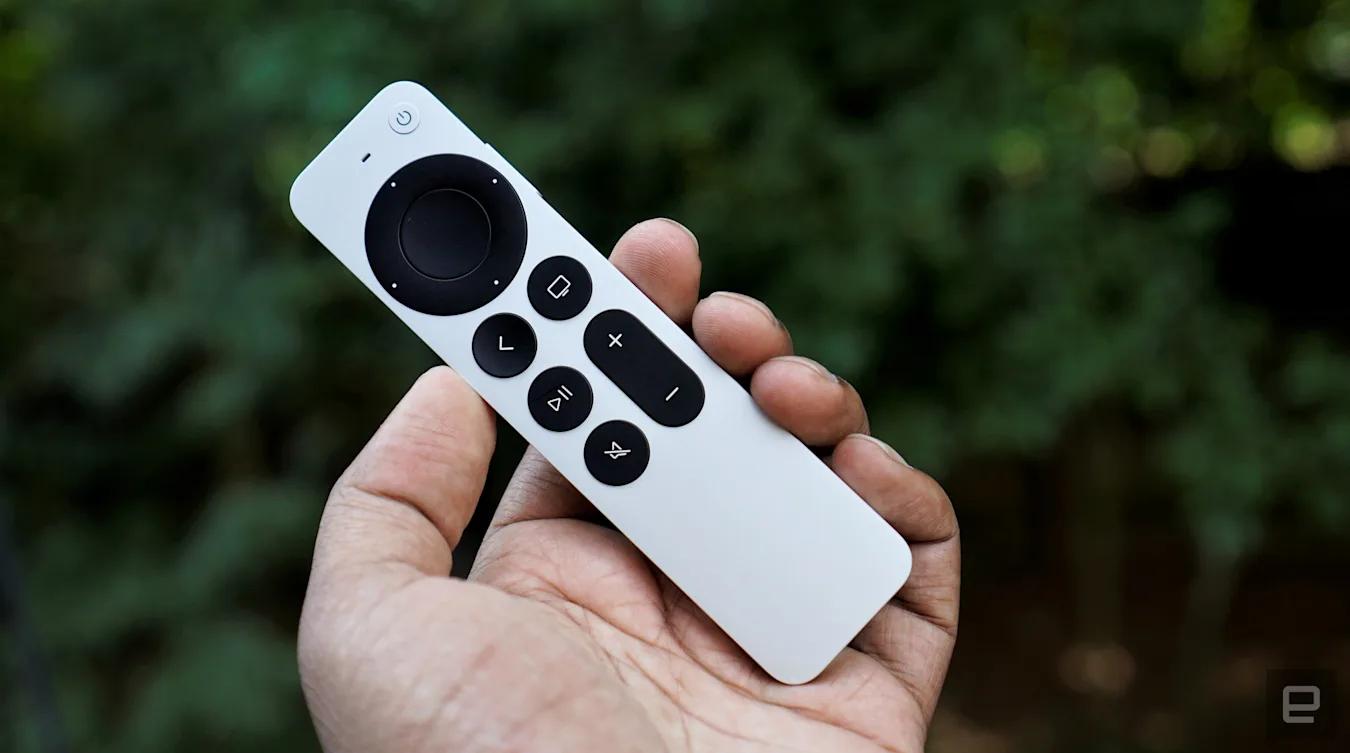
The Apple TV 4K is back in stock at Amazon and on sale for $120. While not quite as cheap as it was on Prime Day last month ($109), this remains one of the best prices we've seen no our favorite high-end set-top box. We gave the device a score of 90 for its fast performance, Dolby Vision and Atmos support, HomeKit integration and much-improved Siri remote.
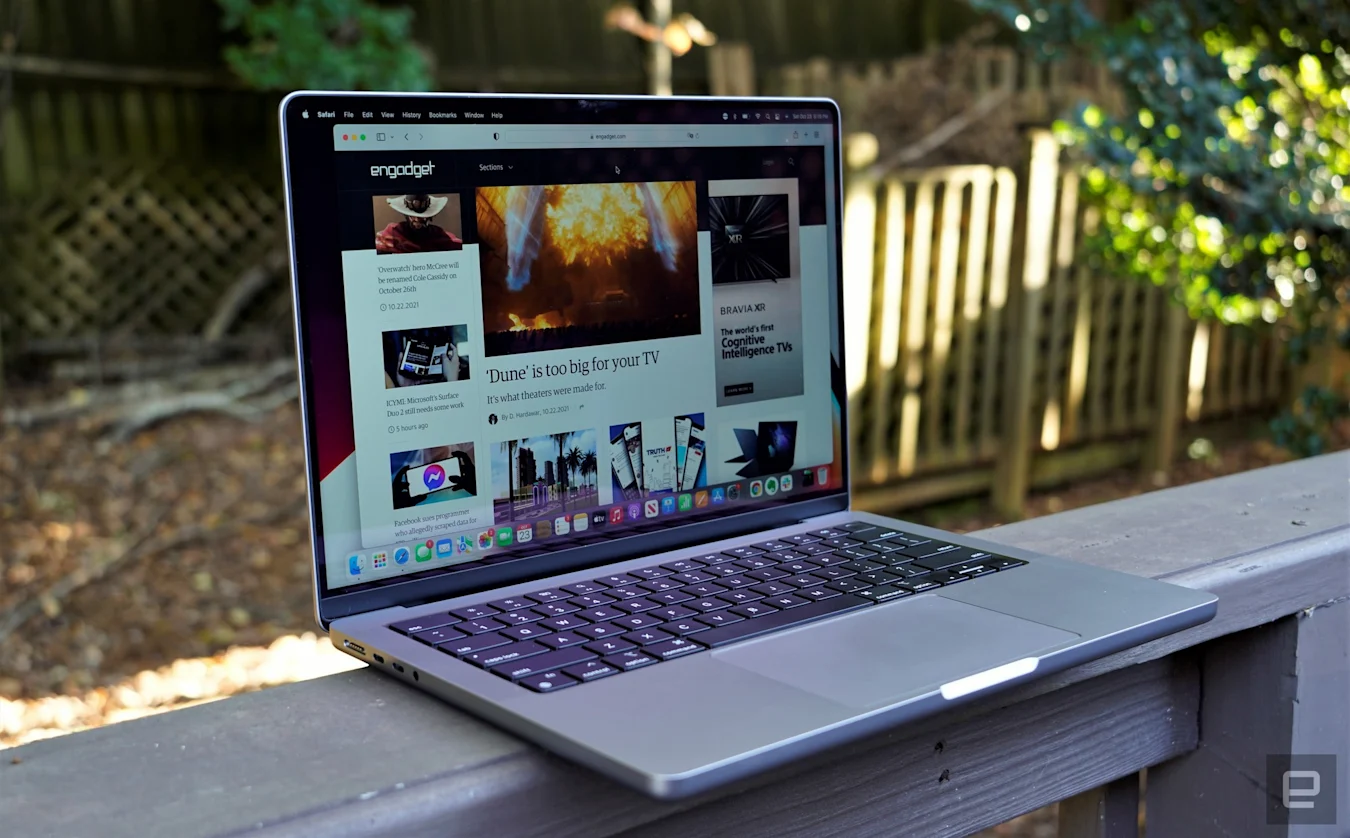
The 16-inch MacBook Pro is down to $2,199, or $300 off its usual price. We gave it a score of 92 for its powerful performance, lovely Liquid Retina XDR displays and new bevy of ports.
The Chromecast with Google TV is back on sale for $40, or $10 off its normal price and a record low. We gave the dongle a score of 86 for its 4K HDR content with Dolby Vision and Atmos, its handy integration with the Google Assistant and its easy to use remote.
Jabra's Elite 7 Pro earbuds are $70 off and down to a new low of $130. These buds are the successors to the excellent 85ts and they use bone conduction tech combined with microphones and algorithms to improve voice quality on calls, plus they have ANC and an 11-hour battery life.
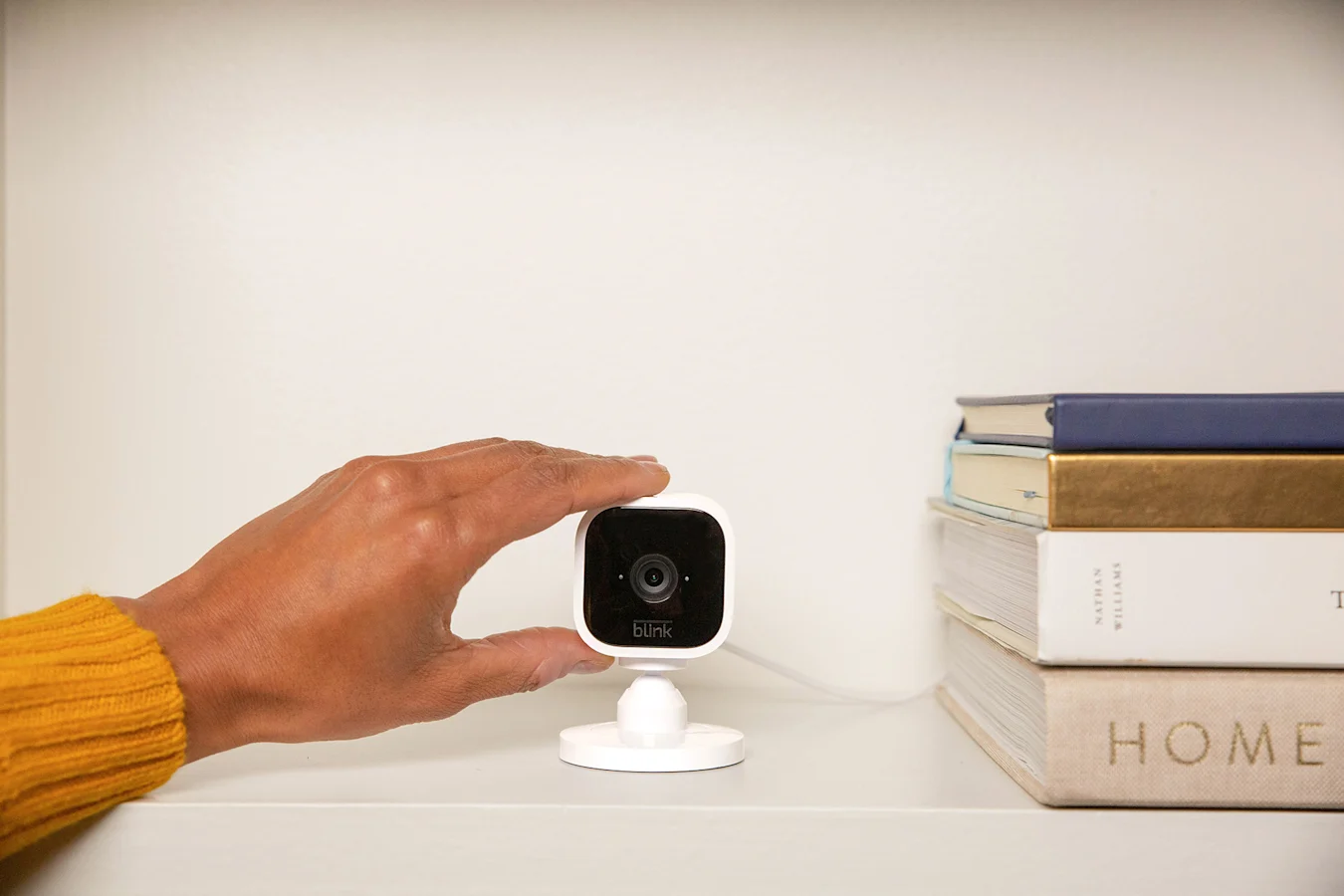
Amazon includes a free Blink Mini camera when you buy a Blink Outdoor kit, so you'll save $35 in total on the bundle. Blink cameras are a relatively affordable way to outfit your home with security cameras — all of them record 1080p video and support two-way audio and motion alerts. The Outdoor cameras are wireless and weather-resistant, while the Blink Mini is a smaller, wired camera that's designed to fit into tight spaces inside your home.
The Beats Studio Buds are back on sale for $100, or $50 off their usual rate. These are some of the best Beats earbuds for most people and we gave them a score of 84 for their comfortable design, good sound quality and ANC and fast pairing with both iOS and Android devices.
Sony's LinkBuds S are on sale for $148, which is 26 percent off and a new all-time low. These buds came out earlier this year and support smart playback, which lets them automatically play and pause music depending on what you're doing.
Samsung's Freestyle portable projector is $100 off and down to $798 at Amazon, and just about the same price form Samsung directly. The company debuted this projector at CES earlier this year as a 1.83-pound home theater device with auto focus and auto leveling features, along with a 1080p resolution and support for multiple voice assistants.
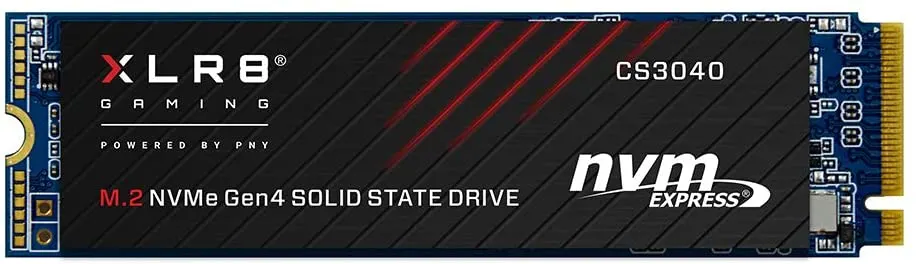
Another one of our favorite PS5 SSDs, the PNY XLR8 CS3040, has dropped to $105. It's an already affordable drive made even better by this sale, and we like its 5,600 MB/s read speeds and its five-year warranty.
Sony's LinkBuds S are now particularly tempting if you're looking for true wireless earbuds with a dash of intelligence. Amazon is selling the LinkBuds S at a new low price of $148, well below the usual $200. That's even better than the Prime Day discount, and could make them an easy choice if you want major-brand audio without paying a stiff premium.
The LinkBuds S' signature feature is their smart playback. They can automatically start or resume music based on your activity — you can specify a playlist when you go for a walk, for instance. They're also billed as the smallest and lightest wireless earbuds to support both active noise cancellation (ANC) and high-resolution audio. That's worth considering if comfort is paramount, especially if you intend to listen for the claimed six hours per charge (another 14 hours is available through the case).
As the middle ground between the top-tier WF-1000XM4 and budget WF-C500, the LinkBuds S involve some compromises. The auto playback feature works for both Android and iOS users, but it's limited to Spotify and the soundscape app Endel. ANC isn't quite as powerful as it is in the WF-1000XM4, and the case doesn't support wireless charging. The sale price makes these omissions easier to forgive, though, and Sony has touted after-launch upgrades like a low-latency mode for gamers.
Foldable phones are still kind of awkward, unproven devices. But over the last three generations (with a fourth presumably on the way), Samsung has made major strides with its designs, paving the way for innovative (though sometimes quite pricey) alternatives to the typical glass brick. And when you combine that with sales of nearing 10 million devices last year, it feels like Samsung's foldables are finally beginning to break into the mainstream.
But despite a number of improvements over the years, there's one aspect of Samsung's foldable that still needs a lot of work: durability. Last year, after purchasing my own Z Fold 2, I documented some of the issues I faced after owning it for 10 months. And after upgrading to the Z Fold 3 last fall, I'm here to report back on how Samsung's latest flagship foldable is holding up just shy of one year later.
Aside from one scratch at the bottom (which I take sole blame for), my Galaxy Z Fold 3's exterior Cover Screen is still almost pristine.
Sam Rutherford/Engadget
Now at this point, some people might be wondering why I upgraded at all. The bubbles my Z Fold 2's screen suffered from were certainly annoying, but they weren't so bad I considered switching back to a standard candy bar handset. Instead, my main goal for buying the model (aside from professional curiosity) was to get a foldable that might better survive a newborn.
Compared to typical smartphones, the Z Fold 2's lack of water resistance was all but guaranteed to become a problem after my son was born. It felt like I would have to keep the phone in a separate room, lest I chance some small amount of spit up or drool ruining the device. And that simply wasn't something I wanted to do, which is what drew me to the Z Fold 3 and its IPX8 rating. I figured if a phone can withstand sitting in water for up to 30 minutes at a depth of up to five feet, it could handle anything a baby could throw (or spit) at it too.
The back of the phone has also held up very well, aside from one ding on the edge of the frame.
Sam Rutherford/Engadget
Thankfully, I think my strategy worked, because even though it cost around $800 to upgrade after trading in my Z Fold 2, that money has already paid for itself. My Z Fold 3 has been peed on, it's been vomited on and it's had milk splashed all over it, and it's been totally fine. The phone has also been gnawed on more than a handful of times to no effect. So while the addition of water resistance to Samsung's foldables might not be all that exciting, considering regular phones that have had it for years, it's a huge enhancement to everyday usability.
The rest of the phone's body has held up pretty well too. There's a relatively large scratch on its frame and a couple of scuffs on its hinge, but those are all cosmetic dings. I should also mention I'm not someone who puts phones in skins or cases, this thing has lived naked since the day I got it. So while I haven't been traveling much, the sheer number of times this phone has endured being knocked out of my hand or fallen on the floor while rushing to grab my kid after a nap is kind of impressive. Even dust and crumbs have been handled by the extra bristles Samsung put inside its hinge.
There are also some small scuffs on the hinge, but that's sort of to be expected considering I never put the phone in a case.
Sam Rutherford/Engadget
The big exception to the Z Fold 3's improved durability is once again its built-in screen protector. For this model, Samsung says it switched away from the TPU material it used on the Z Fold 2 to a new PET film while also using a stickier adhesive, which was designed to prevent bubbles from forming between the protector and the display itself. But in my experience, none of that helped.
For the first six months I had it, my Z Fold 3's screen was pristine. There were no blemishes, bubbles or anything. But then one winter day while I was walking down the street, I opened the phone and heard a crack. At first, I feared the worst, thinking its exterior cover screen had shattered or something important inside had broken. But upon closer inspection, I noticed there was a fine line running down the middle of the phone near the crease, as if the protector had been pulled or stretched.
This is what the bubbling looked like in June, when I first attempted to get it repaired.
Sam Rutherford/Engadget
And while I'm still not sure what the exact cause was, my theory is that after pulling the phone out of my pocket, the cold winter air made the screen protector unusually brittle, causing it to snap instead of bend when I opened the phone. This is an issue a number of other Z Fold owners have run into, and once you suffer that initial crack, it's only a matter of time until bubbles begin to form. Over the past few months, those bubbles have grown into an air gap that runs down the entire middle of the screen, and no amount of pressing or trying smoothing things out has much of an effect. Recently, some dust has gotten wedged between the protector and the screen itself, which is frankly kind of gross. And because I'm trying to abide by Samsung's insistence that the screen protector should only be replaced by certified technicians, I haven’t tried to fix it on my own.
Naturally, the next step was to take the phone to one of Samsung's retail locations to have it serviced, at which point I discovered I'm far from the only person dealing with this. When I arrived, there were three other people already on the waitlist — and all of them were waiting to get the screen protector on their Z Fold replaced. Admittedly, this is merely an anecdotal observation, and I'm sure my choice to go to Samsung's flagship 837 location in NYC had something to do with the unusually high concentration of $1,800 foldable phones.
This close-up shot shows how gross the display can get, because once bubbles start forming, there isn't much you can do to stop dust and first from getting beneath the screen protector.
Sam Rutherford/Engadget
But, this wasn't a coincidence either. After talking to two of the other customers, I learned that they were also running into issues with bubbles around the six to eight month mark. On top of that, one of the Samsung Care+ reps I talked to essentially confirmed that this was a somewhat widespread issue, saying that screen protector replacements are the most commonly requested repair for Samsung's foldables. Unfortunately, because it takes about an hour to have the screen protector replaced and I was fourth in line, I couldn't wait around to get my Z Fold fixed. So here's a pro tip, if your phone needs to be serviced, make sure to schedule your appointment online, so you can avoid the line.
In the end, while I plan on returning to have my screen protector replaced, my big take away after owning both a Z Fold 2 and a Z Fold 3 is that there's a good chance you're going to run into bubbles after half a year or so. And without some sort of radical upgrade to the screen construction, the company's next generation of Z devices will probably suffer the same fate. That's kind of a bummer, because having to sit around for hours to fix something that's probably going to happen again sucks. And that goes double or triple for anyone who has to mail in their device because they don't live near a certified repair location.
This is how my Z Fold 3's screen looks after one year. The bubble now covers the entire height of the display. And while its appearance is more tolerable indoors, it's still far from ideal.
Sam Rutherford/Engadget
As it stands, the bubbling is certainly annoying and not very pretty. Thankfully, the side effects are much less noticeable indoors or at night, so while it’s far from ideal, it’s tolerable. I will also admit that had I not been planning on writing this story, I would have gotten the screen protector replaced months ago. And if you’re running into a similar issue with your Z Flip or Z Fold, I’d highly suggest you address any bubbling as soon as possible, before any other related issues pop up.
But if Samsung ever wants its foldables to be as popular as the S or A-series phones, the screen protectors bubbling is an issue that needs to be solved sooner rather than later. As for me, while I haven't decided if I want to upgrade again or not, I'm just hoping that anyone on the fence will now have a slightly more realistic idea of what living with a foldable phone is actually like.