This week's tech news may have been dominated by the launch of the iPhone 14, but there are many good deals on existing gadgets that you can pick up right now, too. Apple's iPad mini is $100 off and down to its best price ever, while the AirPods Max remain on sale for $429. A few Samsung storage devices have dropped in price, and you can still pick up Solo Stove fire pits for up to 45 percent off. Plus, you can save a bunch on streaming services right now as Disney+, Hulu + Live TV and HBO Max are all running sales on their subscription plans. Here are the best tech deals from this week that you can still get today.
iPad mini
Valentina Palladino / Engadget
Apple's iPad mini is $100 off and down to $400 right now, which is the cheapest we've seen it. We gave the tablet a score of 89 for its powerful performance, refined design and USB-C charging.
Apple's entry-level iPad has dropped to a new all-time low of $280. We gave it a score of 86 for its solid performance, excellent battery life and improved Center Stage cameras.
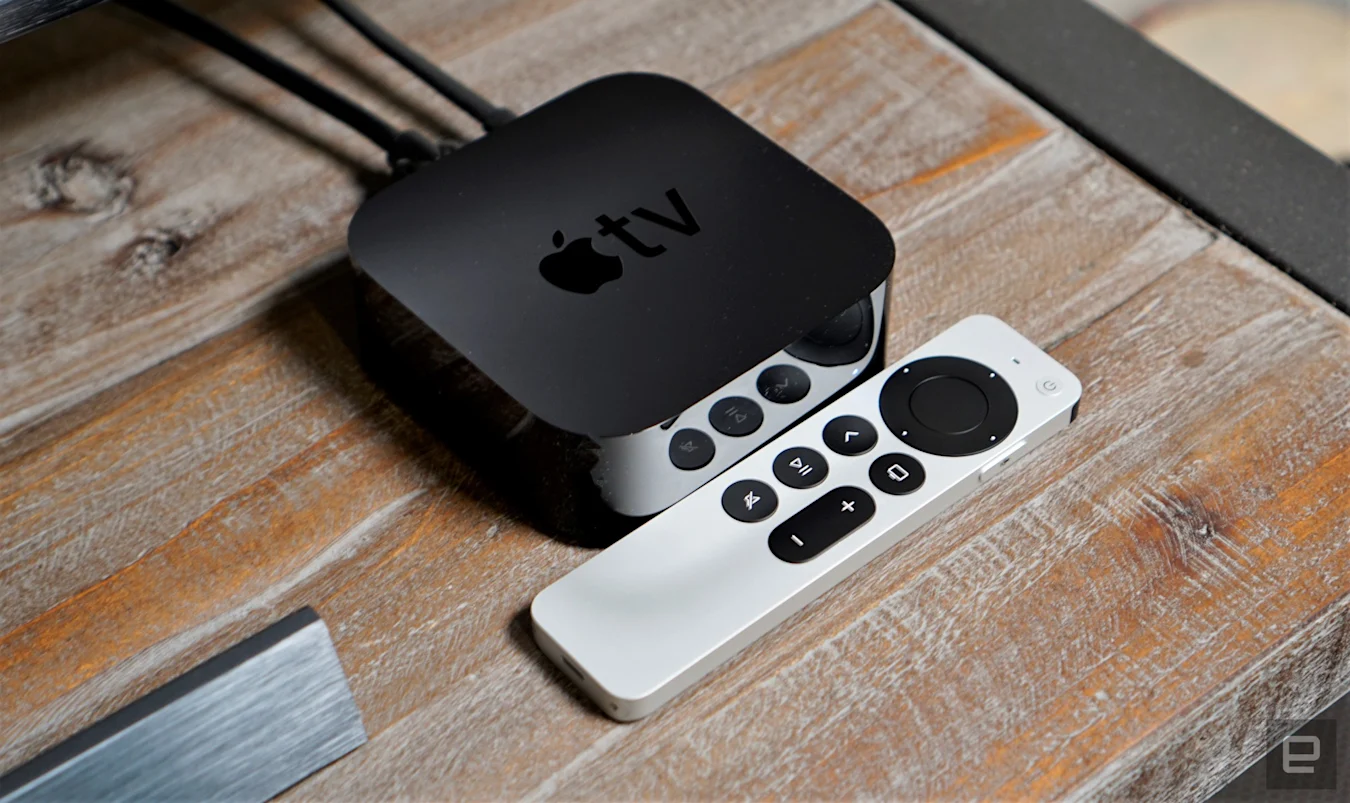
The Apple TV 4K is back in stock at Amazon and on sale for $120. While not quite as cheap as it was on Prime Day in July ($109), this remains one of the best prices we've seen no our favorite high-end set-top box. We gave the device a score of 90 for its fast performance, Dolby Vision and Atmos support, HomeKit integration and much-improved Siri remote.
Apple's AirPods Max are $120 off and down to $429, which is the cheapest price we've seen them on Amazon. We gave the headphones a score of 84 for their excellent sound quality, comfortable fit and strong ANC.
Samsung's latest wireless earbuds, the Galaxy Buds 2 Pro, are on sale for the first time and down to $155. That's $75 off and a great deal on what we consider to be the company's best earbuds to date. We gave them a score of 86 for their solid sound quality, improved ANC and better fit.
Samsung's Smart Monitor M8 is $110 cheaper than usual, bringing it down to $590. The company came out with this all-in-one display earlier this year and it's designed for those that want one screen that can do a lot of things. It works as a standard monitor, but it also comes with streaming technology built in, so you can use it as a smart TV as well.
The 1TB model of the Samsung T7 Shield SSD is on sale for $110, which is close to a record-low price. This rugged drive has a tough exterior that can withstand drops from nearly 10 feet, plus an IP65 rating for dust- and water-resistance. It also has the same read/write speeds of the other T7 models and works with a bunch of devices including PC, Mac, Android and even some game consoles.
Solo Stove's fire pits and bundles remain discounted right now. The Ranger 2.0, Bonfire 2.0 and Yukon 2.0 are down to $200, $230 and $430, respectively, and you can save on most bundles, too, including the Bonfire Backyard Bundle 2.0 that gives you a spark shield, stand, shelter, carrying case and lid along with the aforementioned fire pit. The sale also includes the new Mesa tabletop fire pit, which has been discounted from $120 to $80.
In honor of Disney+ Day, the House of Mouse has discounted its streaming service to $2 for the first month for new and returning subscribers. That's 75 percent off the normal monthly rate, which is one of the best discounts we've seen even if it only applies to one month of membership. After that first month, your subscription will go back up to $8. You have until September 19th to get this deal.
Hulu's latest promotion knocks $20 off its Live TV subscription service for three months for new and returning customers. That means you'll pay $50 per month for the service instead of the usual $70 for the first three months that you're subscribed. You can take advantage of the offer through October 5th, and with it you get live TV access along with standard Hulu streaming as well as access to Disney+ and ESPN+ libraries.
HBO Max has discounted its annual plan, so you can save 30 percent if you sign up and pay for one year upfront. If you can deal with ads, the service will cost $70 for 12 months, down from the usual $100. to get an ad-free experience, you'll pay $105, which is $45 off the usual rate.
Amazon has agreed to buy Cloostermans, a company that makes robots capable of stacking pallets in its warehouses. Amazon says it already uses Belgium-based Cloostermans' tech, which can also package products.
After the acquisition closes, Cloostermans' 200 or so employees will join the Amazon Global Robotics division in Europe and likely dedicate their time to solely building tech that suits Amazon's needs. "By focusing Cloostermans’s deep experience in engineering, machinery, and robotics, we will more rapidly deploy solutions in our workplace that support employees in their roles and improve safety at work, and also help reduce packaging waste," Amazon said in a press release. The company has previously spoken of its belief that having more robots will improve worker safety.
Amazon has been introducing more robots to its warehouses to increase automation. In June, it revealed Proteus, its first autonomous warehouse robot. The device is capable of moving carts filled with packages by itself.
While Amazon has been relying more on robots at its fulfillment centers for several years, the Cloostermans acquisition comes soon after employees at a Staten Island facility became the first Amazon warehouse workers to win a union election. The company said in 2019 that automation isn't expected to replace human workers at warehouses for at least a decade.
It’s Apple week, everyone! Editor-in-chief Dana Wollman joins Devindra to chat about everything Apple announced, including the iPhone 14 and 14 Pro, as well as all of the Apple Watches. Sure, they’re faster and have many more features, but did you know they could potentially save your life? At least, that’s the idea Apple is trying to sell.
We’re still not quite sold on the Apple Watch Ultra, but it’s sure to become the next over-priced wrist accessory for tech bros. Also, Dana discusses Apple’s new ovulation tracking feature in the Apple Watch Series 8/Ultra, which is a big step forward from its previous efforts.
Listen above, or subscribe on your podcast app of choice. If you've got suggestions or topics you'd like covered on the show, be sure to email us or drop a note in the comments! And be sure to check out our other podcasts, the Morning After and Engadget News!
Apple’s Far Out event: overview and what we didn’t see – 1:23
iPhone 14 Pro – 16:39
iPhone 14 – 22:18
Apple Watch Ultra and Series 8 – 34:11
Apple Watch SE – 41:09
Pop culture picks – 50:27
Livestream
Credits Hosts: Dana Wollman and Devindra Hardawar Producer: Ben Ellman Music: Dale North and Terrence O'Brien Livestream producers: Julio Barrientos Graphic artists: Luke Brooks and Brian Oh
Google has announced a slew of Android updates that should make phones and tablets more useful for many people. One of the more notable changes is for Nearby Share, Google's version of Apple's AirDrop, which should make transferring files between your own Android devices a cinch. After you opt in to the self-share feature, your Android devices will automatically accept files from each other, even if the screen is off. So, you may soon no longer need to email a file from your phone to your tablet or Chromebook. The self-share option should be available in the next few weeks.
It's not clear when you'll be able to check out some of the other freshly announced features, which include more accessibility settings. Android has a feature called sound notifications that's designed to help those in the deaf and hard of hearing community. When the feature is enabled, it can listen for sounds like fire alarms, door knocks and running water, and alert the user to them with a visual notification or vibration on a phone or watch. Soon, users will be able to add custom sounds to their alert library. They'll be able to record audio from appliances and so forth, and receive notifications when their device hears that sound again.
Google TV now has a selection of movies with audio descriptions. You can find these through Google Assistant by saying “Search audio description movies.” Moreover, Google is adding a multi-pinning option to Meet video calls. This will enable users to pin feeds from, for instance, the speaker and a sign language interpreter — or maybe a friend to see their reaction to what's being said a little more clearly.
SharePlay-style options are coming to Meet as well. You'll be able to watch YouTube videos and play games with up to 100 friends and family members simultaneously. Google says this feature is rolling out to Android phones and tablets.
On top of those changes, you can expect updated Drive and Keep widgets, more Emoji Kitchen mashups on Gboard and a way to stuff more emoji into your messages with a tap (or, in other words, "emojify" whatever you're typing). On Wear OS devices, there will be a new Keep tile — with the option to dictate a note or checklist — while Snapchat's Bitmoji is coming to watch faces.
One of the most cost-effective ways to upgrade a computer or console is with solid-state storage. The fastest flash drives will make your desktop or laptop feel snappier with shorter app and operating system loading times. The best part is that we’re at a point where you don’t have to choose between speed and capacity – the latest SSDs offer both. Whether you want to replace an old hard drive or upgrade the capacity of your existing SSD, this guide will help you navigate all the complexities of buying a modern flash drive. Don’t know the difference between an NVMe and M.2 drive? Don’t worry, Engadget has you covered.
What to look for in a PC SSD
The most affordable way to add fast storage to a computer is with a 2.5-inch SATA drive. It’s also one of the easiest if you don’t want to worry about compatibility since almost every computer made in the last two decades will include a motherboard with Serial ATA connections. For that reason, 2.5-inch SSDs are a great way to extend the life of an older PC. Installation is straightforward, too. Once you’ve secured the SSD in a drive cage, all you need to do is to connect it to your motherboard and power supply.
The one downside of SATA drives is that they’re slower than their NVMe counterparts, with SATA III limiting data transfers to 600MB/s. But even the slowest SSD is significantly faster than the best mechanical drives. And with 1TB SATA SSDs costing about $100, they’re a good bulk storage option.
If your PC is newer, there’s a good chance it includes space for one or more M.2 SSDs. The form factor represents your ticket to the fastest possible consumer storage on the market, but the tricky part is navigating all the different standards involved.
M.2 drives can feature either a SATA or PCIe connection. SSDs with the latter are known as Non-Volatile Memory or NVMe drives and are significantly faster than their SATA counterparts, with Gen3 models offering sequential write speeds of up to 3,000MB/s. You can get twice the performance with a Gen4 SSD, but you’ll need a motherboard and processor that supports the standard.
If you’re running an AMD system, that means a Ryzen 3000 or 5000 CPU and an X570 or B550 motherboard. With Intel, meanwhile, you’ll need a 11th or 12th Gen processor and a Z490, Z590 or Z690 motherboard. Keep in mind you’ll pay a small premium for a Gen4 SSD.
You might have also seen something about Gen 5 NVMe drives. You can safely ignore those for now. At the moment, only Intel’s 12th-gen desktop CPUs support PCIe 5 and there aren’t any Gen5 NVMe SSDs out on the market. We’ll see the first ones arrive alongside AMD’s next-generation Ryzen 7000 processors later this year, but if the price of early Gen4 drives is any indication, they will be expensive.
As for why you would buy an M.2 SATA drive over a similarly specced 2.5-inch drive, it comes down to ease of installation. You add M.2 storage to your computer by installing the SSD directly onto the motherboard. That may sound intimidating, but in practice the process involves a single screw that you first remove to connect the drive to your computer and then retighten to secure the SSD in place. As an added bonus, there aren’t any wires involved, making cable management easier.
Note that you can install a SATA M.2 SSD into an M.2 slot with a PCIe connection, but you can’t insert an NVMe M.2 SSD into a M.2 slot with a SATA connection. Unless you want to continue using an old M.2 drive, there’s little reason to take advantage of that feature. Speaking of backward compatibility, it’s also possible to use a Gen4 drive through a PCIe 3 connection, but you won’t get any of the speed benefits of the faster NVMe.
One last thing to consider is that M.2 drives come in different physical sizes. From shortest to longest, the common options are 2230, 2242, 2260, 2280 and 22110. (The first two numbers represent width in millimeters, the latter denote the length.) For the most part, you don’t have to worry about that since 2280 is the default for many motherboards and manufacturers. Some boards can accommodate more than one size of NVMe thanks to multiple standoffs. That said, check your computer’s documentation before buying a drive to ensure you’re not trying to fit one it can’t support.
The best buying advice I can offer is that you don’t get too caught up about being on the bleeding edge of storage tech. The sequential read and write speeds you see manufacturers list on their drives are theoretical. In reality, the real-world differences between different SSDs aren’t as noticeable as you might think.
If your budget forces you to choose between a 1TB Gen3 NVMe and a 512GB Gen4 model, go for the former. From a practical standpoint, the worst thing you can do is buy a drive that’s too small for needs. Drives can slow dramatically as they approach capacity, and you will probably end up purchasing a larger capacity one down the line.
With all that boring stuff out of the way, here are some go-to recommendations.
Best 2.5-inch SATA Drive: Crucial MX500
Crucial
You don’t have to look far to find the best all-round 2.5-inch SSD. It’s the Crucial MX500. With sequential read speeds of 560MB/s and $85 price tag for the 1TB model, it offers a hard-to-beat combination of performance and value. It also comes with a five-year warranty for additional peace of mind.
The 970 EVO Plus is a great pick for anyone buying their first Gen3 NVMe. It comes in 250GB, 500GB, 1TB and 2TB varieties, all of which are competitively priced. Expect to pay about $70 for the 500GB model, $100 for the 1TB version and $190 for 2TB. Samsung’s SSDs also have a strong reputation for reliability.
If the 970 EVO Plus is out of your budget but you still want a NVMe drive, the Crucial P2 is a compelling option. It’s slightly slower than Samsung’s M.2 drive, offering sequential read speeds of up to 2,400MB/s instead of 3,500MB/s, but is significantly cheaper. Crucial offers the P2 in 250GB, 500GB, 1TB and 2TB variants.
If you have an older computer but still want to take advantage of the M.2 form factor, consider the WD Blue SA510. It’s slower than the two above options but pricing is comparable to what you would pay for a 2.5-inch drive.
If you have the necessary hardware and money to spare, it’s hard to beat the Crucial P5 Plus. With sequential read speeds of 6600MB/s, it’s not the absolute fastest Gen4 NVMe you can buy, but it offers about the best value. The P5 Plus comes in 500GB, 1TB and 2TB varieties. The WD Black SN850 we recommend below in the console section is also a great pick.
Portable SSDs are a somewhat different beast to their internal siblings. While read and write speeds are important, they are almost secondary to how a drive connects to your PC. You won’t get the most out of a model like the SanDisk Extreme Pro V2 without a USB 3.2 Gen 2 x 2 connection. Even among newer PCs, that’s something of a premium feature. For that reason, most people are best off buying a portable drive with a USB 3.2 Gen 2 or Thunderbolt 3 connection. The former offers transfer speeds of up to 10Gbps.
Additionally, if you plan to take your drive on trips and commutes, it’s worthwhile to buy a model with IP-certified water and dust proofing. Some companies like Samsung offer rugged versions of their most popular drives. For additional peace of mind, 256-bit AES hardware encryption will help prevent someone from accessing your data if you ever lose or misplace your drive.
Some of the same features contribute to a great thumbstick drive. The best models feature USB 3.0 connections and some form of hardware encryption.
Best portable drive: Samsung T7
Samsung
For most people, the Samsung T7 offers the perfect mix of features, performance and affordability. The company offers the T7 in 500GB, 1TB and 2TB varieties and three different colors. It’s also relatively fast, offering sequential read speeds of up to 1,050MB/s. Best of all, you can frequently find it on sale.
Another Samsung pick here for good reason. The Fit Plus has about all the features you could want on a USB drive. It connects to your computer over USB 3.1 and supports transfer speeds of up to 300MB/s. The Fit Plus is also compact and has a handy slot for attaching it to your keychain. The only downside of Samsung’s USB drive is that it’s on the pricey side.
Thankfully, outfitting your fancy new console with the fastest possible storage is far more straightforward than doing the same on PC. With a Series X or Series S, the conversation starts and ends with Seagate’s storage expansion cards. The company offers 512GB, 1TB and 2TB models, with the most affordable starting at a not-so-trivial $139. The good news is that you can frequently find them on sale. Your best bet is to set an alert for the model you want on a price tracker like CamelCamelCamel.
With Sony’s PlayStation 5, upgrading the console’s internal storage is slightly more involved. Instead of employing a proprietary solution, the PS5 uses NVMe storage. Thankfully, there aren’t as many potential configurations as you would find on a PC. Engadget published a comprehensive guide on buying a PS5 SSD last year. In short, your best bet is a Gen4 drive with a built-in heatsink. Check out that guide for a full list of recommendations, but for a quick go-to, consider the Western Digital SN850. It meets all the memory specifications for Sony’s latest console and you won’t run into any clearance issues with the heatsink. Western Digital offers 500GB, 1TB and 2TB models of the SN850. Expect to pay about $150 for the 1TB variant and about $260 for 2TB.
For those still playing on a previous generation console, you can get slightly faster load times from a PlayStation 4 by swapping the included hard drive to a 2.5-inch SSD, but going out of your way to do so probably isn’t worth it at this point and you’re better off saving your money for one of the new consoles.
For the past couple of years, Samsung has been putting out better and better wireless earbuds with every iteration. This year was no different with the Galaxy Buds 2 Pro, which we consider to be the best Samsung buds yet. Normally priced at $230, you can pick up Samsung's latest buds for only $155 right now at Amazon. That's the first discount we've seen since they came out at the end of last month, making it a great time to pick up a pair if you've been eying them since launch.
Samsung refined the Galaxy Buds 2 Pro by making them 15 percent smaller than the previous versions, covering them in a matte coating and giving them an IPX7 water-resistance rating. Touch controls a little hard to get used to, but they work just fine once you get the hang of them. Sound quality is good and ANC is even better than it was on the previous versions, blocking out most environmental noises around you. You'll also be able to switch between ANC and ambient sound mode whenever you want.
The Galaxy Buds 2 Pro work with Samsung's Galaxy Wearables app for Android, and there's no real iOS equivalent. So while you can use the buds with an iPhone, you won't have access to all of the features that Android users will. In the app, you can control things like Voice Detect, the feature that will automatically pause sound when the buds detect you speaking, 360 Audio, earbud finder and more. The app also has customizable controls for EQ presets, hands-free Bixby access, ambient sound during calls and other more advanced features. There's a lot you can play around with, provided you're using a Samsung phone or another Android handset.
Battery life is pretty standard on the Buds 2 Pro. You'll get five hours of listening time, plus another 18 hours with its charging case. While it could be better, that battery life estimate is in line with other flagship earbuds from companies like Apple, Google and others. Overall, Samsung did a good job making significant updates to the Galaxy Buds 2 Pro that push them well above their predecessors. If you have a Samsung phone and are in need of a new pair, these are the ones to get.
Apple’s long-awaited Far Out event was a showcase of all the gadgets the company is now ready to sell us. The new iPhone 14 was blessed with a super-size sibling, and the iPhone 14 Pros ditched the notch for a lozenge-shaped punch hole in its display. Sorry, the people at Apple are insisting we call the hole a “Dynamic Island,” since the screen around it will change size for notifications. The new Apple Watch was joined by the Watch Ultra, with all of the added ruggedization extreme-sports types have been waiting for. Plus, the AirPods Pro got touch-sensitive controls and better noise cancellation, thanks to the addition of the H2 chip. It was very much a show focused on quality-of-life tweaks for these devices, with some features you might consider neat, but nothing you might feel compelled to camp outside an Apple Store to be first in line to buy.
There are two iPhones 14: the 6.1-inch standard model and its 6.7-inch Plus variant, harking back to the old regime of one “regular” sized device and one super-sized version. (Sadly, the iPhone Mini’s poor battery life made the unit a poor seller, so Apple has swung the axe.) Engadget’s Cherlynn Low got her hands all over the new handsets, which focus on better camera upgrades. The rear camera has a larger 12-megapixel sensor (with bigger 1.9-micron pixels) as well as autofocus on the forward-facing lens, for better selfies. Despite the phone’s size, the 14 Plus is lighter than its Pro siblings, a small mercy if you’ve ever dropped a phone on your face in bed.
Apple saved most of the big upgrades for the iPhone 14 Pro and Max as it tries to put more water between its flagship handset and those in the ultra-premium tier. There’s a new A16 Bionic chip and a Super Retina XDR display that can run at 1Hz, giving users an always-on display for the first time. Plus, the Dynamic Island, a punch hole housing FaceID and the camera that can bleed into the display around it, making it look more like a notification window. The rear lens also got an upgrade, with a 48-megapixel primary sensor backed by Apple’s promise it’ll have dramatically improved low-light performance.
The iPhones 14 will be the first in the range to ditch the physical SIM tray in favor of eSIM technology. On paper, this is a smart move – another hole in the phone you can eliminate for better waterproofing and security. But it’s also a bit of a thumbed nose for travelers who might prefer to swap SIMs when on the go to take advantage of cheaper local rates. Plus, if you smash your device, you can’t simply put your SIM in an old phone you’ve got lying around.
Engadget’s Billy Steele spent some time with Apple’s new Watch Ultra, with its, uh, interesting design and additional action button on the side opposite the digital crown. The 49mm timepiece gets a 2,000 nit display, good for rough environments, an 86-decibel emergency siren and more accurate GPS. Given Apple products are always a little less rugged than we might hope, the promises the company made here are going to be well worth testing. Can this device really replace the hardcore Garmin for your extreme sport of choice? Only time will tell.
At the 2022 Code Conference, Tim Cook responded to a journalist's question about RCS text messaging by suggesting they buy an iPhone, The Verge reported. Asked how Apple could improve communication between iPhone and Android users, he said "I don't hear our users asking that we put a lot of energy into that." When the journalist replied that he couldn't send certain videos to his Android-using mother, Cook joked "buy your mom an iPhone."
That's bound to add fuel to the debate about a common smartphone messaging format. Google has long promoted the RCS (Rich Communications Service) as a way to allow for better interoperability between iOS and Android users, even shaming Apple about it last month. Doing so could help eliminate the dreaded "green bubble" seen by iPhone users when they receive a text message from an Android phone.
Apple considered offering iMessage to Android users but quickly shut the idea down, as internal documents revealed during the Epic trial. Former marketing chief Phil Schiller famously said that porting iMessage to Android "would hurt us more than help us," and another former Apple exec said in an email that "iMessage amounts to serious lock-in."
Cook did say that Apple isn't addressing RCS "at this point," appearing to not entirely rule the idea out. In any case, the green bubble issue is largely US-centric, as users in other countries tend to favor non-SMS apps like Telegram, WhatsApp and Signal.
You can now enjoy surround sound while streaming YouTube TV content on your Apple TV and Fire TV devices. As The Verge reports, the streaming television service has expanded the list of devices supporting its shows and movies with 5.1 audio after rolling out the capability to Android TV, Google TV and Roku devices back in June. YouTube TV first started testing 5.1 channel audio for those first three devices back in March, while also promising to work on support for Apple TV and Fire TV devices, as well as for gaming consoles. This rollout covers two out of those three — a tweet on the official YouTube TV page says the service is still in the process of bringing the capability to consoles.
5.1 Audio Update! 🔈🔉🔊 We now support 5.1 audio on Apple TV & Fire TV devices for compatible YouTube TV content (live, DVR, & video on-demand).
If you’re a game console user, we’re working on getting this available to you as soon as possible, and will share live updates here. pic.twitter.com/8Pmxrt1WqU
The Help page for YouTube TV doesn't explicitly mention Apple TV as a supported device yet, but it does list the Fire TV Stick 4K Max, Fire TV Stick, Fire TV Stick Lite, Fire TV Cube, Fire TV Stick 4K and Fire TV Stick with 4K Ultra HD. To note, surround sound isn't available for all YouTube TV content, only those that have it. So long as a user is streaming on a compatible device, 5.1 audio will be automatically switched on. That said, those who want to make sure that it's available for a specific video can do so by playing it, going to "More" under player controls and selecting the "bug" icon. YouTube TV's "Stats for nerds" will be displayed at the top of the video, and it should show AC-3/EAC-3 in the codecs section if it has surround sound.
Apple wasn't the only company with new true wireless earbuds to debut today. Bose also has a new model on the way, the QuietComfort Earbuds II. As the name suggests, this set is an update to the first QC earbuds the company debuted in 2020. This time around, the company has retooled the design, tweaked the fit and added some heavy-duty sound calibration technology. But all of the upgrades come at a cost as the QuietComfort Earbuds II will be $20 more then their predecessor at launch.
Bose says these next-gen buds are about a third smaller than the previous version, which will be a welcome change. The first QuietComfort Earbuds were plenty big, so anything the company can do to trim the overall size will be an improvement. Bose explains that it has also changed the fit of the earbuds with what it calls a Fit Kit. Essentially, the ear tip is now two pieces, with an oval-shaped tip and a "stability band" that keeps the buds secure in your ears. There are three sizes of each, so you can mix and match bases on what works best for you. What's more, the Bose app offers a fit test that checks for an adequate seal by detecting any leaks.
Inside, the QuietComfort Earbuds II are equipped with what Bose calls CustomTune sound calibration. The technology has been available on the company's SoundControl hearing aids, but in this case it's used to improve a bunch of core earbud features. By measuring the acoustic properties of your ear canal, Bose says CustomTune tailors both the audio and the active noise cancellation (ANC) to you. The process takes less than half a second and is completed every time you put the earbuds in your ears. The company further explains that CustomTune "fully optimizes the sound frequency profile to the unique properties of every ear, so the sound that reaches the eardrum is just as the artist intended." For ANC, CustomTune calibrates the noise reduction signal and Bose says its noise-canceling tech is better at blocking human voices and crying babies. Plus, the ANC is continuously adapting to any changes, keeping distractions to a minimum.
Bose
CustomTune is also applied to ambient sound on the QuietComfort Earbuds II. When you're using that transparency or Aware Mode, a feature called ActiveSense can pick up any loud noise and apply the appropriate level of cancellation until it stops. Bose says CustomTune also helps the QC Earbuds II offer an ambient sound that's "as natural and lifelike as possible."
The QuietComfort Earbuds II are IPX4 rated for sweat and water resistance, so you should be able to use them during workouts with no problem. Bose says it also improved call quality thanks to changes to the noise removal algorithm. And lastly, you can expect up to six hours of battery life with three more charges in the case. A quick-charge feature will give you two hours of use in 20 minutes.
The QuietComfort Earbuds II will be available on September 15th for $299, but you can pre-order them now. Only the black color option will ship on that date, but Bose is planning to sell a "Soapstone" version later this year.