Posts with «featured» label

Making it a special XMas on the Arduino Store with Gift Guides
Regardless of your budget, time and flair, there’s a perfect pick to put under your friends’ and relatives’ tree this year. We created a series of Gift Guides to help you be more relaxed and efficient in finding the best solution for all. You can check below and find out also some good news regarding free shipping (check at the end of the blogpost!)

Kids
Winter holidays and Christmas is the time most of the people focus on kids and family in the most broader sense. And never like today we have the chance to make a present and open up new worlds to the little ones.

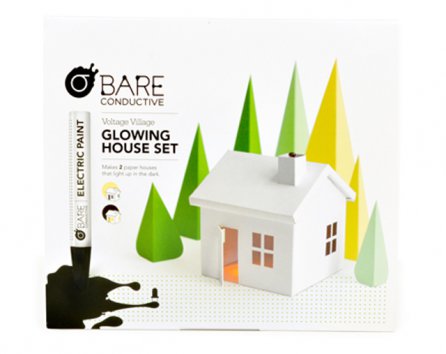
Yes. I’m talking about the experience you have playing with littleBits Base Kit for the first time. It’s an excitement for electronics you can share with kids and teenagers also happening when playing with Bare Conductive Pen, Voltage Village  Glowing House or the TV-B-Gone Kit designed to shut off any TV. They are like an entire universe hiding into a game box!

Explore the gift guide dedicated to kids


IoT & Connectivity

IoT and connected devices  has absolutely exploded in the past year, so if you’ve got coders and startuppers on your gift list, these ideas could save your time. In this gift guide you’ll find a selected list for different tastes and for sure there’s something for everyone.

From the well known Arduino Yún to the Annikken Andee for Android  smartphones designed to make mobile integration simple, you can learn how to build Wireless Sensor Networks and test the power of Bluetooth 4.0 Low Energy with Blend Micro.

Explore the gift guide dedicated to IoT


Home Lab
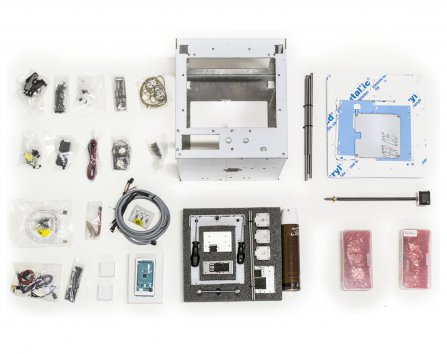
Some people say that in the future our homes will be fully automated, with refrigerators ordering your milk when it’s over, and other gizmos enabling the materialisation of a truly smart home. Is this what we want? Probably we’re not sure yet but there are a few tools  that you can buy for your house that will get you and your friends to feel like what it means to have a home lab.

Starting from a Materia 101 kit to 3d print cool decorations for Christmas and you can take your holiday time to build it with the help of some friends. Or use some quite days to dive in the world of electronics exploring Make Electronics book by Charles Platt or tinkering with some components you’ve never had time to explore like the Arduino Wireless SD Proto Shield or the Tinkerkit DMX Receiver .

Explore the gift guide dedicated to Home Lab


Fashion Tech
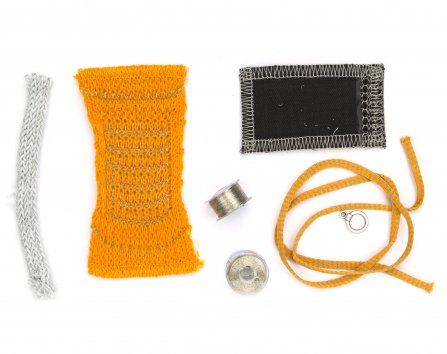
Fashion and tech are closer than ever these days. Textile sensors make every interactive project comfortable to wear and easy to prototype. Soft potentiometers, Textile push buttons, Stretch sensors connected to an Arduino Lilypad are the best components to explore this promising field. You can begin with the Open Softwear book 2nd edition plus the Easy Wearable Kit and then move forward with  yellow EL-Wires to brighten your winter. If you want to explore new approaches not related with electronics, then try  the DIY alternative to print fabrics using light with Lumi KIT Red or Blu.

Explore the gift guide dedicated to Fashion


Arduino Store is now offering FREE SHIPPING to Europe via GLS for all orders over €100, below 3 Kg overall weight. GLS delivery will take 4-5 working days to reach you. In December, this may take longer due to end-of-the-year seasonality. Should you need delivery by Dec. 24th, we strongly advice you to place the order before Dec. 15th. Learn more about shipping
Arduino Blog 03 Dec 13:10
arduino store  fashion  featured  gift  guide  iot  kids  

Control your Christmas lights with sms and Arduino Yún

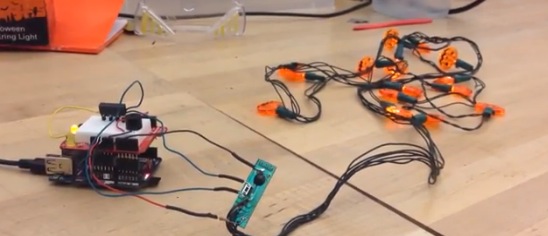
December is finally here and we can start thinking about indoor or outdoor decorations for the holiday. Christmas lights are an excellent way to light up any event and a user on instructables wanted to be able to control the lights remotely with text messages.

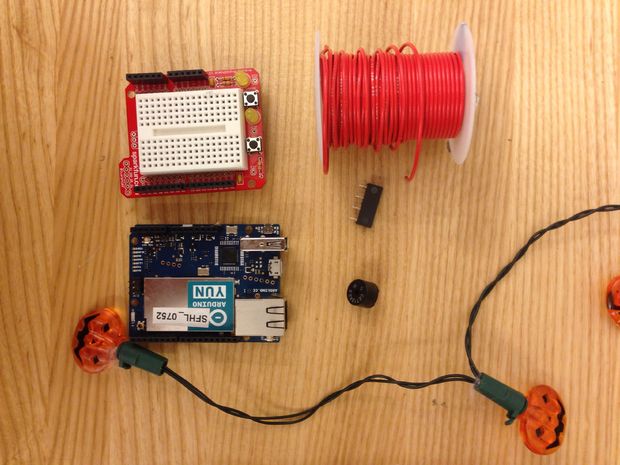
Check his 12-step tutorial  and take a look at the bill of materials:

  • An Arduino Yún – You could use another Arduino with a Wifi Shield though.
  • A Protoshield with (or without) a tiny breadboard
  • A regular breadboard will work as well, but will be less compact.
    If you want to solder more, you can just use a small circuit board instead.
  • A 5V relay
  • A piezo buzzer
  • Wires
  • A battery operated Christmas decoration (It’s not even Thanksgiving, so I’m using a Halloween decoration)
  • A Temboo account
  • A Twilio account


Arduino Blog 01 Dec 21:43

Earthquakes reinterpreted by the human body become art

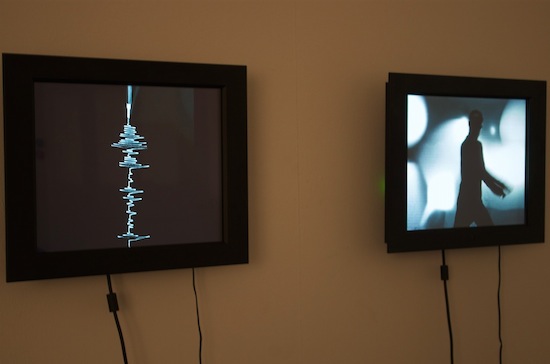
“Earth Partitions” installation by artist Melik Ohanian was exhibited at the Centre d’Art Contemporain à Sète in France and it’s composed by two synchronized videos with a dancer and a seismogram, the second being “written” by the first.

The dancer with two controllers in the hands was asked to “translate” into corporal expression and movements what he saw in a seismogram of an earthquake . His movements were consequently “translated back” to a seismogram using a device. Both the mime and the seismograph were filmed at the same time and both were then broadcasted simultaneously on two different screens during the exhibition.

The project was made thanks to the work of Out of Pluto, a multidisciplinary startup working on the research and development of new technologies to materialize various projects and ideas and decided to share with us some more info about this installation.

Arthur and Mathias, founders of the startup, submitted the project to this blog describing me how they used two Arduino boards:

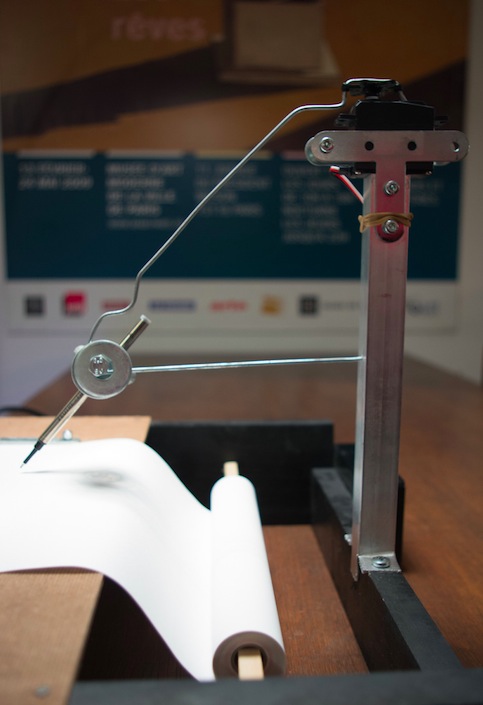
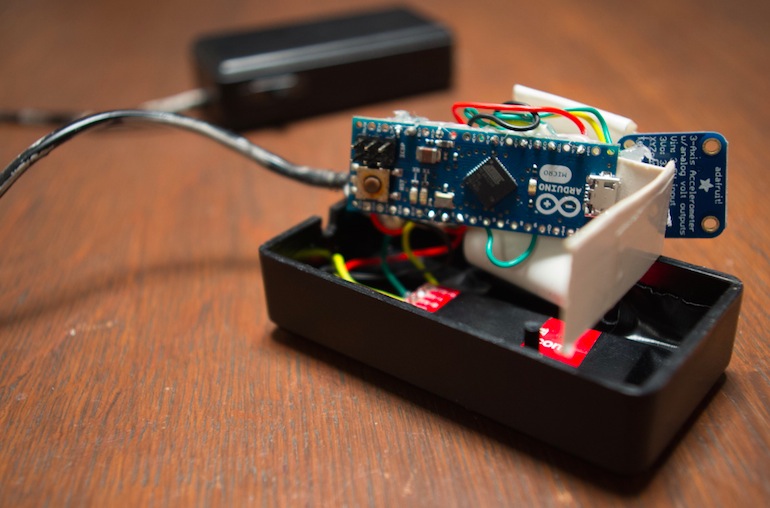
The Arduino Micro reads the accelerometer values, computes a global value and sends it via bluetooth to the computer. The computer reads this value, computes an angle according to a configurable ratio (sensitivity) and sends a new value to the Arduino Uno. The Arduino Uno sends the angle to the servo motor that rotates to this angle and then come back to 0 (if no other value is sent). Coming back to 0 simulates the end of the “earthquake”. The mechanical part of the arm is flexible so there is some inertia involved, creating the typical outline of seismograms. There is a simple motor to pull the paper at a constant speed.

Take a look at the video:

Pimp your ikea lamp into a customized death star

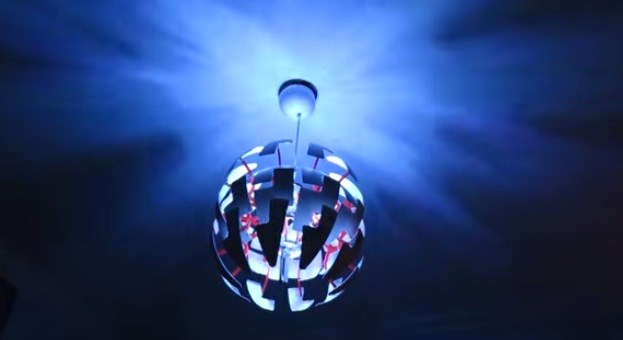
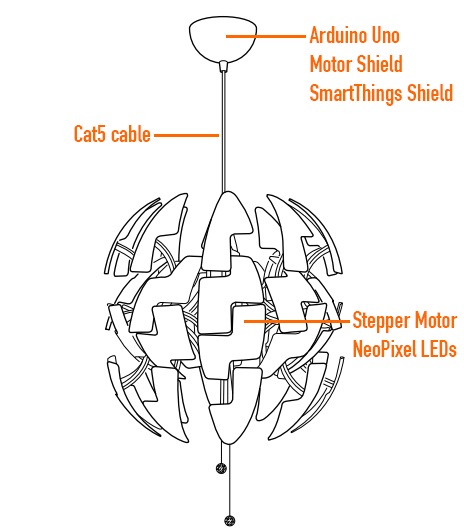
Ikea hacks are well widespread in the maker movement and David Bliss, founder at Nurun, did a great job transforming the Death Star inspired PS 2014 Pendant Lamp into something more dynamic.

The lamp was pimped up with an Arduino Uno and Arduino Motor Shield, NeoPixel LEDs and other components you can see in the illustration.

The detailed description of the project is on his blog , the code on github and the final result in the following video:

Arduino Blog 26 Nov 22:41
arduino  featured  ikea  led  motor  shield  

Making something useful for your home with Materia 101

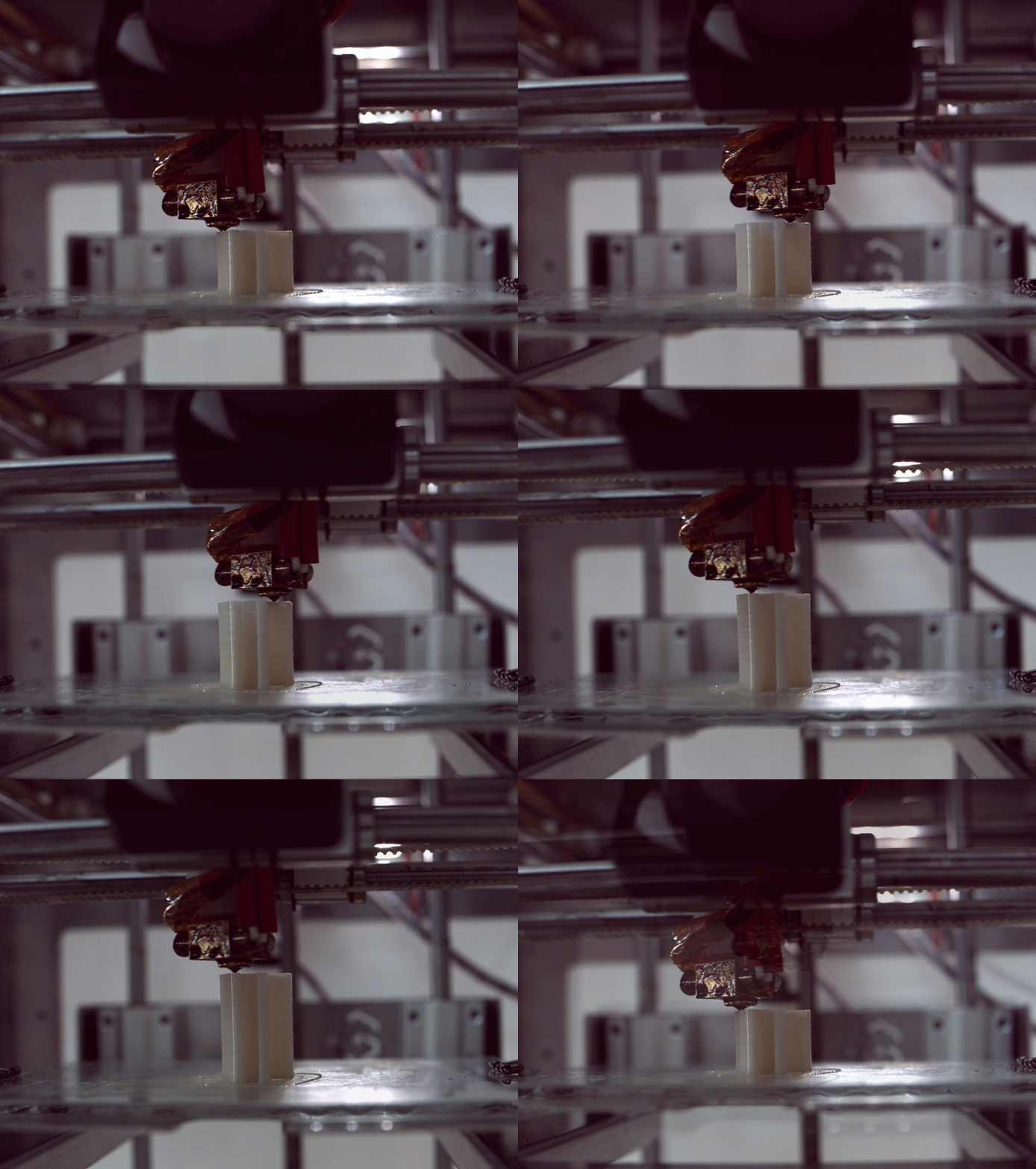
When you become a happy owner of a Materia 101 3d printer, the first days are really important to start experimenting with the right attitude. Understanding quickly how to get what you want from it means becoming aware of the potential applications of the 3d printing technology in your environment.

Last week we published  the tutorial  on  “Getting started with Materia 101″ created by Kristoffer  and kicking off a series of step-by-step guides to explore different topics, softwares and settings for your 3d printer.

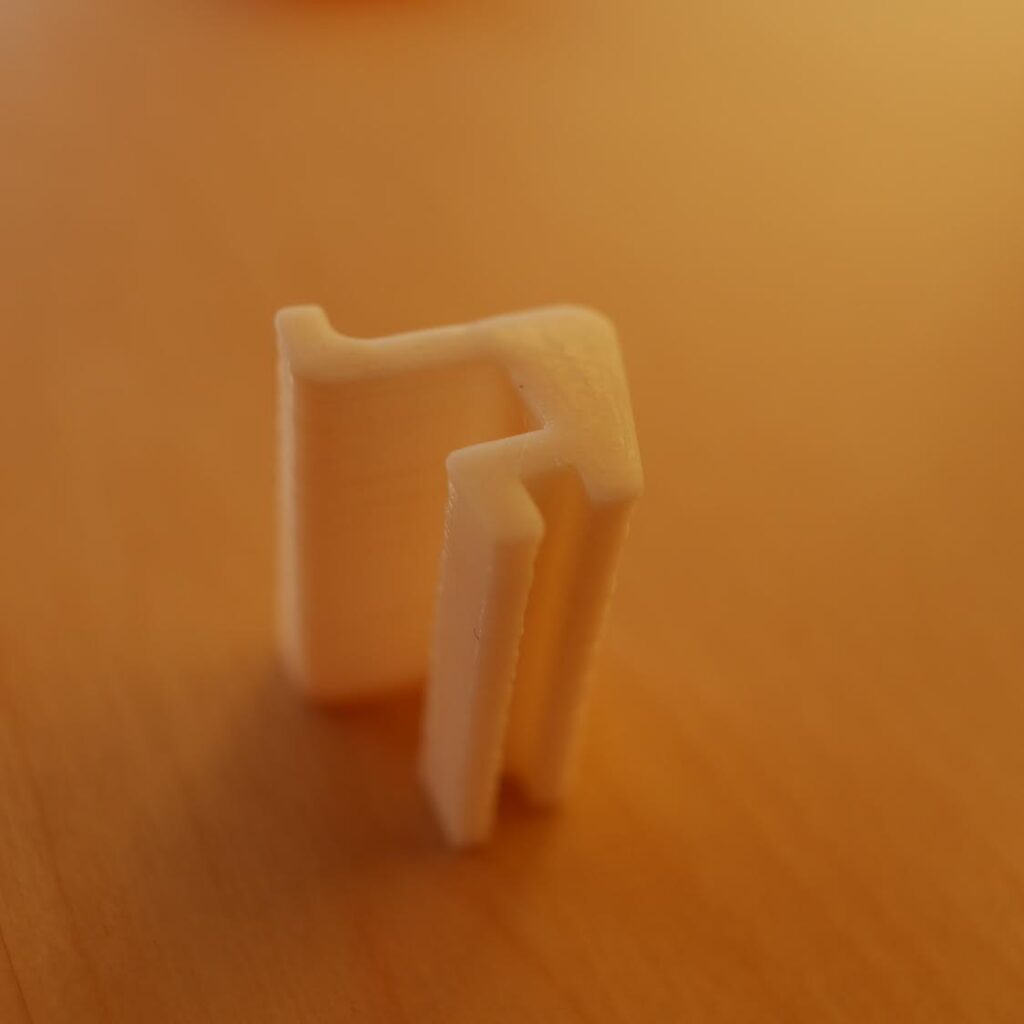
Take a look at the second tutorial focused on  fixing things at home: “Making something useful” tutorial shows you how to start from a need, to design and print a solution. It feels great to be able to fix what’s broken!

Interested in getting in touch and showing your experiments? Join Kristoffer on the Arduino forum and give us your feedback.

Next week we are going to post a tutorial on how to create 3d-printed cases for Arduino boards. Stay tuned.

Hashtag: #Materia101

Save the date for Arduino Day 2015: Saturday 28th of March

Last year, during the first celebration of Arduino Day more than 240 user groups, makerspaces, hackerspaces, fablabs, schools, studios and educators throughout Europe, North and South America, Asia, Africa and Australia planned activities, workshops, events for a wide range of audiences and skillsets. They celebrated together the open source community gathered around Arduino globally.

We are now organizing the second edition of this worldwide anniversary celebrating Arduino community and the makers’ movement. Everyone can participate in the role of organizer or as a participant.
Stay tuned because at the beginning of February we’ll be launching the open call for entries. In the meanwhile check the countdown here http://arduinoday.tv – Hashtag: #ArduinoD15


Global emotional light with Arduino

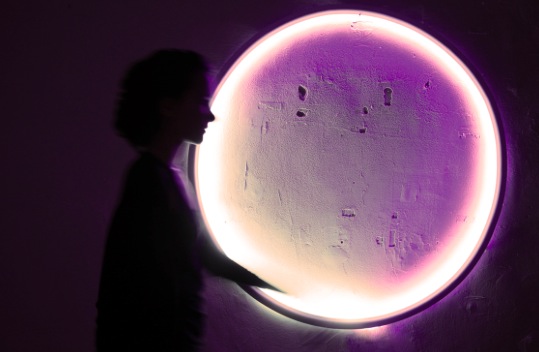
Based on open source technology and programming, LUZ is a lighting project that product designer Marina Mellado designed and targeted to those people who are physically and psychologically affected by the lack of sun or daylight.

Luz is a one meter diameter ring of light. It connects two LED stripes RGB SMD5050 to an Adafruit TCS34725 sensor ( which I use to get the temperature of colour (K) and the light intensity (Lux) Values ) and an Arduino Uno.

The electronic system is programmed to modify gradually the light-color sensibility of the lamp depending on the weather conditions when the sensor is positioned by the window.

Check the video below to see the lamp in action:

Arduino Blog 21 Nov 15:44

A special day dedicated to Arduino in Stockholm

Tekniska Museum of Stockholm in collaboration with Italian Embassy, and the Royal Institute of Technology  (KTH), will host a special edition of the Arduino Day on the 26th of November.

Massimo Banzi and David Cuartielles together with professors from KTH and some of the most creative professionals, students and enthusiasts, will be the protagonists of a showcase of inspirational lectures and Pop Up speeches suitable for both hardcore Arduino fans as well as for the curious newbie.

Are you in Stockholm next week? Come and say hello!

The program

Part 1: h.14:00 – 16:00 (Entrance with museum Ticket)

Presentations and Q&A in Althinsalen at Tekniska museet.

– Massimo Banzi (Arduino founder)
– David Cuartielles (Arduino founder)
– Clara Leivas (Interaction Designer)
– Dr Jon-Erik Dahlin (KTH) Ellen Sundh (Creative Technologist)
– Sagar Moreshwar Behere, PhD (KTH)

Part 2: h.16:00 – 20:00 (free entrance from 17:00)

Four hours of Arduino Maker Faire in Eventrummet at Tekniska museet.

Professionals, students and amateurs show their Arduino projects with improvised Pop-Up talks among the projects.

– Massimo Banzi (Arduino founder)
– David Cuartielles (Arduino founder)
– Ellen Sundh (Creative Technologist)
– Dr Carlo Fischione, (KTH)
– Dr Jon-Erik Dahlin (KTH)
– Rickard Dahlstrand (.SE)
– Members of Stockholm Robot Society Members of Stockholm Maker Space
– Leonardo Araujo de Assis (University of Brasilia)

Having fun with your Materia 101 – 3d printing tutorial

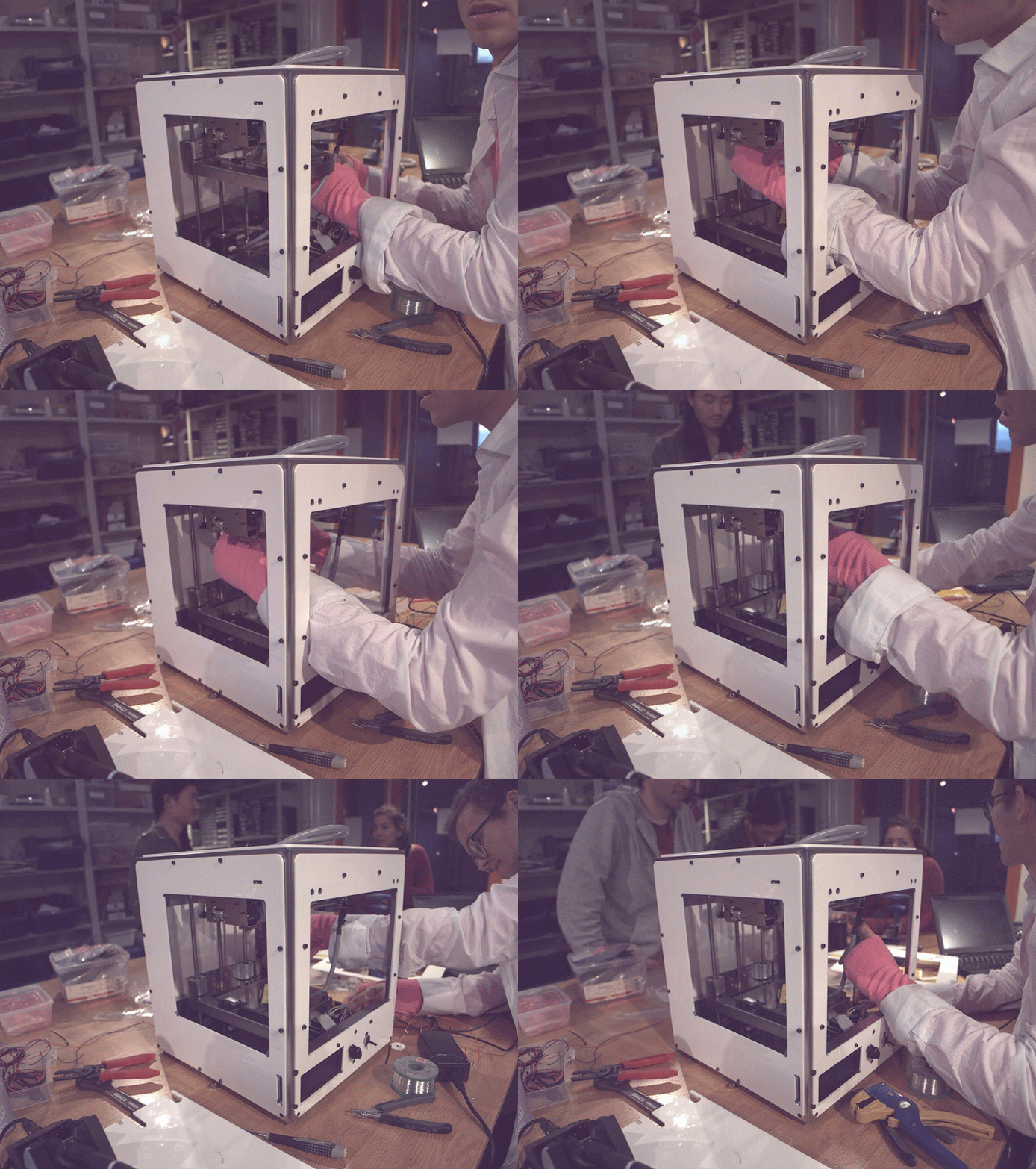
We recently launched Materia 101 3d printer, happy to know some of you are already using it  and having fun with 3d printing. In order to lower the barriers to this technology even more and to allow you to experiment on interesting stuff, we planned to create a series of tutorials for beginners.

Today we are ready to present you the first tutorial created by Kristoffer working at Arduino in Malmo. He’s going to post e a step-by-step guide every week on different topics and also ready to receive your feedbacks on the Arduino forum.

Take a look at the “Getting Started with Materia 101” tutorial and learn how to print and take care of your printer for amazing results.

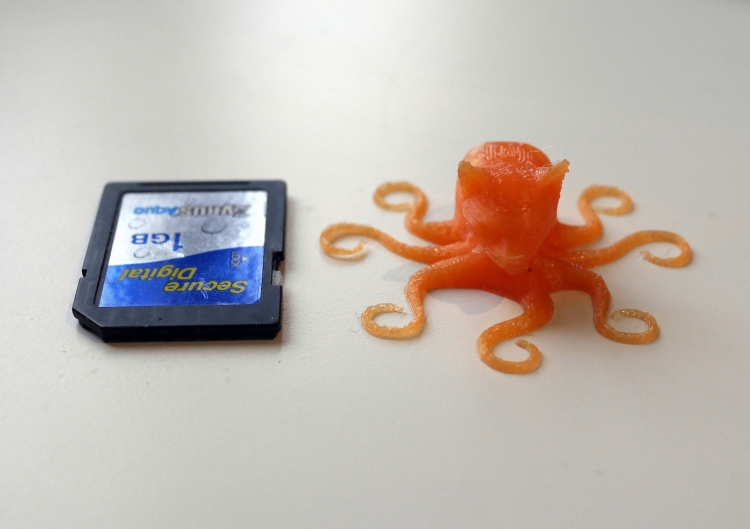
The tutorial has goodie inside: an Octocat g-code file you can download to create a perfect print of the weird creature you can see in the picture below!

Next week we are going to post a tutorial to create cool 3d-printed gadgets for your home. Stay tuned. #Materia101

The perfect teal

Last year Massimo Banzi wrote a long post on this blog to explain the genealogy of Arduino.  He described how an open-hardware project, designed to lower the barriers to prototyping interactive projects, was able to find its way into economical sustainability and still keep innovating.

He clearly explained what an original Arduino is, and why its cost is a matter of maintaining an open-source ecosystem, and not only of manufacturing and distributing the boards.

He detailed out what ‘counterfeit Arduinos’ are, and why they are harmful to the whole open-source hardware movement. We release Arduino’s hardware design files so that people could make their own versions, but this doesn’t mean manufacturing boards only for profit and pretending to be Arduino.

 We don’t release any element of the Arduino brand identity (logo and graphics of the boards), so whoever uses the trademarked Arduino graphics makes a deliberate act of Trademark infringement and prevent us in our effort to guarantee the quality of our products, always replaceable if defective.

We also created a page on our website showing how to spot a counterfeit Arduino.

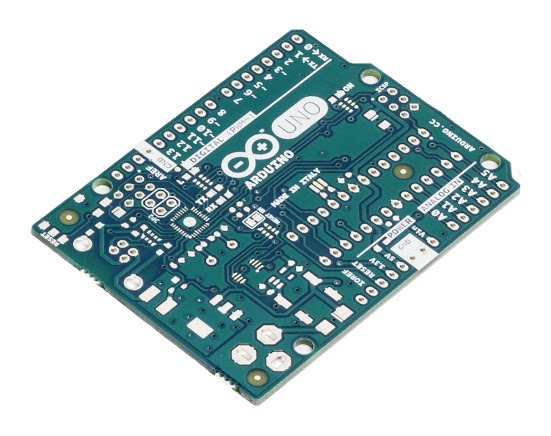
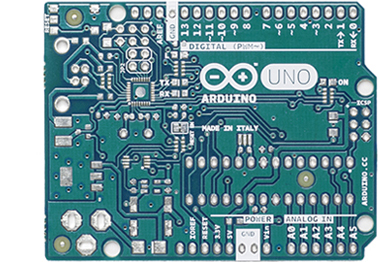
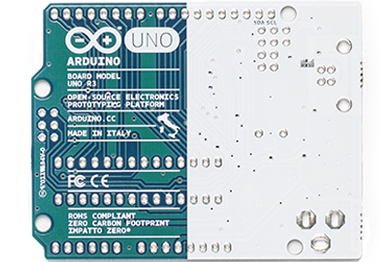
As you can see at the link, we recently upgraded the page with new pictures as we are entering a new phase: we are redesigning the PCB silkscreens of all Arduino boards, in production in the next few months. As you might imagine, this is going to be a long process as it cannot happen in one night. The new silk will be better counterfeit-proof, and will allow you to recognise an original Arduino just by a quick look.

As you can see in the images above (click on the images for hi-res), we changed some graphic elements of the board and also switched to a different shade of teal.

In the next months we will upgrade the pictures of the boards in the product pages of the Arduino website as they roll out and are distributed around the world. It’s a transitioning phase so stay tuned for more news on the blog!