Posts with «featured» label

Build Arduino-based IoT apps with Temboo Conditions features
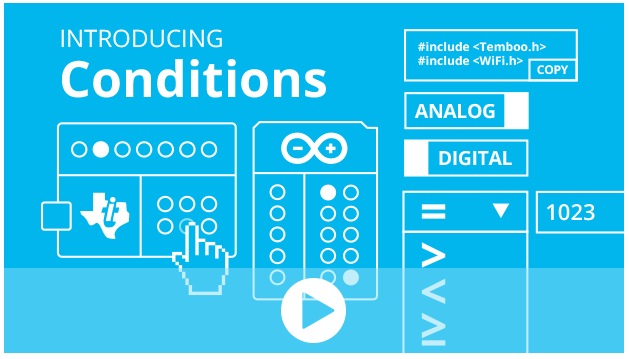
Last week Temboo just added new Conditions features to its IoT Mode interface, making it even easier to connect your Arduino to the Internet of Things! Now, the functionality of Temboo’s Device Coder has been extended to all 2000+ Choreos in the Temboo Library, meaning that data collected from sensors attached to an Arduino Yún can be used to trigger any cloud process, and responses from the cloud can be used to trigger all sorts of hardware actions on your board.

Using IoT Mode on the Temboo website, you can automatically generate ready-to-run Arduino code to execute Choreos from your board without having to write a single line of code yourself—just specify which board and shield you’re using and what Choreo you’d like to run, and all the necessary code will be generated immediately in your browser. And you can also now visually specify what sort of hardware inputs and outputs you would like to use: the code to connect them to your Choreo will be generated as well.

The visual interface includes a pin selector tool that lets you choose which pins you want to activate and how you want them to interact with the Choreo you are running. The pin selector identifies the pins on your board that are available, and also indicates whether those pins are configured to work with digital or analog I/O. Like the generated code itself, the pin selector interface will change to reflect the board and shield you’ve chosen to work with.
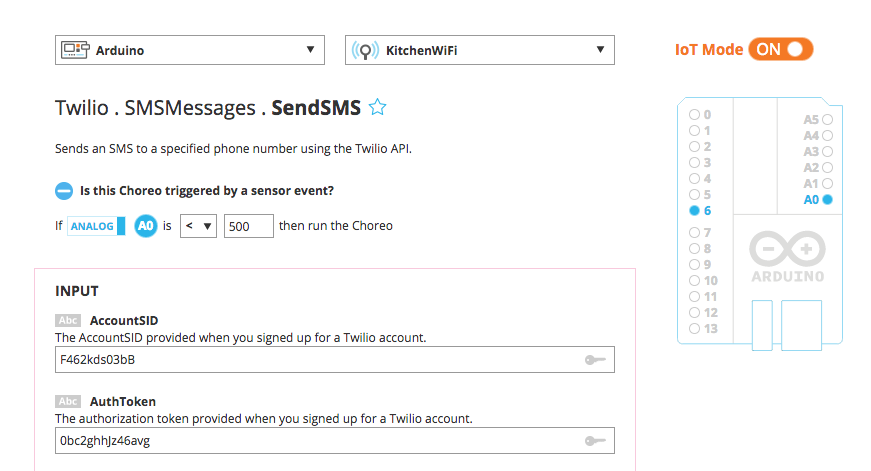
Conditions make it quick and easy to build a massive range of IoT applications, like a thermometer that sends SMS alerts, or a motor that runs when it receives an email. Just specify how you want your pins to interact with the web services you are using, and thanks to Conditions, what you specify will be reflected in a complete, production-ready program generated instantly in your browser. Try it out, and email hey@temboo.com to let them know what you think!

Arduino Blog 12 Mar 07:58
arduino  cloud  featured  iot  sensors  temboo  yún  

Arduino IDE 1.6.1 released

A new version of the Arduino IDE (1.6.1) is available at the download page!
A month ago we released the version 1.6.0 of the Arduino IDE. We then received lots of feedback: issues on Github, emails on the developers mailing list and, most important, forum messages. We fixed a lot of issues, here is a brief list:

  • Better Yún discovery mechanism (thanks Ron Guest)
  • Better SoftwareSerial library (thanks Matthijs Kooijman)
  • Native dialogs on MacOSX on the Java 7+ experimental version
  • Improved library name matching, so IRemote library won’t conflict with RobotIRremote library (thanks Paul Stoffregen)
  • Fixed bug on Windows when attempting to open a sketch by double clicking it

As usual, the complete list of fixes and credits is available here.

Don’t forget to report any issue you find, either on Github or on the Arduino forum: your help is very much appreciated. It doesn’t matter if you are not a tech specialist: every feedback adds value.

We are already working on release 1.6.2, with some very useful features and user experience improvements. Stay tuned!

Arduino Blog 10 Mar 15:18

Encrypting messages with Cuckoo and Arduino Yún

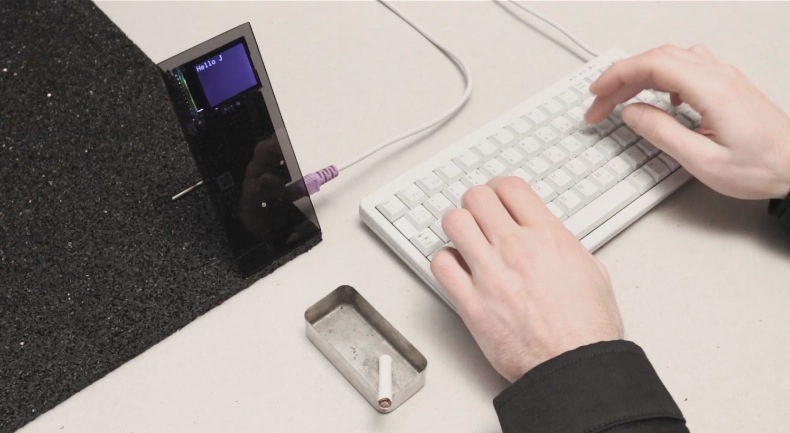
Jochen Maria Weber is a Researcher and Designer at the intersection of Interaction- and Industrial Design. He shared with us Project Cuckoo, a project running on Arduino Yún and looking at our interactions with intercepted social networks and how alternative ways of communicating might change them:

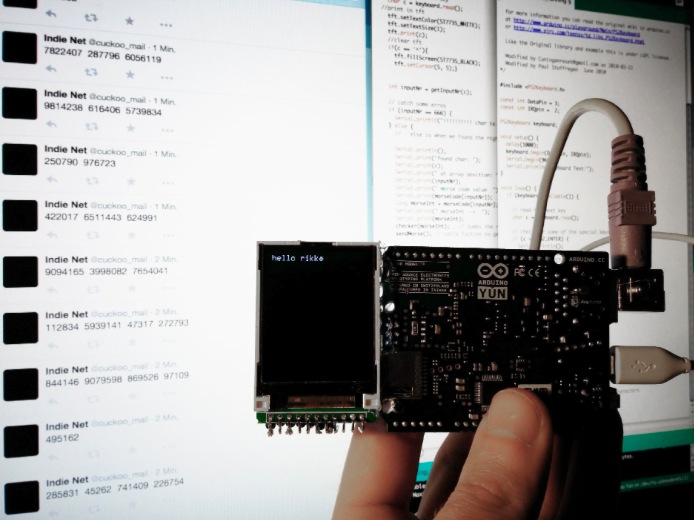
Twitter, Facebook, Google+ and co. collect our data and are forced to have a backdoor for state surveillance. Therefore Cuckoo encrypts messages into randomly generated words, meanings and noise in order to scatter them over multiple communication networks simultaneously. Each letter of an original message gets translated into complex forms of certain length forming new sentences. Those sentences get posted to aforementioned social networks, next to randomly generated noise-sentences for distraction. The encryption method can be changed with every new message. Any receiving Cuckoo-unit following the respective social network accounts can filter and decrypt the important posts according to their encryption method and time stamp. Cuckoo combines social networks to build a hidden one on top of their infrastructure. An egg in the others’ nests.

Cuckoo uses an Arduino YUN to connect wirelessly as a stand-alone device to the internet. It also does the en- and decryption of all messenges and made it comfortable to connect to Twitter, Skype and Tumblr API with Temboo.

Take a look at the video on Cuckoo’s website.

Arduino Blog 06 Mar 23:14

Play your emotional state with Social Vibes and twitter

‘Social Vibes’ is a Masters Degree (MSc.) project, in Interactive Media by Cian McLysaght, at the University of Limerick, Ireland. They shared with us their project, running on Arduino Uno, composed by a physical artifact designed and created specifically for an installation adopting the fundamental sound mechanisms used in a vibraphone, know also as a ‘Vibe’:

The instrument consists of twelve musical tones of different pitches. The music created on the instrument is derived from a continuous stream of input via multiple users on Twitter and the explicit interaction from Twitter users, tweeting the instrument directly to the project’s, “@vibe_experiment” Twitter account. Data associated with the emotional status of Twitter users, is mined from the Twitter network via Twitter’s open source, application programming interface (API).

For example if a user tweets “The sun is out, I’m happy”, the code I’ve written will strip out key words and strings associated with the user’s emotional state, within the tweets, ie “I’m happy”, and translate this to a musical notation. Mining Twitter’s API, allows a continuous stream of data. These emotional states are then mapped to specific notes on the physical musical instrument, located in a public space. The tempo of the musical expression will be entirely based upon the speed and volume of the incoming tweets on the Twitter API.

Twitter users who are both followers and non followers of the musical instrument’s Twitter account (@vibe_experiment) can tweet directly to the instrument and this direct interaction will be given precedence, allowing user’s who tweet directly to have their emotional state ‘played’. This allows users to hijack or take over the instrument and experiment with it in a playful manner, but also allows those with musical knowledge the potential to compose simple musical arrangements. When users are not tweeting the instrument directly, then the instrument will revert to mining the Twitter API.

To entice users to interact and observe the action of the instrument there is a live streaming broadcast of the instrument via Twitcam on the Vibe’s Twitter account. This is a live streaming broadcast of the instrument via Twitcam on the @vibe_experiment account. Twitcam, is Twitter’s built in live-streaming platform. This simply requires a webcam and a valid Twitter account.

The instrument constantly tweets back updates to it’s own Twitter account to not only inform people of the general status but also to engage users to interact directly with the ‘Vibe’.

Making a lasercut Movie Recommender with Intel Edison

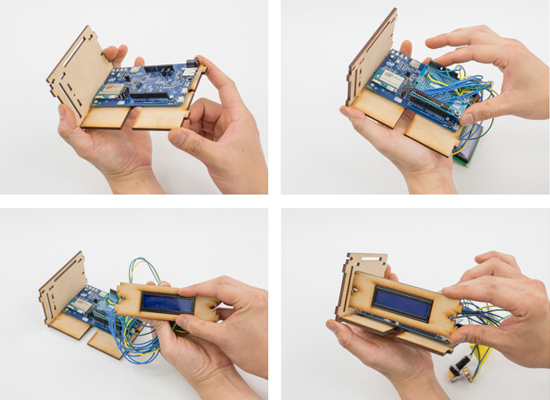
Some days ago we posted on Intel Makers Community an educational tutorial focused on Intel Edison. Our team explored Internet Queries to build a lasercut Movie Recommender and help you find a good movie title  extracted from The Open Movie Database starting from the 50s to the 10s and according to your favourite genre:

Pressing the button will activate the Movie Recommender and the search begins. After the magic is done, the curtain will open to reveal the movie that fits the criteria.

So get this project done, make some popcorn, dim the lights, and get ready to watch a sci-fi movie from 1988… “My Stepmother is an Alien”?!

Follow the link and create your DIY Movie Recommender!

Take a look at the video below to see how it works!

Arduino Blog 02 Mar 20:55

Open Source 3D Printed Rocket Engines controlled by Arduino

Fubar Hackerspace (New Jersey) member Graham has been working on an open source liquid fuel rocket engine with regenerative cooling and precise flow control build on Arduino Uno.  In order to test it he’s also built a cool rig for testing propellant flow control:

My project is building Open Source 3D Printed Rocket Engines with Arduino microcontrollers. As an individual interested in building liquid fueled rocket engines as a hobby I quickly realized there were almost no resources online or forums to share or learn from others. I decided to combine my interests in Software, hardware and open source projects to develop and build a functioning liquid fueled rocket engine. However, unlike most other projects it had to be open source and easily re-produced.

In order to ensure it was as open source as possible I used the Arduino Uno board and IDE to develop software to safely control the engine. To meet the easily reproducible requirement I decided that 3D printing was the right approach rather than labor/time intensive traditional machining.

The end result is an engine that can easily be reproduced or modified. This gives others interested in this hobby a starting point for best practices, safety, etc… so that future projects aren’t starting out from scratch.

All of my design files and software are on GitHub  and a detailed description of the write-up is on the FUBAR labs makerspace wiki 

Here’s the video of the testing of the 3D Printed GOX/Ethanol Injector:

Arduino Blog 27 Feb 09:58

Open Source 3D Printed Rocket Engine controlled by Arduino

Fubar Hackerspace (New Jersey) member Graham has been working on an open source liquid fuel rocket engine with regenerative cooling and precise flow control built on Arduino Uno.  In order to test it he’s also built a cool rig for testing propellant flow control:

My project is building Open Source 3D Printed Rocket Engines with Arduino microcontrollers. As an individual interested in building liquid fueled rocket engines as a hobby I quickly realized there were almost no resources online or forums to share or learn from others. I decided to combine my interests in Software, hardware and open source projects to develop and build a functioning liquid fueled rocket engine. However, unlike most other projects it had to be open source and easily re-produced.

In order to ensure it was as open source as possible I used the Arduino Uno board and IDE to develop software to safely control the engine. To meet the easily reproducible requirement I decided that 3D printing was the right approach rather than labor/time intensive traditional machining.

The end result is an engine that can easily be reproduced or modified. This gives others interested in this hobby a starting point for best practices, safety, etc… so that future projects aren’t starting out from scratch.

All of my design files and software are on GitHub  and a detailed description of the write-up is on the FUBAR labs makerspace wiki 

Here’s the video of the testing of the 3D Printed GOX/Ethanol Injector:

Arduino Blog 27 Feb 09:58

Official Arduino Day: Call for volunteers, projects, talks

If you live in Boston (USA), Torino (Italy), Malmo (Sweden), Budapest (Hungary), Bangalore (India) you could come and participate to one of the 5 official Arduino Day events on Saturday, March the 28th by our local offices and hosted at MIT Media Lab:

And there is more! You can take part of the event not only as a visitor but also as  a protagonist. Today we’ve opened the call for volunteers, projects and talks. You’ll be having fun with us and Arduino!

Are you interested? These are the requirements:

– Must be comfortable with simple Arduino hardware and software
– Must be able to explain Arduino concepts to visitors without overwhelming them with technical details
– Must be able to engage in friendly conversations with strangers

We’ll offer as a token of appreciation an official Arduino t-shirt, lunch, and a discount coupon for our online store!

Are you interested? Fill the form. We’ll ping you back! Thanks!

A collective instrument capturing breathe with paper windmills

Cata Sopros is interactive sound installation running on Arduino Uno and created by Elas Duas, a multidisciplinary studio based in the city of Guimarães (Portugal). If you translate the title from portuguese it means: Breathe Catchers. In fact the project is a collective musical instrument made with paper windmills transforming the users’ breathe into sounds:

The windmills have inbuilt electret microphones that were connected to an Arduino Uno. The sensor data was then sent to MaxMSP and the sounds were played with Ableton Live. The video was shot at the cloister of the beautiful Alberto Sampaio museum in Guimarães, Portugal.

Enjoy the video:

What time is it? Explore Galileo board’s real time clock tutorial

In the past weeks we explored how to make a gsm-controlled star light, a touch-screen controlled marionette, and how to learn more about Linux on Intel Galileo Gen 2.

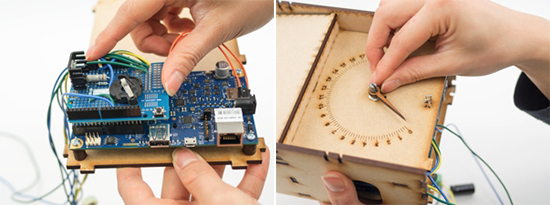
In today’s tutorial  you’ll learn how to create a “Wake up clock” which will turn on and illuminate the room slowly, simulating a morning sunrise. And hopefully, it will make waking up on Mondays a bit easier!

This is the bill of materials:

Intel® Galileo Gen 2 power supply
Arduino Protoshield
LED power supply
1 High power white LED(3v 700mA)
1 1000 ?F Capacitor
1 2.1 mm DC jack-to-screw terminal adaptor
1 10k potentiometer

1 1.8Ohm 2w resistor
1 LM317t voltage regulator
2 10kOhm resistor
1 2n7000 transistor
1 Coin battery holder
Jumper wires
Colored wire
Pin header
1 8 mm magnet
Stiff wire (that is attracted to magnets)
Wood glue
Hot glue sticks
4 mm MDF components – lasercut according to drawing
Plexiglas components – lasercut according to drawing
Nuts and bolts
Rubberband

Download the files and learn how to assemble electronics at this link