Posts with «featured» label

Make your first wearable with Arduino Gemma
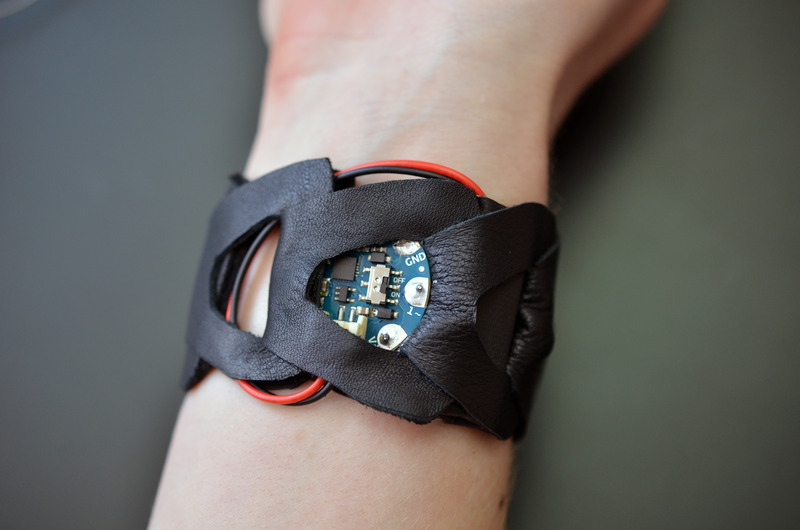
Like the LilyPad Arduino boards, the Arduino Gemma is designed to create interactive projects you can wear. It can be sewn into clothing and other fabric with conductive thread and be connected to sensors and actuators.

After you explored the Getting Started page and learn how to move the first steps with it, it’s time to explore its features with a real project.

Becky Stern from Adafruit recently created a tutorial for making a vibrating mindfulness bracelet and learn the basics of wearables with Gemma! It’s like that “stand up every hour” feature you find on smart watches, but DIY.

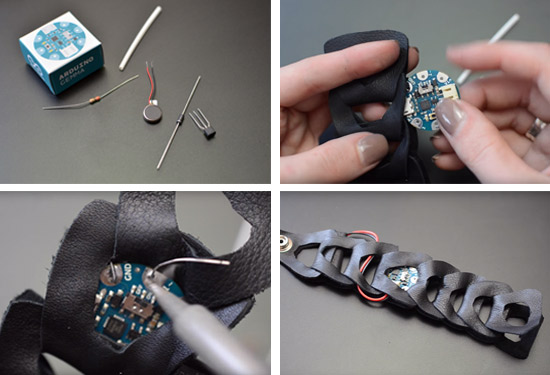
The guide shows you how to solder up the circuit using an Arduino Gemma microcontroller, small pager motor, as well as how to whip up a cute linked leather bracelet to hold everything.

Build yourself a buzzing bracelet for subtle haptic feedback as time passes! It’s great for reminding yourself to get up and walk away from your desk for a few minutes each hour, or just as a way to have a new awareness of how the perception of passing time varies based on what you’re doing.

You’ll whip up a vibrating motor circuit using a transistor, resistor, and diode, and use GEMMA to control the frequency of vibration in between low-power microcontroller naps. The circuit lives inside a linked leather/rubber bracelet, but you could build it into whatever you please. This project involves some precision soldering, but is otherwise quite easy!

Read the bill of materials, follow the steps and create your Buzzing Mindfulness Bracelet on Adafruit.
Make your first wearable with Arduino Gemma

Like the LilyPad Arduino boards, the Arduino Gemma is designed to create interactive projects you can wear. It can be sewn into clothing and other fabric with conductive thread and be connected to sensors and actuators.

After you explored the Getting Started page and learn how to move the first steps with it, it’s time to explore its features with a real project.

Becky Stern from Adafruit recently created a tutorial for making a vibrating mindfulness bracelet and learn the basics of wearables with Gemma! It’s like that “stand up every hour” feature you find on smart watches, but DIY.

The guide shows you how to solder up the circuit using an Arduino Gemma microcontroller, small pager motor, as well as how to whip up a cute linked leather bracelet to hold everything.

Build yourself a buzzing bracelet for subtle haptic feedback as time passes! It’s great for reminding yourself to get up and walk away from your desk for a few minutes each hour, or just as a way to have a new awareness of how the perception of passing time varies based on what you’re doing.

You’ll whip up a vibrating motor circuit using a transistor, resistor, and diode, and use GEMMA to control the frequency of vibration in between low-power microcontroller naps. The circuit lives inside a linked leather/rubber bracelet, but you could build it into whatever you please. This project involves some precision soldering, but is otherwise quite easy!

Read the bill of materials, follow the steps and create your Buzzing Mindfulness Bracelet on Adafruit.
Watch Massimo Banzi’s presentation at Computer History Museum

Last month Massimo Banzi gave a lecture at the Computer History Museum in Mountain View (California, US). It was titled The Arduino Experience and covered the historical origins of Arduino, including a explanation of the process of designing tools which make digital technology accessible to people who are not experts, and the essential role of the larger Arduino ecosystem that supports it. After the keynote Len Shustek, chairman of the board of the Museum, curated a session of Q&A. If you didn’t have the chance to be there, the recorded video is online and you can watch it now:


Watch Massimo Banzi’s talk at the Computer History Museum

Last month Massimo Banzi gave a lecture at the Computer History Museum in Mountain View (California, US). It was titled The Arduino Experience and covered the historical origins of Arduino, including a explanation of the process of designing tools which make digital technology accessible to people who are not experts, and the essential role of the larger Arduino ecosystem that supports it. After the keynote Len Shustek, chairman of the board of the Museum, curated a session of Q&A. If you didn’t have the chance to be there, the recorded video is online and you can watch it now:


Arduino Zero now available for purchase!

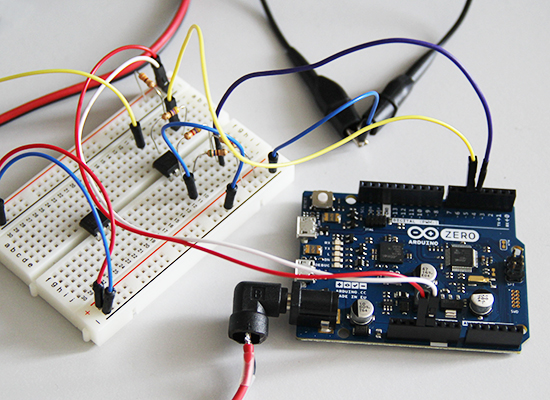
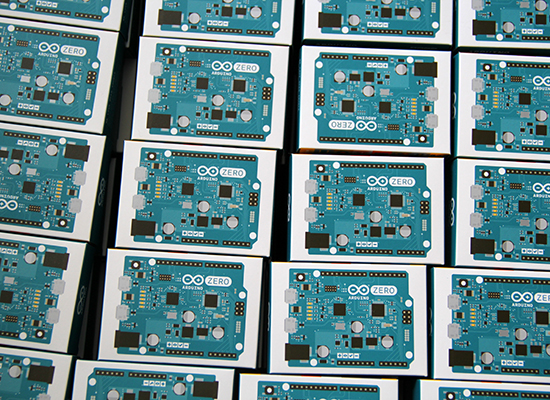
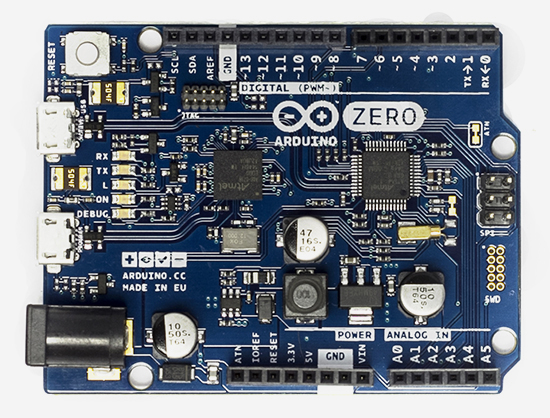
One year ago Arduino and Atmel unveiled the new Arduino Zero. Today, after some months of beta-testing, we are happy to have the board finally available for purchase on the US Store.

Arduino Zero is a simple and powerful 32-bit extension of the well-known Arduino UNO. It allows creative individuals to realize truly innovative ideas especially in areas like smart IoT devices, wearable technology, high-tech automation, and robotics. Arduino Zero acts also as a great educational tool for learning 32-bit application development.

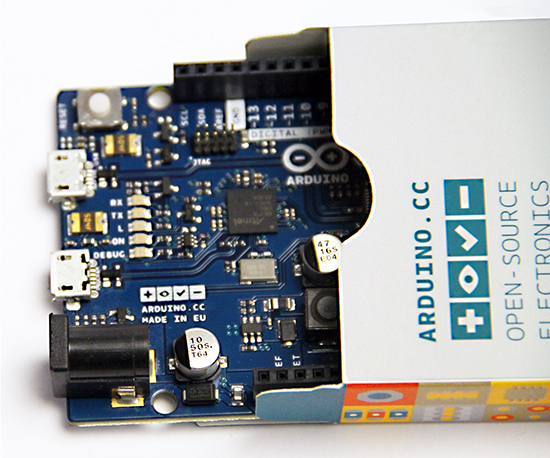
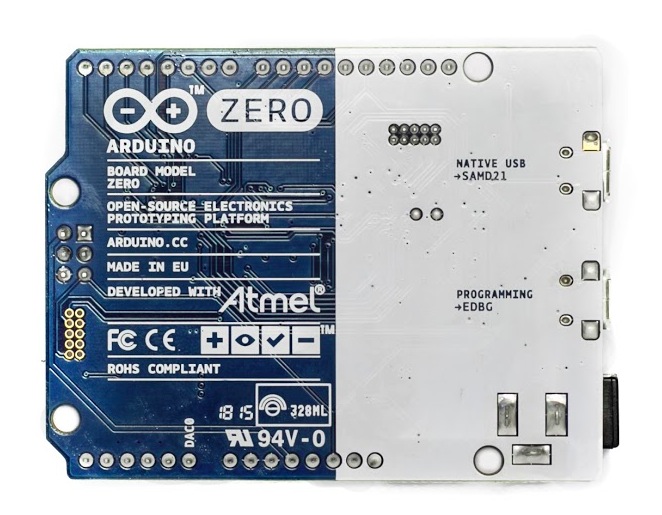
Powered by Atmel SAMD21 MCU, Arduino Zero features a 32-bit ARM Cortex® M0+ core. One of its “most wanted” features is the Atmel Embedded Debugger (EDBG), which provides a full debug interface without the need for additional hardware.

Arduino Zero’s silk has an additional graphic element: the Genuino logo. Genuino is the Arduino sister brand from the Arduino founders (M. Banzi, D. Cuartielles, T. Igoe, D. Mellis), team and community. We added the Genuino logo to the Arduino Zero to stress its authenticity, and to make it easier for the Arduino community to spot original boards. We are going to include this logo to all genuine Arduino boards from now on.

To start using the board you need to download the latest version of the IDE (1.6.5), which comes with a set of great improvements:

  • a new modern editor (thanks @ricardojlrufino)
  • serial monitor stays open while you upload a new sketch (thanks @avishorp and @Wackerbarth)
  • File > Open Recent menu shows the last 5 opened sketches
  • Tons of fixes and improvements: the list is available here. They are 470 issues closed since previous version, 1.6.4: massive!

Learn more about the Arduino Zero and get started with it at the following links:

– Updated Arduino Zero product page

– Getting Started Page

– Github repository

– Interact in the Arduino Forum

And if you are one of the lucky ones and have Arduino Zero in your hands, start practicing its features with the following tutorials:

- Arduino Zero Low Power Overview

It shows the low power characteristics of the Arduino Zero thanks to a low power microcontroller using the 32 bit ARM Cortex M0+ architecture.

– Simple Audio Feature

It shows how to experiment with sound starting to play a wave file stored on the SD card.


Arduino Zero now available for purchase!

One year ago Arduino and Atmel unveiled the new Arduino Zero. Today, after some months of beta-testing, we are happy to have the board finally available for purchase on the US Store.

Arduino Zero is a simple and powerful 32-bit extension of the well-known Arduino UNO. It allows creative individuals to realize truly innovative ideas especially in areas like smart IoT devices, wearable technology, high-tech automation, and robotics. Arduino Zero acts also as a great educational tool for learning 32-bit application development.

Powered by Atmel SAMD21 MCU, Arduino Zero features a 32-bit ARM Cortex® M0+ core. One of its “most wanted” features is the Atmel Embedded Debugger (EDBG), which provides a full debug interface without the need for additional hardware.

Arduino Zero’s silk has an additional graphic element: the Genuino logo. Genuino is the Arduino sister brand from the Arduino founders (M. Banzi, D. Cuartielles, T. Igoe, D. Mellis), team and community. We added the Genuino logo to the Arduino Zero to stress its authenticity, and to make it easier for the Arduino community to spot original boards. We are going to include this logo to all genuine Arduino boards from now on.

To start using the board you need to download the latest version of the IDE (1.6.5), which comes with a set of great improvements:

  • a new modern editor (thanks @ricardojlrufino)
  • serial monitor stays open while you upload a new sketch (thanks @avishorp and @Wackerbarth)
  • File > Open Recent menu shows the last 5 opened sketches
  • Tons of fixes and improvements: the list is available here. They are 470 issues closed since previous version, 1.6.4: massive!

Learn more about the Arduino Zero and get started with it at the following links:

– Updated Arduino Zero product page

– Getting Started Page

– Github repository

– Interact in the Arduino Forum

And if you are one of the lucky ones and have Arduino Zero in your hands, start practicing its features with the following tutorials:

- Arduino Zero Low Power Overview

It shows the low power characteristics of the Arduino Zero thanks to a low power microcontroller using the 32 bit ARM Cortex M0+ architecture.

– Simple Audio Feature

It shows how to experiment with sound starting to play a wave file stored on the SD card.


Memories from Arduino Day! Download the poster

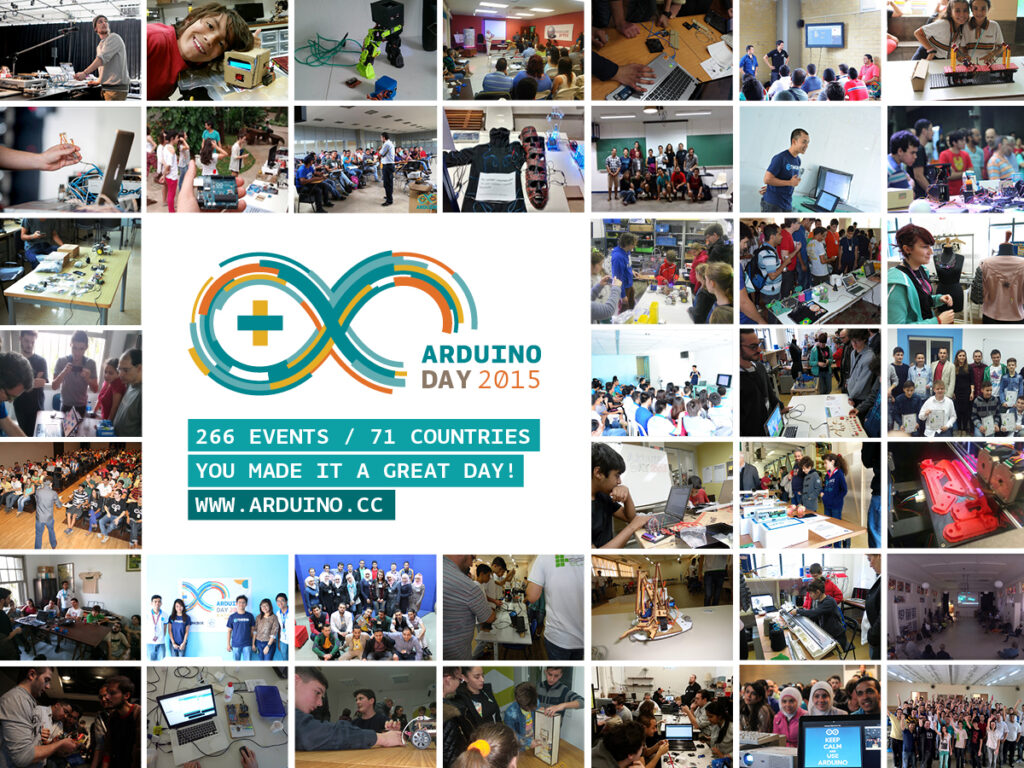
After Arduino Day we received a lot of pictures from 266 events in 77 countries all over the world and they were really cool That’s why we created a poster and would like to share it with you:

Download the poster of Arduino Day 2015 at this link, print it out and spot yourself in it!


Arduino Blog 12 Jun 18:52

Memories from Arduino Day! Download the poster

After Arduino Day we received a lot of pictures from 266 events in 71 countries all over the world and they were really cool. That’s why we created a poster and would like to share it with you:

Download the poster of Arduino Day 2015 at this link, print it out and spot yourself in it!


Arduino Blog 12 Jun 18:52

Certifying open-source hardware? OSHWA seeking feedback

The Open Source Hardware Association (OSHWA) is seeking feedback on a proposal for the certification of open-source hardware. The certification would provide a more formal means of verifying the compliance of a particular project or organization with the practices of open-source hardware, as understood by the community. There are, however, many different ways in which such a certification process could work, e.g. whether it should include a single standard for open-source hardware or recognize multiple levels of openness; whether people should be able to self-certify or if OSHWA would need to pre-approve certifications; etc. OSHWA is seeking feedback from the broader open-source hardware community in order to help refine the certification proposal.

You can see the full proposal here and provide feedback on the OSHWA forums.

Arduino Zero available for purchase in US on June 15th

We’ve been waiting for this moment for months and today we confirm that Arduino Zero will be available for purchase from the Arduino Store in US on Monday June 15th at  $49.90.

At the same time we are going to release Arduino IDE 1.6.5 with a bunch of new features and the support for the Arduino Zero. The new IDE keeps the serial monitor open while uploading, lists the last 5 opened sketches in the “Open Recent” menu, and many other features you’ll discover next week.

Our team stumbled upon a last minute software bug which moved the launch date by a bit  but everything is almost ready, they really worked hard to ensure the best experience of use.

We love this product as it shows our great collaboration with Atmel, and we know a lot of people in the Arduino community are looking forward to put their hands on it.

Stay tuned!