Posts with «featured» label

Visual report from Maker Faire Shenzhen

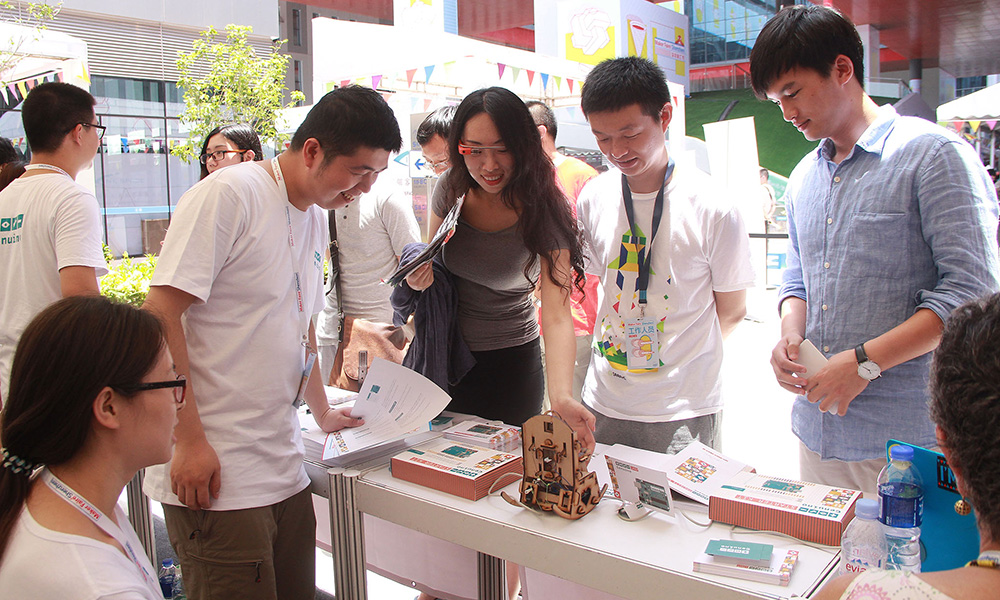
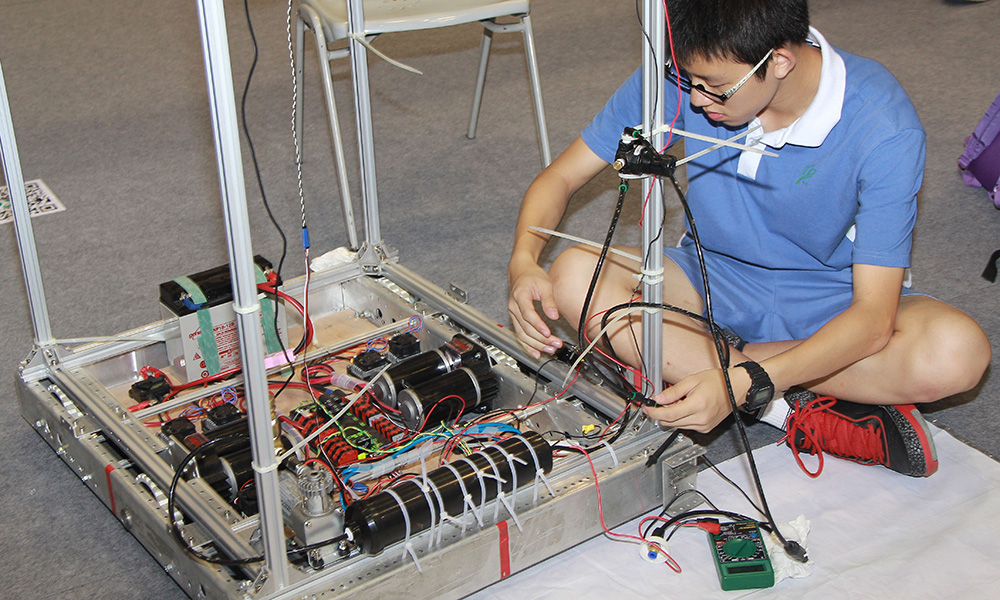
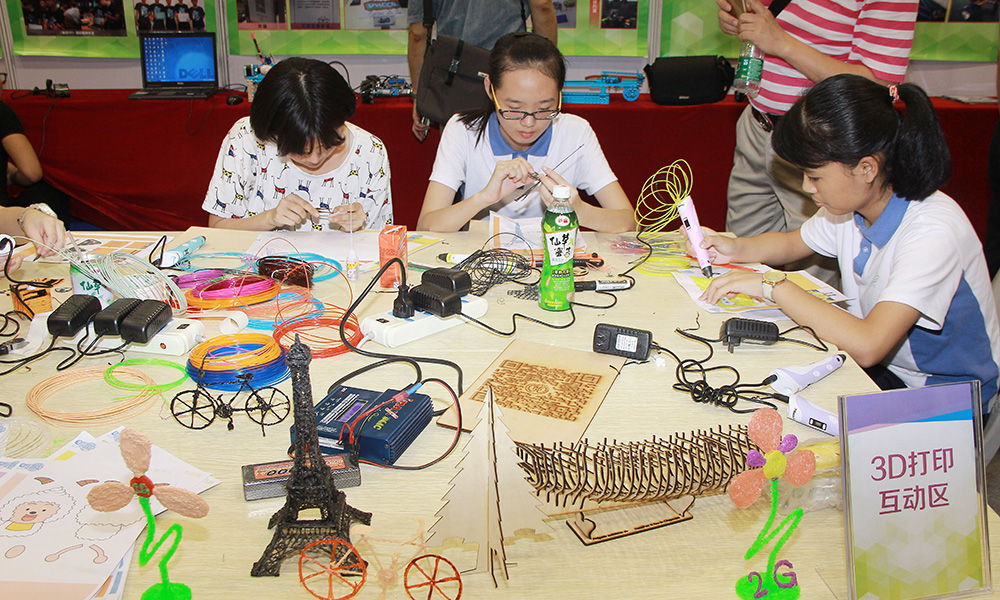
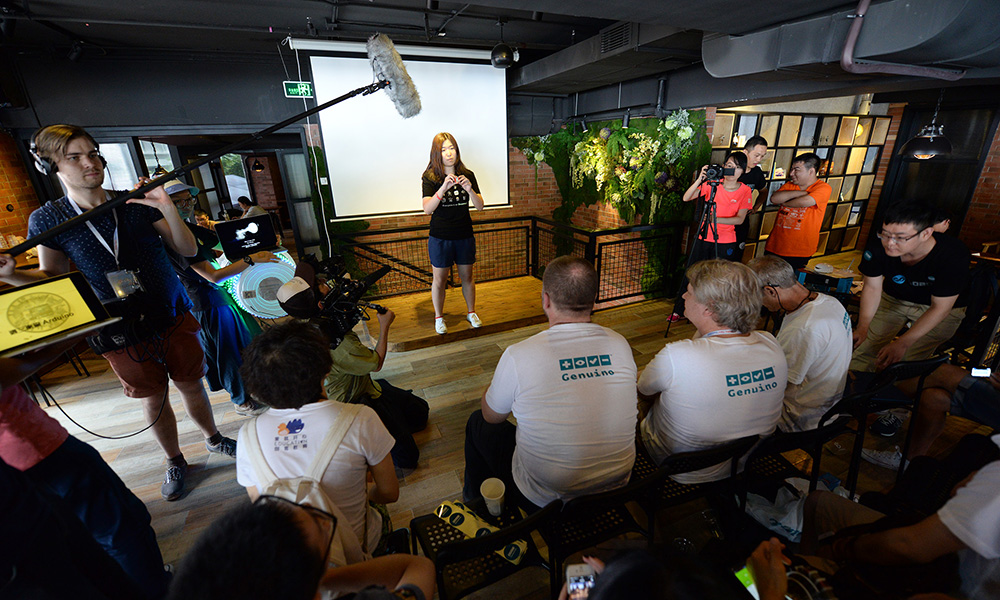
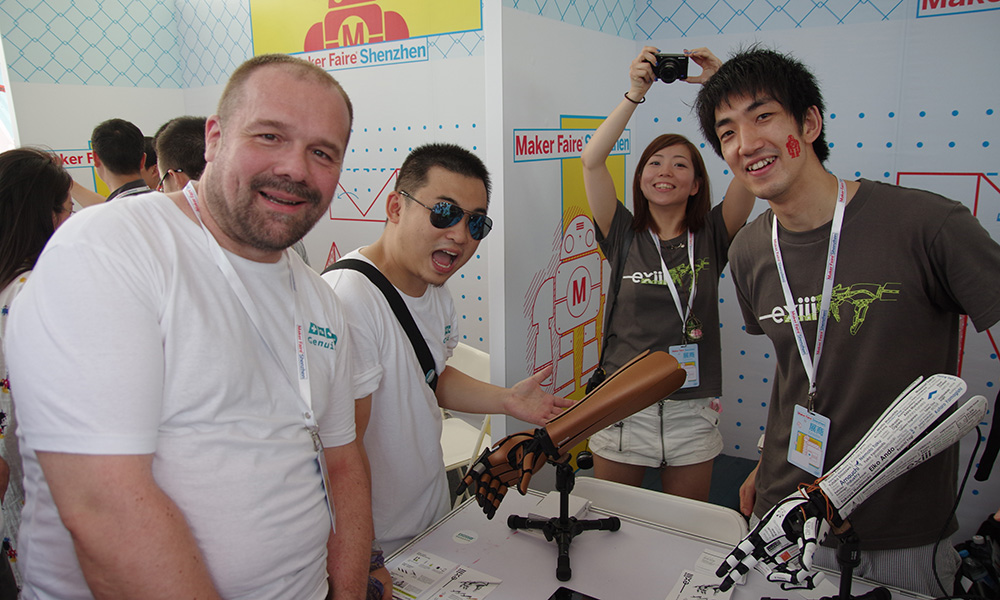
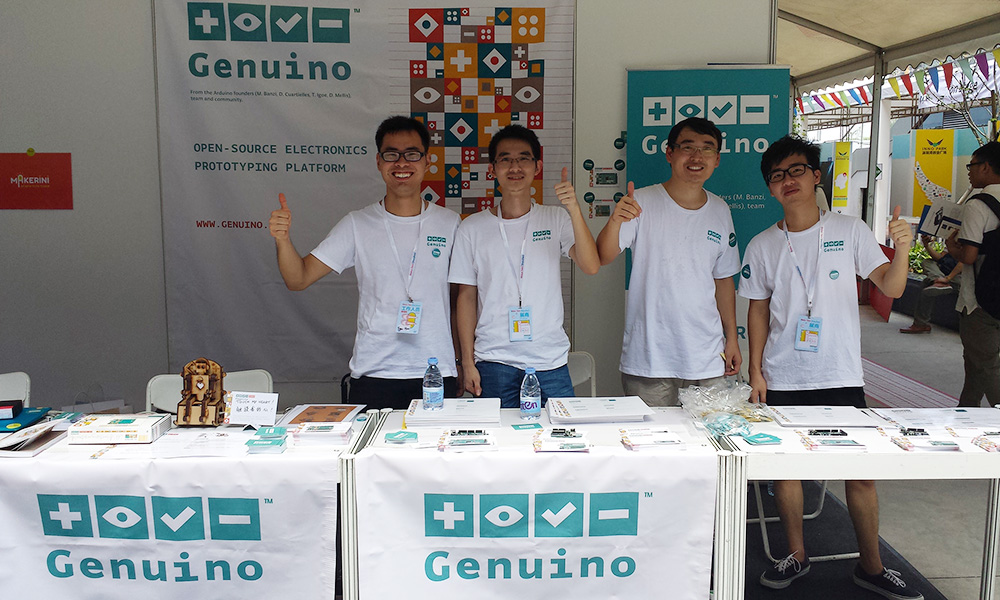
Arduino/Genuino team were in China last month to be part of Shenzhen Maker Faire and present to local makers the new Genuino boards, together with Seeedstudio. They  also had the pleasure to meet with Arduino users, teachers, students and makers of all ages with great skills.
Here’s a selection of pictures form those amazing days (all the pictures are on our Flickr).

Thanks to all the people visiting our booth and warmly welcoming us in China!

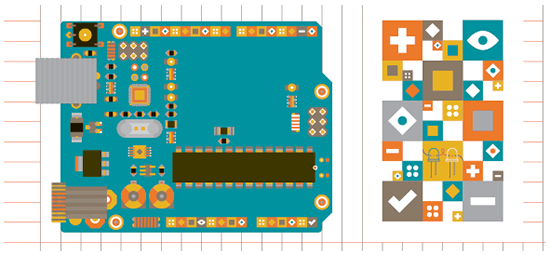
Arduino and Genuino brand refresh, design insights

A few months ago we introduced Genuino, Arduino’s sister brand for products sold outside the US. TODO, the design agency that developed the Arduino branding language since its early beginnings, created the new Genuino look & feel and signature elements. This new branding language is going to be applied to all Genuino and Arduino products in the near future.

Giorgio Olivero, one of TODO co-founder, studied at the Interaction Design Institute Ivrea, where Arduino was conceived. Giorgio and later on his team (among others Vanessa Poli and Alessandro Argenio) have been taking care of Arduino’s brand identity since then. We have asked Giorgio to tell us the reasons behind the original Arduino branding language, and the Arduino/Genuino design language refresh. Here is the story in his own words:

‘When we began developing Arduino’s identity in late 2009 we wanted the project to feature an accessible, pop, and clear communication language for the new community that was growing around DIY electronics. Something that wouldn’t compare to the technical-macho look of the engineer-oriented platforms and products: a testosterone-free positioning that could speak to everyone and not only to experts and hard-core enthusiasts.

Arduino’s original visual language had to stand out and define a yet uncharted market, its goal was to ‘declare, define, simplify’ without scaring people away with overly technical details. Arduino’s identity had to be true to its community values, not too polished but still elegant and accessible. It was basic, technical and playful. The message was: Arduino is a modular system open to anybody and in constant evolution.

As the electronics market keeps evolving at an incredible rate, it’s about time to refresh both the Arduino and the Genuino brand with an updated system. The new design keeps a strong continuity with the previous one, we see it as an evolution rather than a revolution. We want people to recognize that the core values and the ‘personality’ haven’t changed. The new recipe is spicier and less technical though, it has a sort of circus-like feeling: it’s about the joyful interplay of the Arduino ecosystem and community. You could see these colourful squares as different components, circuits, and modules of an electronics system. Or rather as the interlocking building blocks of the maker movement itself, that recipe of openness that makes Arduino so unique.

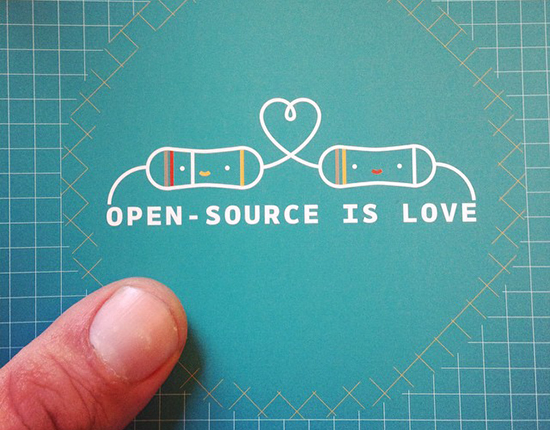
The new visual language evokes empathy, joy, and playfulness. Collaboration is its core value. It introduces a series of characters based on the electronics components with a playful personality, that will enable new outlets for the visual identity.

We have always enjoyed working with Arduino, our ongoing collaborations (and long friendship) surely requires very fast design iterations, because the Arduino ecosystem keeps evolving, but hopefully we are making the brand stronger and very well equipped for the new challenges ahead.’

Learn more about Todo on Twitter and Facebook.


Arduino Blog 20 Jul 18:07

Building a giant Iron Man suit you can actually wear!

If you are a fan of cosplay, props and hand built creations you can’t miss the work of  James Bruton. Based in Uk he’s got a personal project YouTube channel with a new video every week describing his work in details. At the end of June he posted the 34th “episode” of the project started nearly a year ago about  building an Iron Man Hulkbuster giant suit you can actually wear!

In the video below you can follow how he’s sorting out the arm mechatronics for the elbow, hand and cuff weapon with some 3D printing with Lulzbot and controlling the interaction with  Arduino Uno (electronic part starting around minute 10):

Explore the playlist of the project for other cool videos.

A self-driving vehicle using image recognition on Android

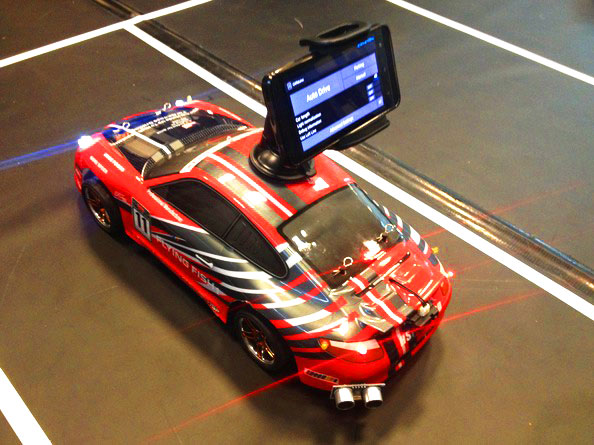
Dimitri Platis is a software engineer who’s been working with his team on an Android-based self-driving vehicle which uses machine vision algorithms and techniques as well as data from the on-board sensors, in order to follow street lanes, perform parking manoeuvres and overtake obstacles blocking its path:

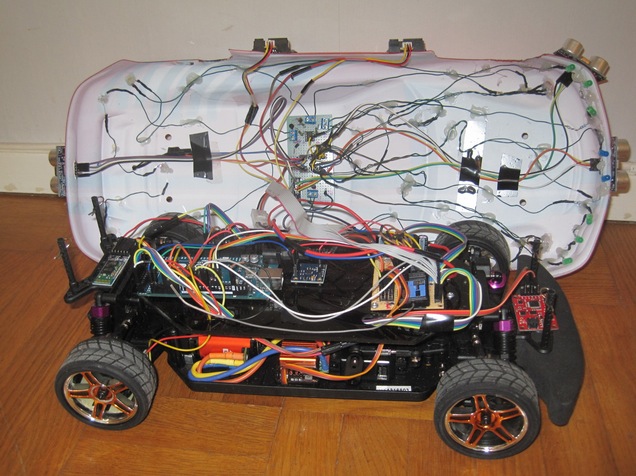
The innovational aspect of this project, is first and foremost the use of an Android phone as the unit which realizes the image processing and decision making. It is responsible for wirelessly transmitting instructions to an Arduino Mega, that controls the physical aspects of the vehicle. Secondly, the various hardware components (i.e. sensors, motors etc) are programmatically handled in an object oriented way, using a custom made Arduino library, which enables developers without background in embedded systems to trivially accomplish their tasks, not caring about lower level implementation details.

[...]

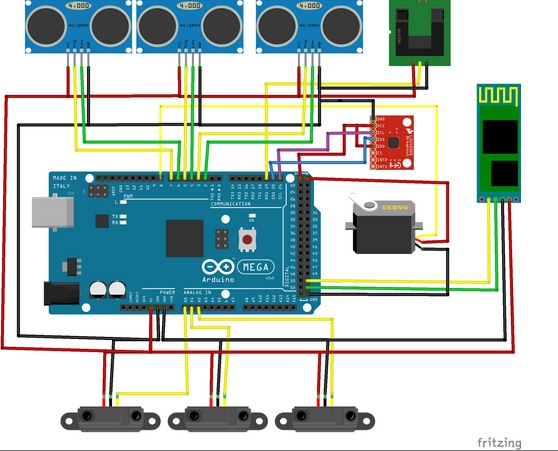
On the software dimension of the physical layer, an Arduino library was created (based on a previous work of mine [1], [2]) which encapsulated the usage of the various sensors and permits us to handle them in an object oriented manner. The API, sports a high abstraction level, targeting primarily novice users who “just want to get the job done”. The components exposed, should however also be enough for more intricate user goals. The library is not yet 100% ready to be deployed out of the box in different hardware platforms, as it was built for an in house system after all, however with minor modifications that should not be a difficult task. This library was developed to be used with the following components in mind: an ESC, a servo motor for steering, HC-SR04 ultrasonic distance sensors, SHARP GP2D120 infrared distance sensors, an L3G4200D gyroscope, a speed encoder, a Razor IMU. Finally, you can find the sketch running on the actual vehicle here. Keep in mind that all decision making is done in the mobile device, therefore the microcontroller’s responsibility is just to fetch commands, encoded as Netstrings and execute them, while fetching sensor data and transmitting them.


Check the Arduino library on Github, explore the circuit below and enjoy the car in the video:

Here’s the essential bill of materials:

  • Electronic Speed Controller (ESC)
  • Servo motor (Steering wheel)
  • Speed encoder
  • Ultrasonic sensors (HC-SR04, SRF05)
  • Infrared distance sensors (SHARP GP2D120)
  • Gyroscope (L3G4200D)
  • 9DOF IMU (Razor IMU)
Arduino Blog 15 Jul 10:01

Solenoid drum machine and bass running on Arduino


Arduino user named Muiota shared with us an experimental DIY music project running on Arduino Uno and  solenoids.

Take a look at the video to hear how it sounds:

Hackaday’s interview with Massimo Banzi

Mike Szczys of Hackaday met Massimo Banzi at Maker Faire Shenzhen and interviewed him about manufacturing Genuino in China, the current and future of Arduino, and how recent events may shape the Open Hardware landscape.

Enjoy the video:

Luz Electoral creates a lightshow from poll results!

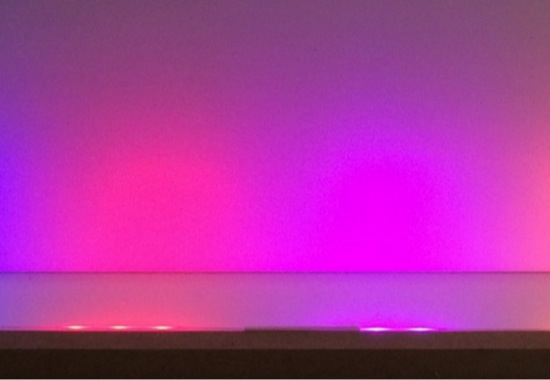
Luz Electoral is an installation with the aim of showing the results of Spanish regional elections of May 24th 2015 without using a screen to display data (self-imposed requirement ;). This project, created by Neuronas Muertas,  shows the percentage of votes by lighting a strip of 33 Neopixels with the main color of each party for each region, scrolling the results in some kind of “electoral results mood light”. It basically transforms Spanish poll results into a lightshow running on Arduino, where each political party is represented by colors scrolling on a bar.

If you want to make it,  take a look at  the code available on Github and check the full story in spanish on Medium.

Arduino Blog 07 Jul 16:39

“I am a maker in the making”

Moushira Elamrawy is an Egyptian multidisciplinary designer and technologist based in the city of Cairo and founder of Rishalaser, a new concept for laser cutters that is opensource, portable, DIY, and easy to use. She wrote a piece on iAfrikan about becoming a maker and discovering Arduino. It’s an inspiring text and we want to share it on this blog.

——–

Confession: I used to be an architect (possibly still am!), and then I started tinkering with things.
The architecture engineering school I graduated from did not have a workshop space. The first time I met a CNC router in real life was three years after i graduated.

It is hard to discover what you don’t know even exists. Which is somehow, why I had zero imagination of how those awesome Theo Watson installations could possibly work.

I had no business fiddling with electronics whatsoever. My coding and programming skills were limited to some knowledge of ActionScript, some C, and that was about it.

I read about Openframeworks, installed it, went through examples, tutorials and thought “Nice, I can change parameters that in return would change behavior, fantastic..but ..then..what?!”

By that time, I was an architect working in Morocco, between an office that was based in Fez and a construction site based in a beautiful small southern village close to the Algerian borders, called Mhamid ElGhizlane. It normally took me a little over a day and a half to travel from Fez to the construction site.

I had a radio, which I considered my companion in those interesting border areas. Before Morocco, I was living in Sinai mountains, working on a similar desert development project, where the radio would normally catch signals of Saudi Arabia, Israel, and Jordan. The Moroccan Sahara, on the other hand, got me signals from Algeria, with lots of different dialects. Radio feels like travelling within time within places. It makes you really feel the distance you crossed.

[...]

In May 2012, I attended a beginners workshop for Arduino, lead by Bilal, who was visiting Egypt. During the workshop, I controlled an LED via Arduino.

It was magical.

I never used the board before, I barely understood any syntax, yet in 15 min, I did something cool . . that actually works. Arduino: I am in Love, I thought.

It is easy. It is just that starting alone isn’t easy. Going back home, I went through some examples and I felt oh..I can do stuff. I can do all these stuff actually. Oh, wait, there is also: Processing!

By September 2012, I moved to Barcelona for my masters, which started by a fabrication course in Fablab. I was Alice in wonderland. Then physical computing course started, and Alice’s wonderland was getting more vast.

Everything was awesome. The exact skill set that I wanted to learn. But I needed more, a lot more, time to absorb this whole new world. I thought of taking a gap year, but then, week after week, it turned out that once the ball gets rolling everything is accelerated.

Thanks actually to my sister for pushing me to trust that the ball will get rolling. She herself was moving from translation to graphics design one year before me. It is a family thing.

Arduino was THE treasure.

At the end of the day, all those fantastic surreal systems that I was fascinated by could be done with some components and an Arduino. The amount of associated open source resources is tremendous. The forum is awesome and people actually respond.

Through Arduino, I learned more about microcontrollers, I could program standalone circuits. Then the ball kept rolling, I learned eagle, I can mill some boards, I can solder (err, that was troublesome!), I can interface stuff, I can build sensors, I can work with data, I can build RF sensors, then I became obsessed with antennas, signal processing, and RFID.

I am still learning and learning, but it is much easier now.

Coming from this background, I always go back with time 4 or 5 years ago and recall how I used to react to a “closed box” new technology?

How life would have changed if machine interaction have been made easier, or basically how my life would have changed if machines had the opportunity to step out of their labs and talk to more people.

Making technology more portable and more accessible, is one reason why I started the mobile operated laser cutter project last year, of course, the project would have never been realized without the team that continued with enthusiasm.

Another wonderful project that I just co-started is Jebaleya Talks, with the hope of giving voice to women of Saint Katherine village in Sinai, by introducing them to smart textiles! Well, lets see how this will evolve..

While working in the desert in Sinai, the project foreman was my mentor, his words of wisdom still echo in my ears

“Everything comes along..with patience. If you could just wait”.

Apparently, he had a point!

E-mails are a distraction.

Meetings are boring.

Regular jobs suck your inner clock.

Take a sabbatical and learn what you want to learn and start anew.

At least try.

Oh, and during your sabbatical, give Arduino a try, it might change your life as well.

Let’s just hope that Arduino founders will keep embracing the same energy they started the project with, and that the big whales leave Arduino alone, so that it stays, open and libre just as how it helped liberate many creative energies and minds.

Keep reading on iAfrikan

Stenography (Yes, with Arduinos)

What’s the fastest keyboard? Few subjects are as divisive in the geek community. Clicky or squishy? QWERTY or Dvorak? Old-school IBM or Microsoft Natural? The answer: none of the above.

The fastest normal-keyboard typists (Dvorak or Qwerty) can get around 220 words per minute (wpm) in bursts. That sounds fast, and it’s a lot faster than we type, but that’s still below the minimum speed allowable for certified court reporters or closed captioners. The fastest court reporters clock in around 350 to 375 wpm for testimony. But they do this by cheating — using a stenotype machine. We’ll talk more about stenography in a minute, but first a hack.

The Hack

[Kevin Nygaard] bought a used Stentura 200 stenotype machine off Ebay and it wasn’t working right, so naturally he opened it up to see if he could fix it. A normal stenotype operates stand-alone and prints out on paper tape, but many can also be connected to an external computer. [Kevin]’s machine had a serial output board installed, but it wasn’t outputting serial, so naturally he opened it up to see if he could fix it. In the end, he bypassed the serial output by soldering on an Arduino and writing a few lines of code.
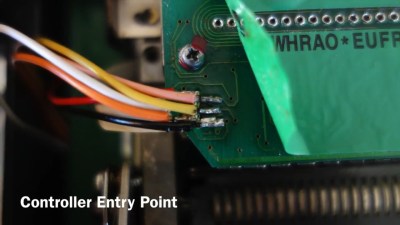
The serial interface board in [Kevin]’s machine was basically a set of switches that made contact with the keys as they get pressed, and a few shift registers to read the state of these switches out over a serial connection. [Kevin] tapped into this line, read the switch state out into his Arduino, and then transmitted the correct characters to his computer via the Arduino’s serial over USB. (Video demo) As hardware types like to say, the rest is a simple matter of software.

Stenography 101

We’re big keyboard lovers. Maybe one third of Hackaday’s content is typed out on one or another vintage IBM Model M. No self-respecting geek who types for a living doesn’t have a near-religious keyboard preference. [Kevin]’s simple hack brought to our attention that we’ve never covered stenography. (Not steganography.) Frankly, we’re ashamed, and we’re fixing that right now.
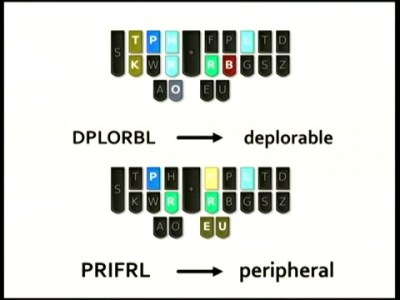
The secret to the speed of steno is the use of a chorded, anatomically designed keyboard with an accompanying phonetic mnemonic shorthand system. Basically, one mashes down keys that correspond to sound of the word, and they’re interpreted according to a mnemonic system with a user-extensible dictionary. In short, it’s machine-assisted typing.

Many words are a single chord, and there are millions of possible chords, so there’s plenty of open space to add one’s own key combinations as the need arises.

But because stenography is a niche market, and because steno machines are designed to be used professionally by closed-captioners and court reporters, stenotype machines cost thousands of dollars. The software that runs them isn’t cheap either and is written for a very specific purpose, and is of course proprietary. In short, the market caters only to professionals, and there’s not much room for the steno enthusiast, until recently.

Plover: Open Software

Plover is free and open-source stenography software (Github), and is aiming to be the steno gateway drug. Specifically, Plover can turn a normal keyboard (with n-key rollover to support chording) into an emulated steno keyboard through software, allowing entry into the world of stenography for a hundred bucks instead of a few thousand.

Plover will also work with professional stenotypes that support serial output, like the one that [Kevin] modified that sent us down this rabbit hole in the first place. So once you’re hooked on steno, you can use your hard-earned dictionary with improved hardware if you want.

Note that the n-key rollover requirement is binding, and that’s where the $100 comes from. You can easily chord 20 keys on a stenotype machine because each finger has two buttons underneath it, and the chording systems are designed to take extensive use of hitting them two at a time. Some gaming keyboards have sufficient rollover capability, but it’s not a feature that’s demanded by the unwashed masses. In short, n-key rollover is going to cost you a little bit, or you can DIY. (Hint, hint.)

If you’ve played around with alternative keyboards (or just keyboard mappings) before, you’ll know that the Achilles’ Heel is how they handle the command and control characters that your favorite editor or IDE requires you to use. We had this hand-held device that made it nearly impossible to type control-x control-s, so it was goodbye keyboard or goodbye Emacs.

This is not a problem with a steno device, because you can define your own chord mappings. But you don’t have to stop with control characters or even Unicode. Map chords to commonly-used variable names. Map chords to entire flow-control structure skeletons (if-then-else). Think of steno strokes as being typing macros and you’ll get the idea.

The lead behind Plover, [Mirabai Knight], has a ton of info on getting started, including a live browser demo (a must-try!) and a video demonstrating Python (among other things) where you can see how chording works with coding. If you want to see how [Mirabai] transcribes live for clients using Plover and Vim, this video and its side pane are a great peek behind the curtains.

Open Steno Project: The Hardware

The Open Steno Project is an umbrella project on top of Plover to reduce the hardware and theory-learning hurdles. They list three keyboard options.

The Ergodox seems just to be a fancy ergonomic split keyboard, but one that would be particularly suited to stenography.

The Stenosaurus (Silicon-Valley-style empty sign-up page alert) looks sexy. That Stenosaurus is run by [Josh Lifton], the original coder heavyweight behind Plover who recently crowdfunded a batch of lightweight and quiet keyswitches, gives us hope. But hope and $4.35 will buy you a double-pump soy vanilla-whip latte; we like to see work in progress.
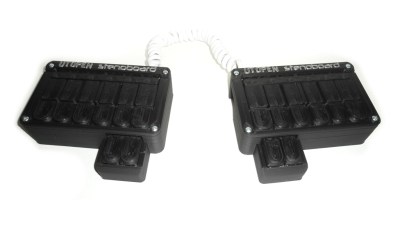
In contrast, the Stenoboard is an open project with actual designs, a 3D-printed case, code, and project examples. The firmware runs on an Arduino. StenoSpeak, an application based on the Stenoboard just won the second prize at the AT&T Connect Ability Hackathon, demonstrating that there’s other reasons to learn steno besides transcription. If you’re looking for some prior art for your own implementation, or a place to jump in and contribute, Stenoboard is a good bet.

Conclusion

We’re surprised that we found so few DIY projects on the steno front. The hardware is fundamentally simple, with obvious directions for improvements and personalizations. A stenotype is extremely costly to purchase, but cheap to DIY. The software side is well-established and open source. In short, the ball is set up for a quick hardware field goal.

On Hackaday.io and the blog, there are tons of projects for making improved keyboards — many of them are chorded. But so far all of them ignore the stenotype, the current state of the art in high speed typing that’s been around since the late 1800s. We want to see this change, and we think the tide is high and the planets aligned and so on. Fly, winged monkeys, fly!


Filed under: Arduino Hacks, Featured, peripherals hacks

Arduino Uno assembled in US now available in the Store

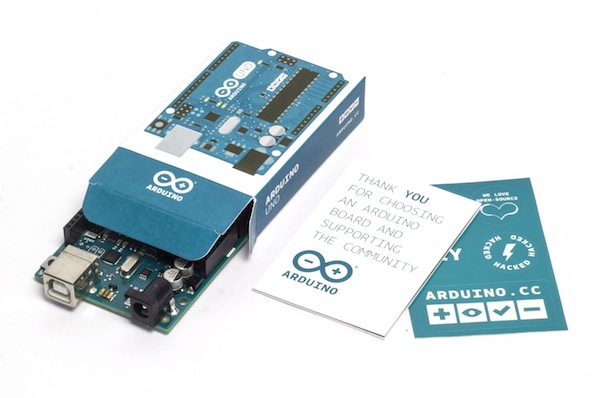
We are proud to share with you the link to purchase the first batch of Arduino Uno ($24.95) assembled in US by Adafruit and created by #TeamArduinoCC.

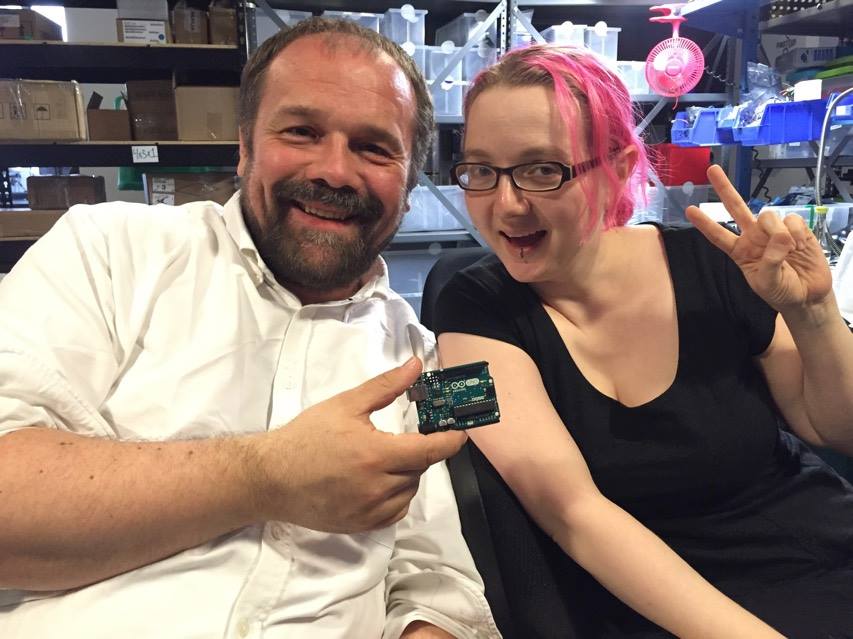
The partnership started last May when Massimo announced it during Maker Faire San Mateo. Right after our team at Arduino and Adafruit team did all the best they could the make it happen on July the 4th, Independence Day! Now, it’s real! Arduino Uno can be back in your hands allowing you to create amazing interactive projects and, at the same time, supporting the open source community!

The partnership started last May when Massimo announced it during Maker Faire San Mateo. Right after that day, our team at Arduino and Adafruit team did all the best they could the make it happen on July the 4th, Independence Day! Now, it’s real! Arduino Uno can be back in your hands allowing you to create amazing interactive projects and, at the same time, supporting the open source community!

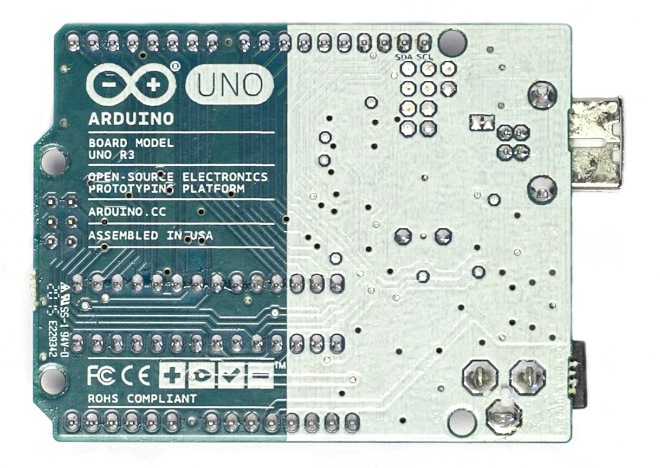
If you take a close look at the back of the board, you’ll find the “Assembled in USA” tag and also the new Genuino logo, Arduino sister-brand. We are adding the Genuino logo to make it easier for the Arduino community to spot original boards and we are going to include this logo to all genuine Arduino boards from now on (like we did for the recently-released Arduino Zero).