Posts with «featured» label

Meet RobotShop: a new Genuino reseller in Canada

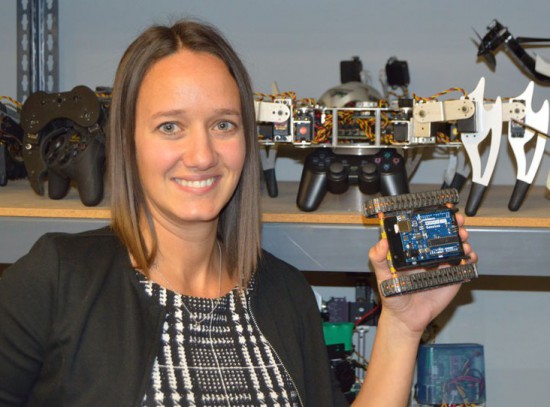
This week we’re happy to  introduce a new Genuino Reseller from Canada with Julie Gendron of RobotShop!

- Tell us a bit more about RobotShop

At RobotShop, we specialize in personal and professional robot technology and offer a wide range of robotic products and services in this sector. We have offices in USA, Canada and France. Our vision is to be the world leading source for personal and professional robot technology that help increase the pleasure, knowledge, liberty and security of individuals. We are also committed to promoting and advocating the interest and necessity of robotics use towards positive ends, allowing humanity to attain a better world.

- What’s your company’s super power

Putting robotics at your service!

- What’s your favourite Arduino or Genuino project?

We enjoy Arduino robots and projects from beginners that are starting in robotics. For example this Arduino robot from a beginner on the Let’s Make Robots Blog and forum. We like it because it represents the Arduino and Genuino brand well with a simple and fun “do it yourself” / hobbyist project. This is the meaning of Arduino; for anyone to be able to build a robot or interactive project easily. This is why we help the way we can, by providing Arduino tutorials that can help beginners as well as more advanced Arduino users.

Contacts

RobotShop Store Website Canada  – Facebook – Twitter –  Google+

Monitoring Solitary Bees Using Open Technology

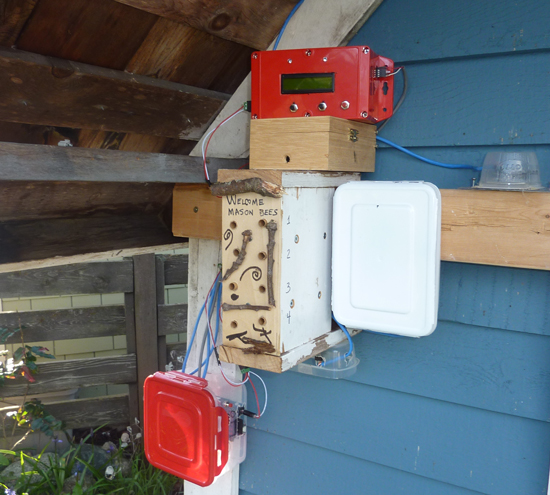
“Bees in the Backyard” is a citizen science technology project to investigate the nesting behavior of Mason bees, created by Mike Teachman, amateur bee enthusiast and Paul Perrault senior field applications engineer.

Mason bees are somewhat unique because, unlike honeybees, they are solitary, every female is fertile, there are no worker bees, they carry pollen on their bellies, they nest in holes and are vital to pollination of many fruit trees.

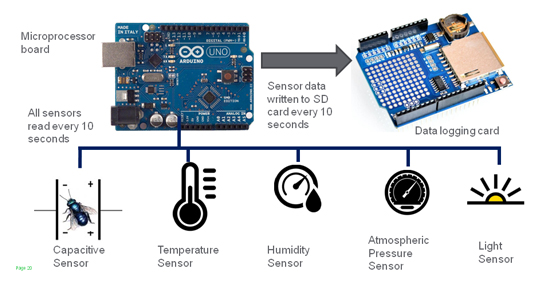
The idea behind the project was to turn each bee’s entire nest into a capacitive sensor with the use of off-the-shelf open source hardware like Arduino Uno:

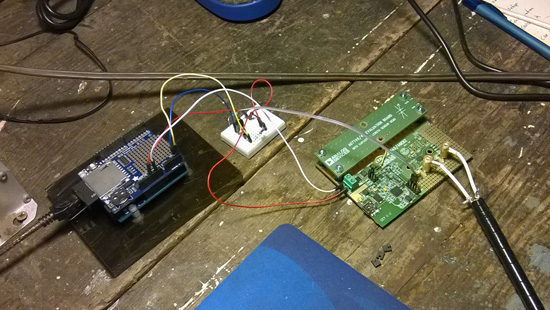
Following the innovative work of the UPEI in using non-invasive capacitance sensors to detect bees entering and exiting a hive, we decided to extend this study to determine if we could measure not just a bee moving past an opening in a hive, but actually measure bee activity, along with a sense of their deliveries. This involved the invention of a new type of non-invasive sensor, along with the development of a measurement system that would be used to gather large amounts of data.


The plan for the team for 2016 is to improve the project deploying an improved monitoring system at the same site and in particular:
• Develop a new capacitance sensor tube with increased accuracy
• Improve the visual appeal of nesting block and associated electronics
• Develop algorithms to mine the measurement dataset for bee activity patterns

Watch other videos on this youtube channel and read more about the project on Spectrum IEEE.

Arduino Blog 23 Feb 16:21
arduino  bees  featured  projects  science  uno  

Trojan 77: a gamified simulation of the Trojan virus

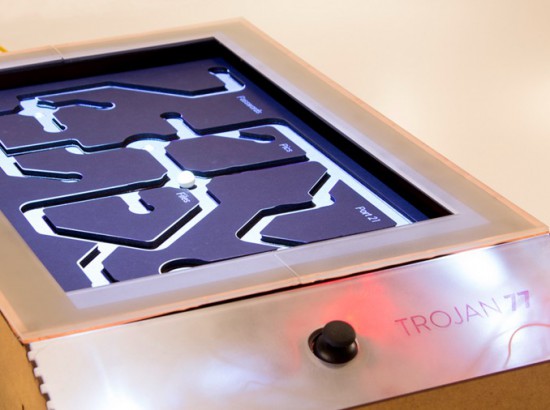
Trojan 77 is a gamified simulation of the Trojan virus running on Arduino Uno. The Trojan is a malware designed to provide unauthorised remote access to a user’s computer amongst other harmful possibilities and this prototype was designed to be exhibited at a technology museum to show the most important effects the virus. Inspired by the tilting labyrinth game, the prototype simulates a few key effects of the Trojan virus like passwords leaking out, files being deleted and culminating in a system crash.

Trojan 77  was created by a team of Physical Computing students (Dhrux Saxena, Gunes Kantaroglu, Liliana Lambriev, Karan Chaitanya Mudgal) at CIID:

The idea of designing something analog to explain a digital construct was an exciting challenge to undertake. The way that computer viruses operate can be very complicated and hard to explain without overloading people with detailed information. Making this information visual via animated projections helped to communicate the effects in a fun and memorable way.

The Trojan moved through several prototyping stages. Initially, the wooden structure was built, followed by the maze. The structure as a whole became functional with the addition of Arduino and Processing. Two servo motors controlled by a joystick enabled the tilt while the movement of the ball triggered distinct light sensors which in turn triggered events in a Processing sketch mapped onto the maze.

The students created also a great video documentary  to explain the project with a style inspired by the work  of Charles and Ray Eames:

Macchina poetica converts sounds into onomatopoeic words


Macchina Poetica is a digital prototype converting sounds into onomatopoeic words and images and it’s inspired by the art of the Futurism movement.

Futurism is a modernist, avant-garde artistic movement originated in Italy in the early 20th century. Thanks to sound representation, Futurism artists aimed to emphasize speed, technology, youth and violence, all concepts arising from industrial innovations and war.

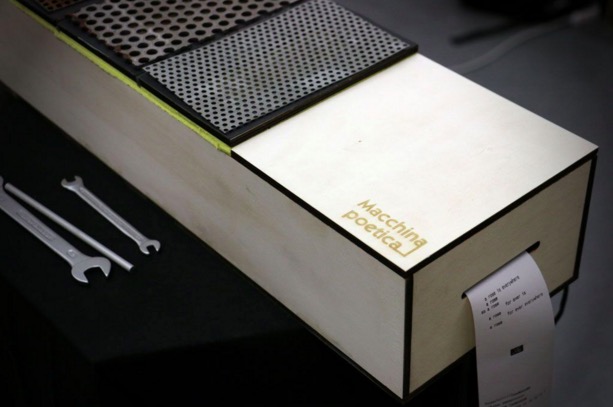
In order to keep continuity with this particular artistic movement, the authors, Alessandra Angelucci, Aris Dotti, Rebecca Guzzo, students at Master of Advanced Studies in Interaction Design SUPSI, decided to design an object that looks like the musical instrument of Futurism movement (precisely a Celesta). The object plays a metallic sounds and the user is facilitated in understanding how to use the object due to a instrument-like interface.

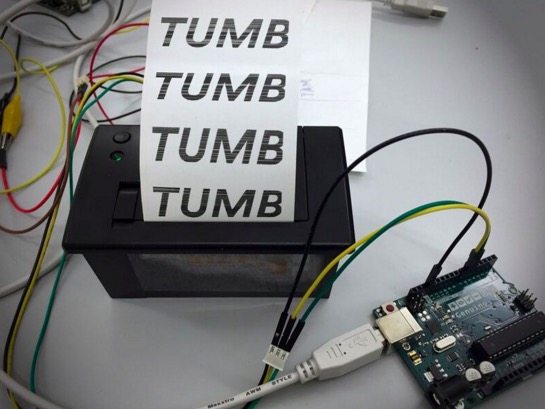
The machine is built using 4 piezo sensors, a thermal printer, a board, electrical cables, 4 resistors (1K), a 6 volt power supply and a Genuino Uno board.

The instrument’s interface is designed with plywood, metal plates and sponge that serves as a shock absorber. Between the metal plates and the sponge there are the piezo sensors along with resistors communicating with the Genuino Uno board every time the user interacts with the metallic plates. Once the Genuino receives the signal, it sends a command to the thermal printer that will print a word or a Futurism poem.

The interaction takes place when the user with the help of a metal tool (for example a screwdriver or a wrench) strikes the metal plates with different pressures. At the end of the performance the user and the viewers can have a clear overview of the produced sounds reviewing the printed paper outputs.

The prototype is the result of two weeks physical computing class Creating Tangible Interfaces held by Ubi De Feo at Maind program SUPSI  in Lugano, the goal of the course is how to make tangible interfaces via learning fundamentals of electronics prototyping and interaction design.  (Applications are open for the next edition 2016/2017 starting in September 2016)

Hear the sound of 300 stars

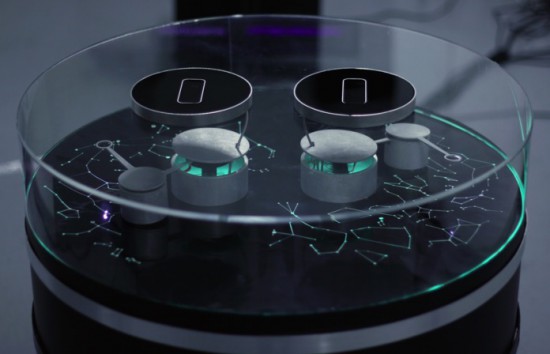
Stellar is an interactive installation by sound artist Francesco Fabris, which aims to create a sonic representation of stars and constellations through a dedicated interface.

The project has been developed using two Arduino Uno, LeapMotion and Max7 software managing data of more than 300 stars and 44 constellations, stored from the open-source software Stellarium, and coded to interact with the robotic arms.

One Arduino Uno board controls four servo motors and a second one controls the led stripes. The motors are controlled with two LeapMotion but since LeapMotion doesn’t support two devices on one computer, he used two miniMac  connected through an Ethernet network.

Since there’s no sound in space, Francesco wanted  to conceptualize a link between electromagnetic and sound waves  to create a minimalistic, interactive device which would allow visitors to learn about specific stars through sound information:

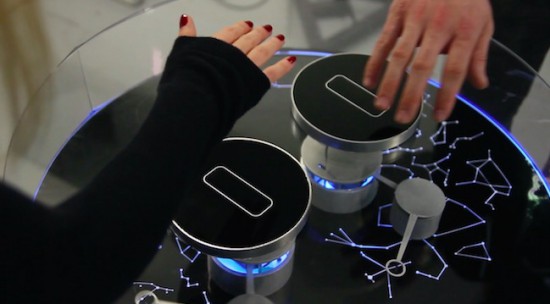
The base of the system is a cylindrical structure, on top of which are displayed the most important constellations of the northern sky. Above this representation are two robotic arms. When the tip of one of the arms aligns with a star, information on the selected star is transformed into simple sine waves, changing the colour the star emanates.

Two players can use the system at the same time, by moving their right hands over the two black, circular sensors. This allows them to move the robotic arm both horizontally and vertically.
The data analyzed for each star are: temperature (color index: red star = old and cold, blue star = hot and young), brightness (as seen from Earth), distance (from Earth) respectively transformed into: frequency (Hz), amplitude (dB), duration (ms).
The colder the star, the lower the pitch; the brighter it appears to us from Earth, the louder the sound; the further from Earth, the longer the duration.
For example, a bright, red star four thousands light years from the Earth would generate a low frequency, loud and long sound. A blue star which is closer to the Earth would generate a high frequency, weaker and shorter sound.

The background drone-sound is white noise (which is a combination of all frequencies, the opposite of space-silence). When a constellation is triggered, the number representing its area (squared degrees), becomes the cutoff frequency of a low-pass filter for the noise signal. In this way, larger constellations will gradually increase their frequency.

Don’t miss the “Making of” video:

Stellar has been produced with the support of the DE.MO./MOVIN’UP I Session 2015 project, and promoted by the Ministry of Cultural Heritage & Activities & Tourism, General Directorate for Contemporary Art, Architecture and Urban Suburbs and GAI – Association for the Circuit of the Young Italian Artists.

How to turn data into cocktails!

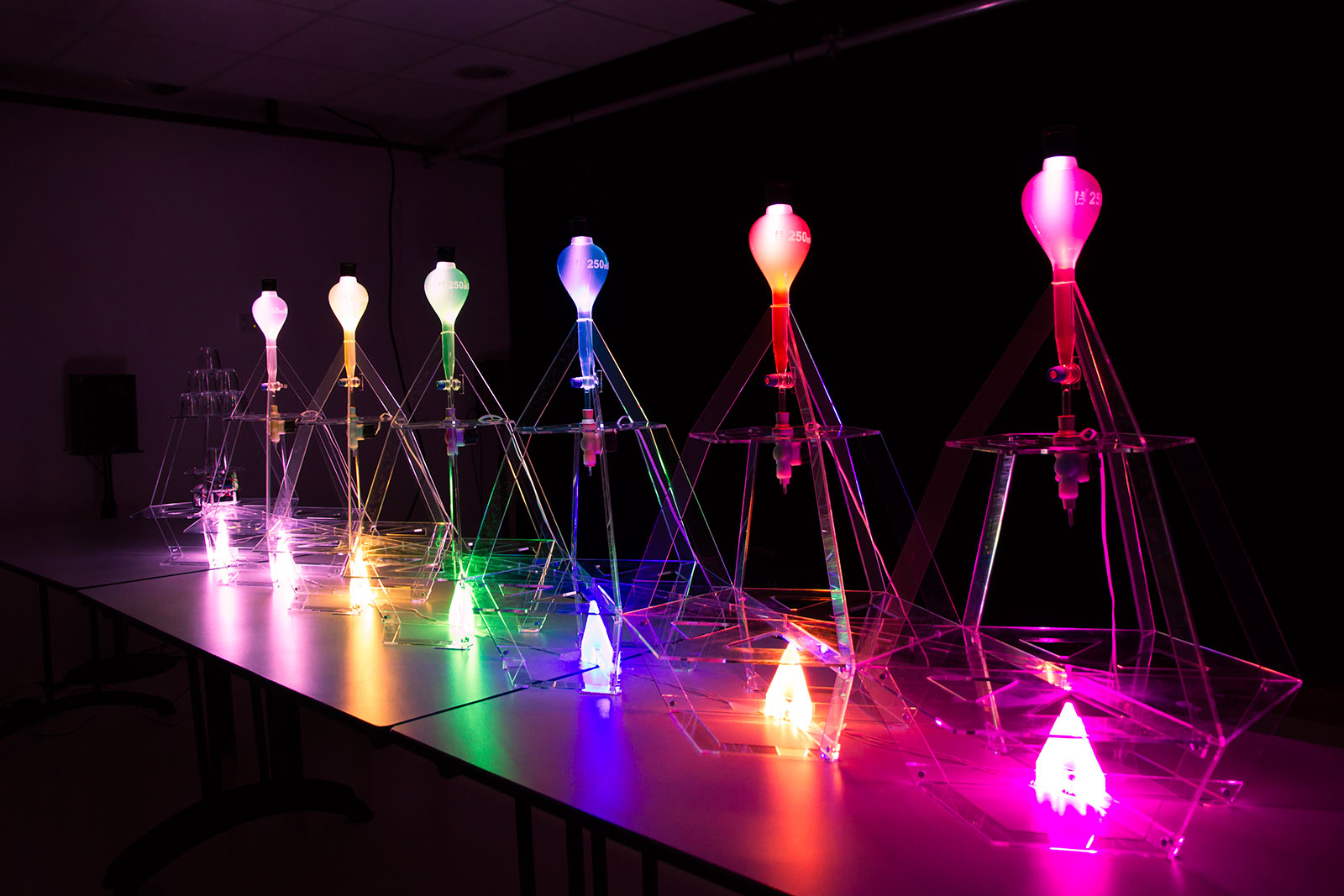
Data Cocktail is a device which translates in a tasty way the Twitter activity and running on Arduino Due and Arduino Pro Mini. When you want a cocktail, the machine will look for the five latest messages around the world quoting one of the available ingredients. These messages define the drink composition and Data Cocktail not only provides a unique kind of drink, but it also prints the cocktail’s recipe along with the corresponding tweets.
Once the cocktail mix is done, Data Cocktail thanks the tweeters who have helped at making the recipe, without knowing it. Check the video below to see how it works:

Data Cocktail was created in a workshop held at Stereolux in Nantes by a theme composed by Bertille Masse, Manon Le Moal-Joubel, Sébastien Maury, Clément Gault & Thibaut Métivier.

They made it using Processing and Arduino:

A first application, developed in Processing, pilots the device. The requests are performed using the Twitter4J library, then the application processes the data and controls the device, i.e. the robot, the solenoid valves and the light. The robot itself is based on a modified Zumo frame, an Arduino Pro, a Motor Shield and a Bluetooth module. The solenoid valves and the LEDs are controlled by an Arduino Due connected via USB. The impression is realized by Automator.

To prepare a cocktail, the machine can take up to a minute and may provide up to 6 different ingredients!

Testing riders’ clothing with Arduino

Worse for Wear is a clothing company  for women who ride motorcycles. The fascinating clothing they produce is very fashionable, comfortable, and needs to protect riders from impact and abrasion if they have an accident. Jackets and trousers have knee and hip pads  included to protect the rider when sliding many meters across asphalt. That’s why the fabric must be strong and abrasion resistant because if the fabric wears away too quickly, the rider’s skin will be exposed and injured.

To choose the perfect fabric, Scott and Laura, co-founders of the company, created an Impact Abrasion Resistance Testing Machine running on Arduino Uno to perform tests on different materials like knit fabrics, woven fabrics, and leather, to see how long it takes before the material is sanded completely through. I interviewed them to learn more about it!
- What is the impact abrasion resistance testing machine and how does it work?

When selecting fabric to use in our clothes, we have to make sure that it is strong and abrasion resistant. We use the impact abrasion resistance test machine to determine which fabrics will withstand abrasion (scraping and sliding) the best. It is important to us to test the fabrics ourselves and not rely solely on the claims of fabric manufacturers.
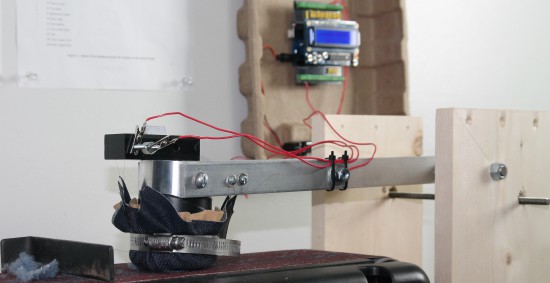
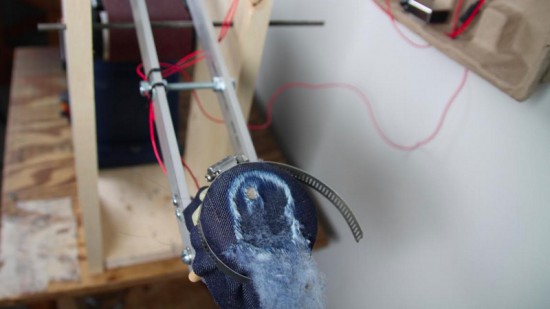
The machine has a weighted arm, like a hammer, suspended above an abrasive belt sander. A sample of the fabric that we want to test is wrapped around the head of the hammer and then dropped onto the moving sanding belt. An Arduino Uno is used to record the amount of time it takes to sand through the fabric sample.

Check the video below to see how it works:

- Why did you decide to use Arduino?

We have used Lilypad Arduino and Arduino Uno before to prototype some e-textile projects, so it was easy for us to get started on this one with our previous experience. The large number of accessory boards available made it simple to add an informational display and user interface to the machine. In just a few hours, we were able to very quickly create a machine to compare the abrasion resistance of a variety of fabric samples. The simplicity of working with Arduino was a very good choice for us, because our real business is creating clothing, not building test machines!

- What does Arduino control in the machine? 

An Arduino Uno is used to record the amount of time it takes to sand through the fabric sample. The method we use is based on European Union standards for motorcycle safety gear testing. To measure the fabric’s abrasion time, we use two thin copper wires (magnet wire). One wire is placed inside and another outside of the fabric sample before everything is wrapped around the head of the hammer. Each wire is then connected to ground on one end and an to input pin on the Arduino on the other end. The pins are in INPUT_PULLUP mode so a current runs through them. The LCD display on the Arduino tells us when both wires are connected properly.

Then, we start the belt sander and drop the hammer onto the spinning sanding belt. The outer wire breaks very quickly, breaking the connection to that pin [ digitalRead(outerWireIn) == HIGH ]. At this point, the Arduino records the start time. When the fabric wears through – usually within a couple of seconds – the inner wire is exposed to the sanding belt and quickly breaks. That marks the end time, which the Arduino records and displays on the LCD shield. A single type of fabric must be tested at least five times in order to make sure our recorded times are accurate.

Explore the details and download the code on Worse for Wear blog.

1Sheeld Turns your iPhone into a platform of Arduino shields

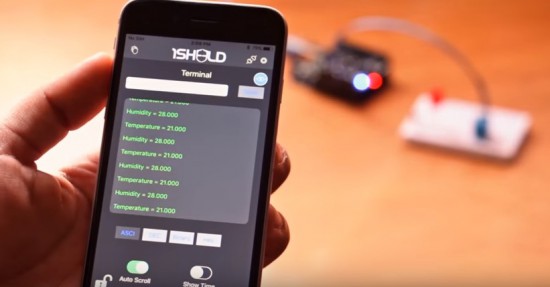
Have you ever thought of turning your iPhone and iPad into a platform of more than 40 Arduino shields? Now it’s possible!

The team of 1Sheeld have officially released the new 1Sheeld for iOS and it’s available for pre-orders for $39 instead of it’s original price $55 (shipping on May 2016).

You can  control robots, actuators, display sensors’ data and much more.  Take a look at the demo video:

Meet BricoGeek: a new Genuino reseller in Spain

Some weeks ago we started introducing to the community our list of resellers and the updated page where you can find resellers of Genuino and Arduino products around the world.

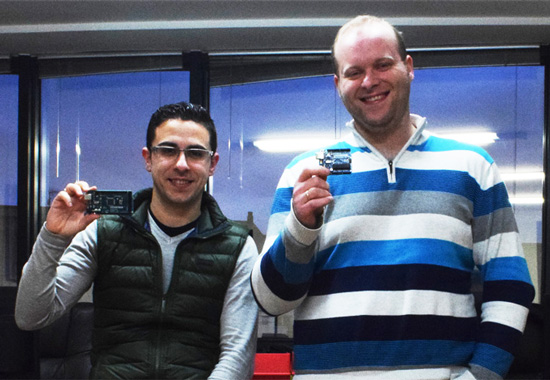
We started with Watterott from Germany and now, in the picture below,  you can see Diego and Oscar from BricoGeek  based in Spain and ready to ship  Genuino Uno and Genuino Mega  boards!

Let’s get to know them better:

- Tell us a bit more about BricoGeek

We started our company in 2005 and later in 2007 we became one of the first Arduino official distributors for Spain and Portugal. After winning a board in a contest organized by uchobby.com I had so much fun with my new board, I continued to make more projects which I posted in our blog and realised that this little board was really easy to understand and I could make  great things with it. Many of our viewers also enjoyed our projects and started making too. And here we are, 10 years later, sharing projects and growing our community of fellow makers!

- What’s your company’s super power?

We aim to be honest and don’t fool our customers. We try to make BricoGeek a good place to share knowledge and ideas and it seems our customers love that as much as we do.

- What’s your favorite Arduino or Genuino project?

[Oscar] There are so many projects I like and it’s hard to keep track of all of them but I recently discovered a really cool project called “Cubetto” which is a game with a little robot to help kids understand and learn programming. And from the same guys another one called “Toot” also for kids and based on the Montessori learning system. Im working on very similar projects that hopefully I will release them in a few weeks (but shhh it’s a surprise for my daughter! ;D). I really enjoy when I make a project that helps young people learn new technical skills, you will be surprised how smart kids can be when they really enjoy learning.

Contacts

BricoGeek Store Website  – Facebook – Twitter – Youtube - Instagram – Google+


Visualizing “data visualization” with Leds and bubbles

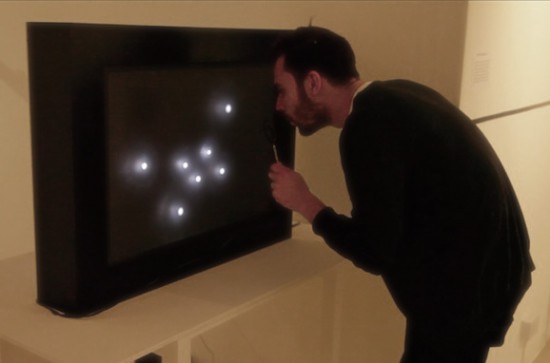
“Data transparency” is a project by Jiayu Liu, a designer and media artist, interested in physical data visualisation and interactive code. The installation runs on Arduino Mega: when the microphone senses a person’s blow, it transforms it in a Led animation and then activates the bubble machine for 8 seconds. The project is not aiming to visualize any specific data but “data visualization” itself:

In my point of view, data is not dissimilar to a conclusion of our past, and we need it for our future. When we see a data from a computer, it is something that has already happened. We use intelligent methods of computing science to analyze the data so that to predict the future. We are living in a world of data, and data is like a language objectively describing our past. In this work, I take more attention on rethinking and recalibrating the role of data in our lives, and the relationship between the virtual world we build as a main method of data storing, analyzing and visualization and ourselves.

Also, I am thinking of that it is better to make sense of the role of data visualization before really visualizing it. Finally, I found a good perspective to see how data connects with our lives, which is Time.
Therefore, the project is not aiming to visualize any specific data but what I am trying to visualize is the “data visualization” itself. I would like to bring a new experience to the viewer in different space. So I want to create a interesting play space and bubble game to the viewer . Let them have a really funny and relaxing experience.

Take a look at the “making of” video below to see it in action: