Posts with «featured» label

Share your sketches on the Arduino Web Editor
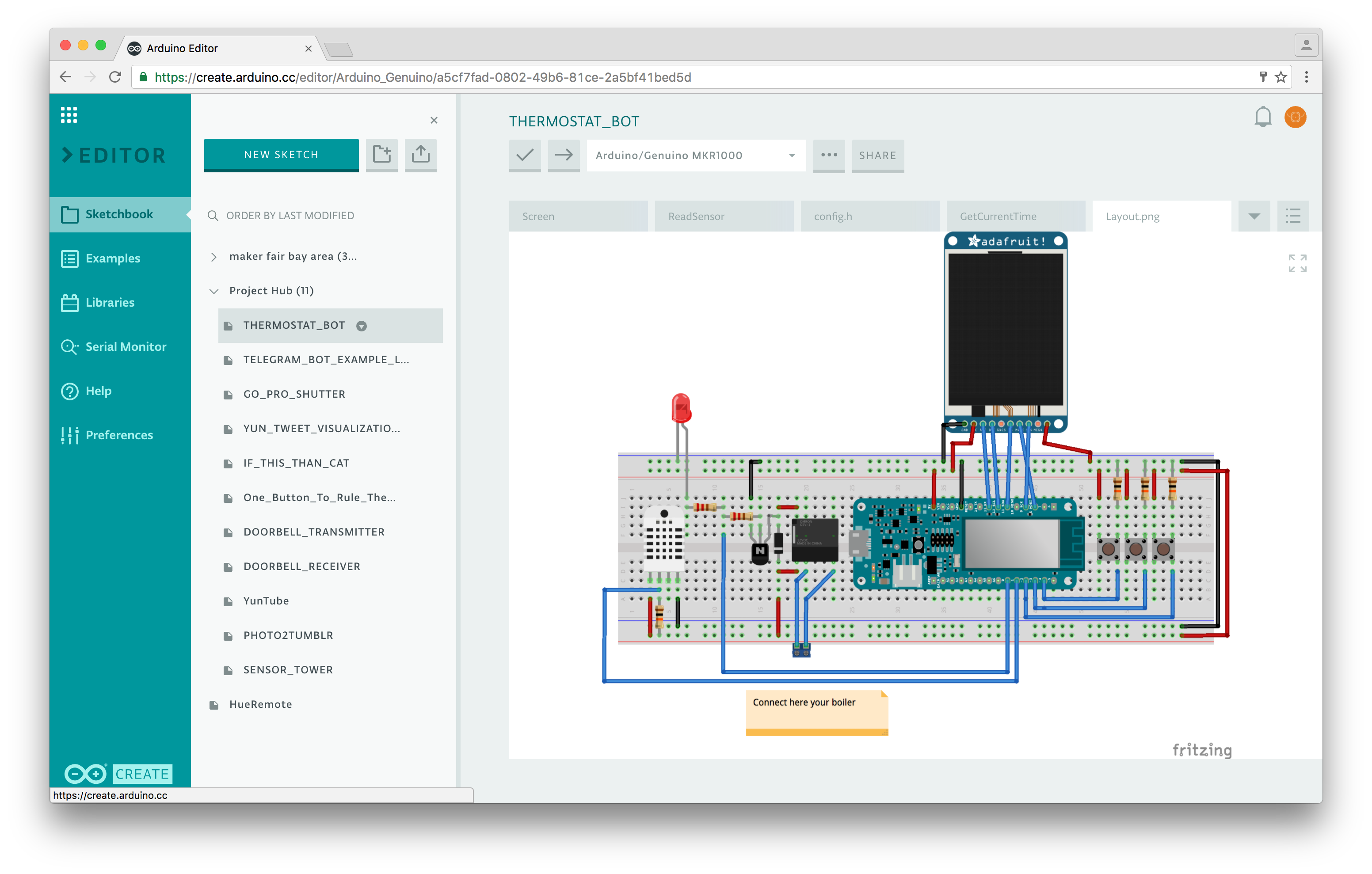
Announced back at Maker Faire Bay Area, the Arduino Web Editor is a new online tool that enables users to write code and upload sketches to any Arduino or Genuino board directly from the browser. 

Over the last couple of months, we have been gathering feedback from beta testers on the Editor’s overall experience, its features, and what they’d like to see in the future. If you haven’t signed up yet, you can gain access to the Web Editor right away and try it out firsthand!

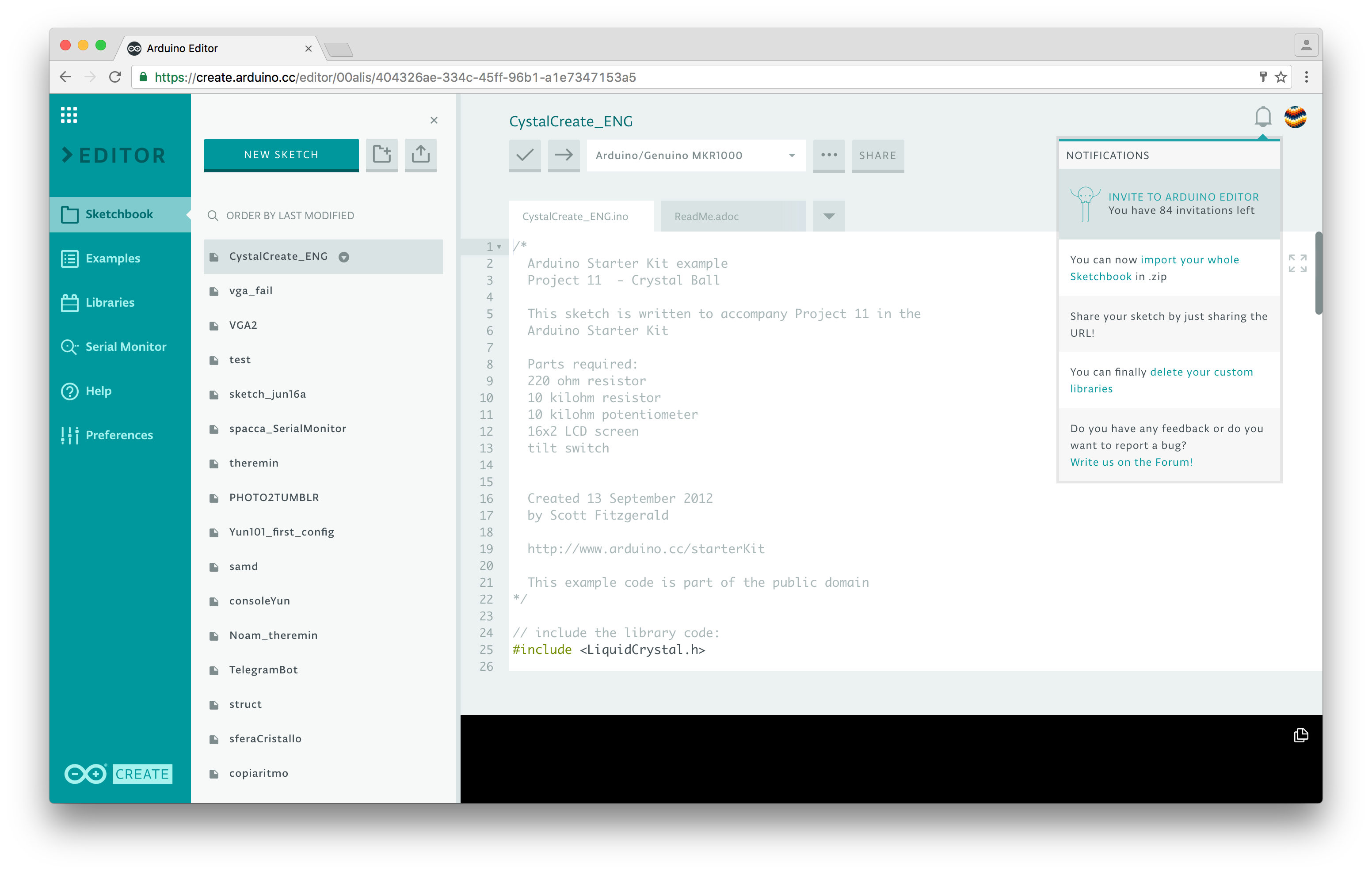
Wondering what makes the new platform more useful and feature-rich than its previous version? The most interesting upgrade is surely the ability to share what you make. Every sketch you create has a unique URL, similarly to Google Docs. If you give the URL to someone, they will be able to see your code, add it to their Sketchbook in the Cloud or download it. If you write a tutorial on Project Hub and add the link in the Software section, your code will be embedded and will always be up-to-date.
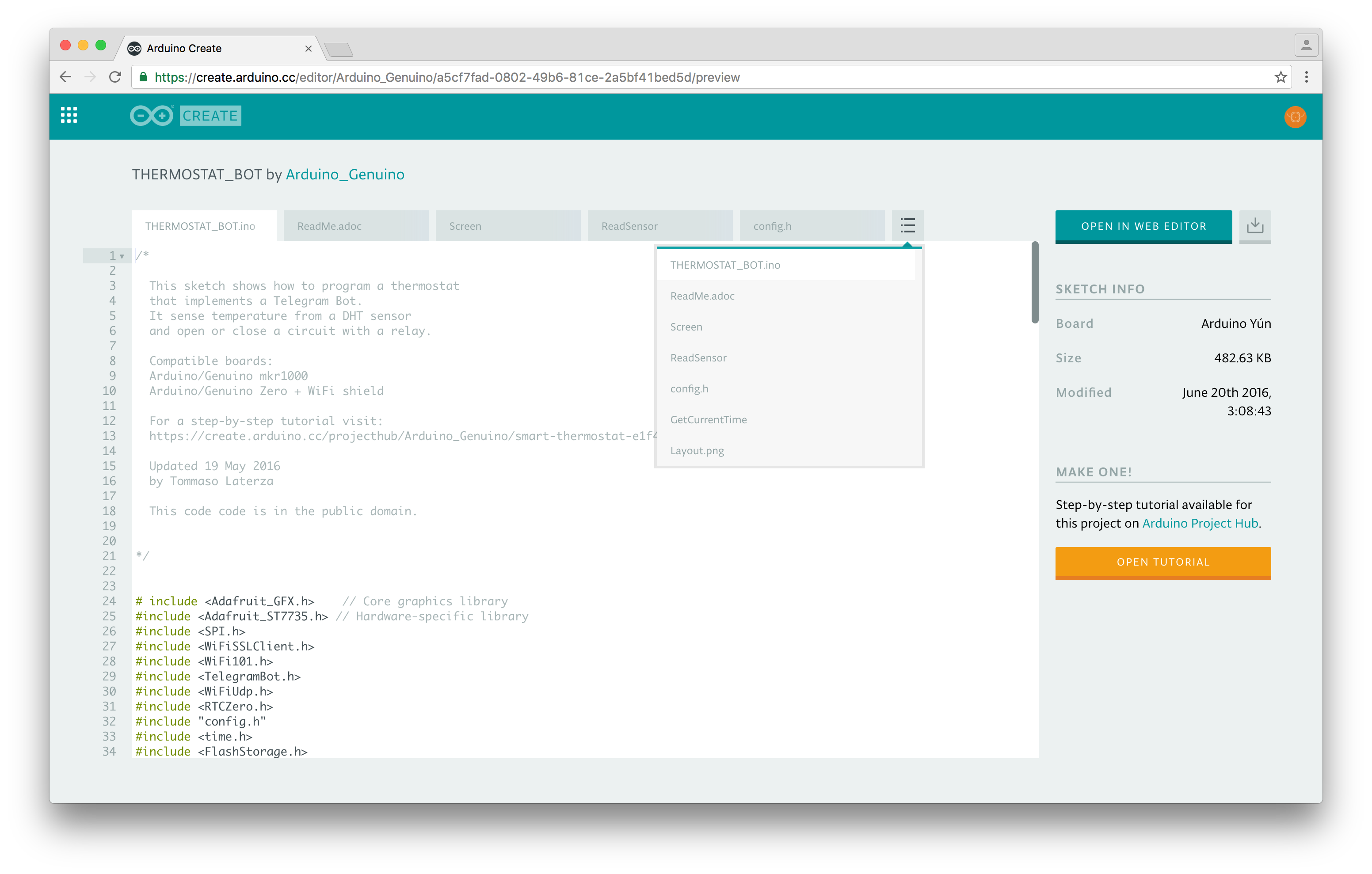
We envision the Arduino Sketch as the unit that includes everything you need to bring an idea to life. When someone shares a sketch with you, you’ll now have access both to the code, the layout for the electronics, and the full tutorial (when available). This will allow you to have all the necessary information to build on top of the original project, making it your own.

Arduino Web Editor is designed to take the headache out of the development process: your Sketchbook is in the Cloud, available from any device and backed up. Simply save a .ZIP file of your local one and import it in a click.Meaning, you don’t need to install any additional cores for Arduino and Genuino boards, just install a simple agent, plug your board in and we’ll set it up for you.

We made the Serial Monitor pretty robust, and of course, you can finally enjoy a dark theme for your IDE.
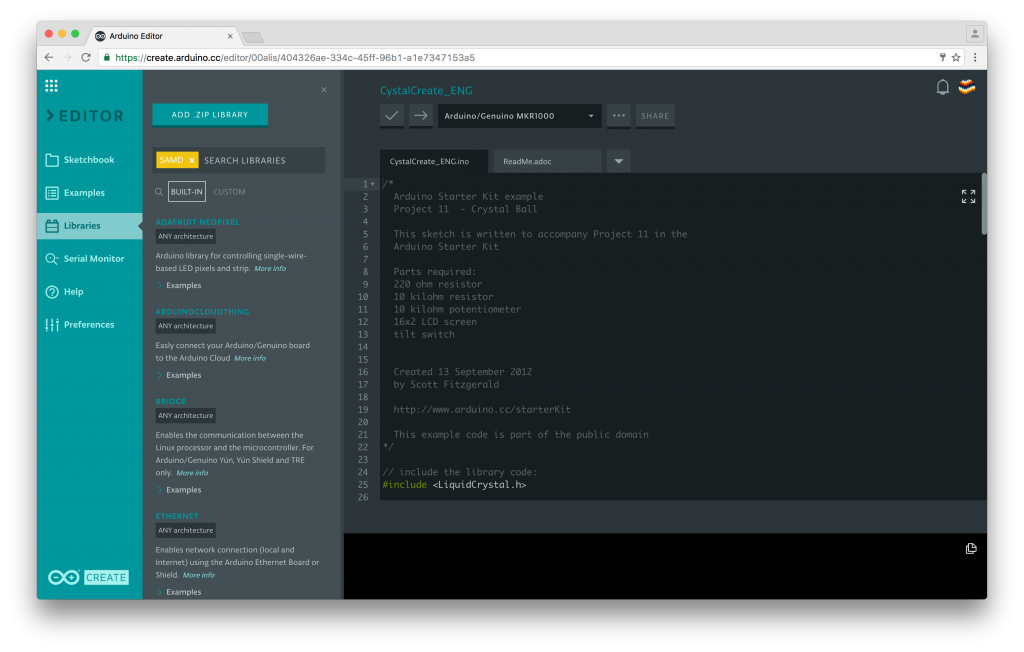
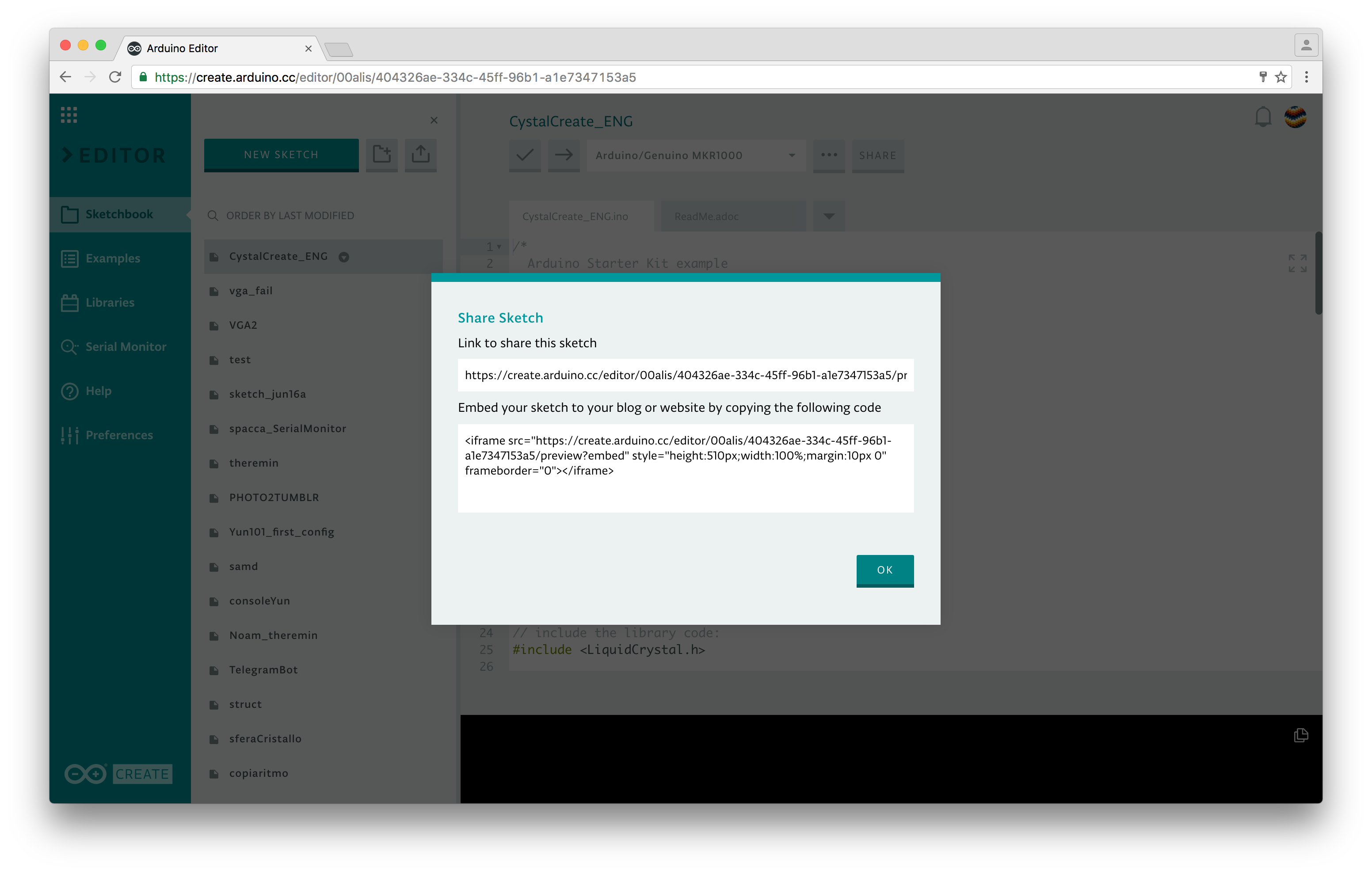
We are currently working on the Library Manager (as you have on the Desktop IDE), and a ‘secret tab’ where you will be able to store all your sensitive data and share them safely. At the moment, all the sketches you create on the Arduino Web Editor are public–anyone with the link can access them. We are also developing a private sketch feature–more on that soon.

Interested in learning more? Sign up today and participate in shaping the next generation of Arduino tools!
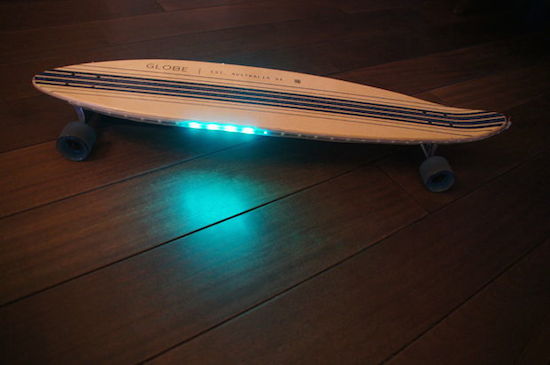
Ride an Arduino-powered longboard with speed-reactive LEDs

For a recent column in the Dutch newspaper de Volkskrant, Rolf Hut built a slick longboard with LED strips that respond to speed. If you think that sounds awesome, wait until you see it in action.

As the Maker explains, four magnets and a Hall effect sensor are used to measure the longboard’s speed so the Adafruit NeoPixels can react at the same pace. To achieve this, the magnets are glued to the inside of each wheel, while a Hall sensor counts the number of revolutions and sends that information over to one of two Arduino Micros. The first Arduino translates that into a speed, while the second Micro converts that speed into a signal for the LEDs. Everything is powered by a power bank.

Intrigued? Head over to the Hut’s project page, where you will find a detailed breakdown of his build along with its code.

Maker adds gesture control to a surgical robotic

The Da Vinci system is one of the most popular surgical robots around, which allows surgeons to perform operations through only a few small incisions. The device works by translating a doctor’s hand movements into smaller, precise movements of tiny instruments inside the patient’s body. As ubiquitous as they may be in hospitals, chances are it’s never been operated quite like this before.

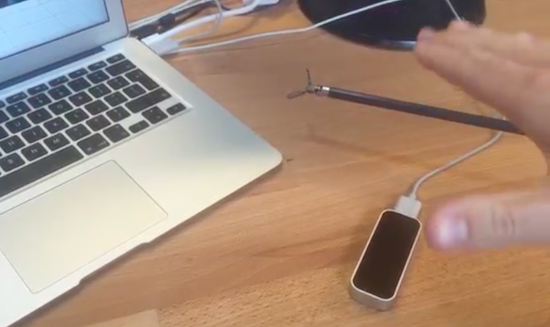
That’s because Julien Schuermans has managed to connect the robotic surgical tool’s hardware up to a LeapMotion controller, making its small forceps gesture-controlled. You can see how it all works in the video below.

As The Verge explains, four Arduino Uno-controlled servos are fitted to the pulleys and cables that handle the rotation, angle and gripping mechanism. Gesture input is captured by the Leap Motion’s infrared cameras, which is then converted into instructions for these servos, enabling the user to command the endoscopic device with just a wave of the hand.

An Arduino flying start lap timer

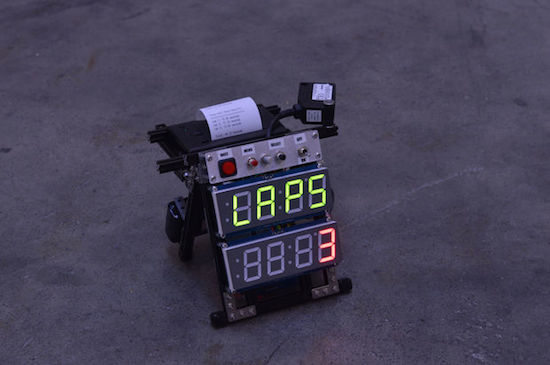
Richard Garsthagen recently became the proud owner of a Razor Crazy Cart. Seeing as though he only had one, racing against others was a bit out of the question for now. Being the Maker that he is, he came up with a solution instead: an Arduino Uno-based lap timer.

The lap timer uses an infrared light bridge to detect when something crosses the line, an Adafruit 7-segment display to show the time and lap count, as well as a SparkFun thermal printer that spits out the final results. The frame itself is constructed out of MakerBeam components, while power is supplied through an 11.2V LiPo battery.

Meanwhile, the Arduino software has two modes:

Race mode: This is started by clicking the left “race” button. This will start the laptimer. It uses a “flying start” principle. So there is no count down, just start racing, when the first time you cross the line, the timer will start. It will display the amount of laps still to go on the top 7-segment display and the time on the second 7-segment display.

Setup mode: When you click on the “menu,” 2nd button, you can setup how many laps you want to race. By turning the pot-meter you can select between one and nine laps.

While he may be using his timer for Crazy Cart, the system can come in handy whenever you’re unable to directly race someone else — whether that’s running or cycling around the house. Want one of your own? Race on over to its project page. In the meantime, check it out in the video below. (We gotta say, the 8-bit chiptunes were a nice touch!)

Grow lettuce for life with the Arduino 101

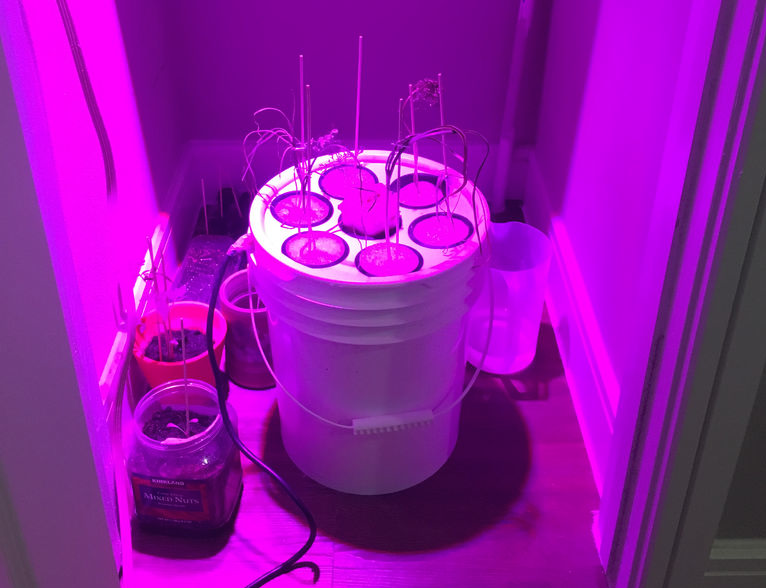
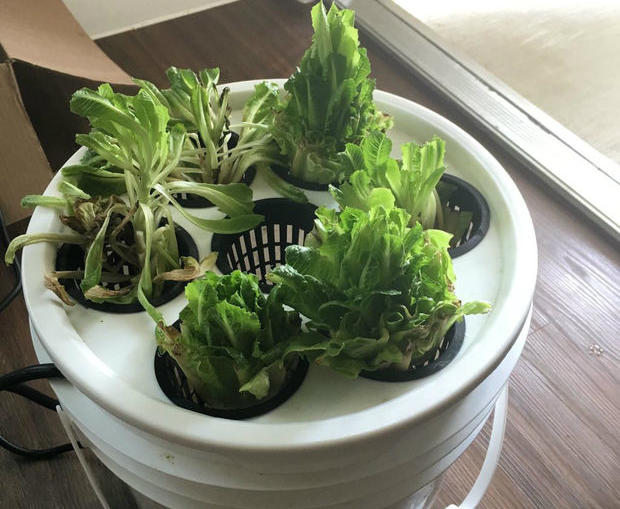
Did you know that if you take a head of romaine lettuce and eat all but the bottom, then place it in a bowl of water, it will regrow? This fun fact actually inspired Instructables user Evandromiami to develop a deep water culture hydroponic system that would optimize the process for him.

The lettuce is grown on top of a five-gallon plastic bucket filled with water under full spectrum lights, while an Arduino 101 monitors the light, humidity, temperature, water, and pH levels measured by a set of sensors. The system is controlled over Bluetooth, which enables the Maker to adjust settings and receive notifications on an LCD screen. All the electronics, including the Curie-based board, are tucked away inside a power strip and the entire hydroponic farm lives inside an A/C closet. 

The Arduino 101-driven project continues to be a work in progress, but Evandromiami has already begun to expand into other veggies like tomatoes. Ready to get into the world of hydroponics? Check out the Maker’s entire write-up here.

Bringing the Windows hourglass cursor to life

You know that rotating hourglass that indicates when a Windows application is busy performing an operation? Well, interaction designer Wolfgang Huther decided to bring the iconic cursor into the real world with an Arduino-driven project he calls “The Microsoft Hourglass Machine.”

The wall-mounted display was brought to life using laser-cut acrylic parts, black sand, and some electronics.

A DIY Arduino Nixie tube clock

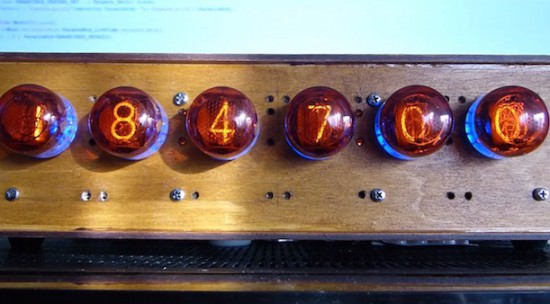
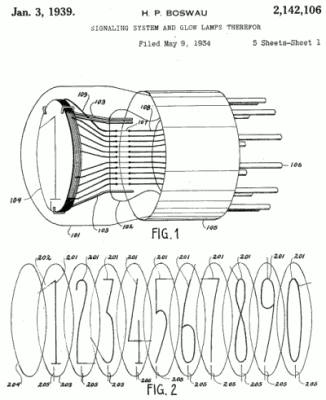
Nixie tubes have a lot of fans because of their retro style. They are neon valve tubes, where 10 cathodes shaped like numbers from 0 to 9 are switched on by plasma when high voltage flows through them. Patented in the 1930s by H.P. Boswau, they were wildly popular in the ‘60s and remained so until LEDs became cheaper to manufacture in the ‘70s. Many Makers today are creating vintage-look clocks using, now rare, Nixies bought on eBay with the help of an Arduino or Genuino Uno to control them.

In the video below, Jozsef Kovecses built a Nixie clock with NTP time syncronization using a Genuino Uno, a Geeetech IduinoShield, DS1307 RTC, DC-to-DC converter, and Nixie tube modules to drive the tubes directly.

Arduino Blog 15 Jun 11:55

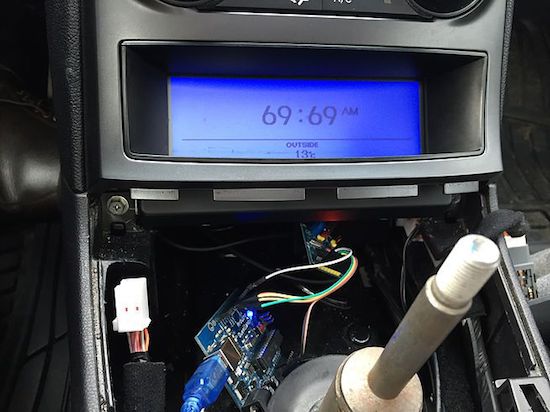
Maker hacked his car’s dashboard to display Shower Thoughts

The Shower Thoughts subreddit is a collection of all those ideas or philosophical questions that race through your mind while in the bathroom. For example, “I like to think money wouldn’t change me; yet when I’m winning Monopoly I’m a terrible person,” or “12 years ago leaving CDs out in my car gave theives a reason to break in. Today, leaving CDs out is a deterrent.”

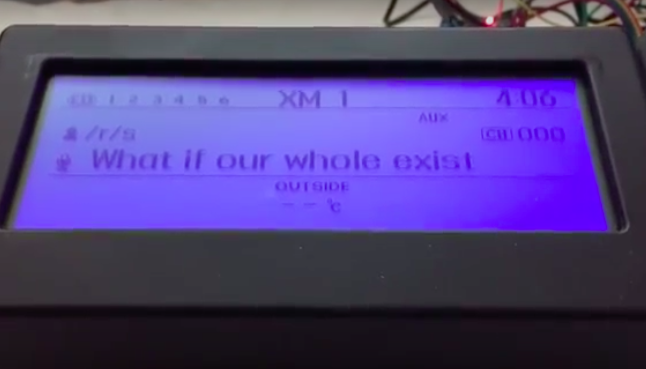
While most folks would simply browse Reddit on their phones or laptops, Harin De Mel decided to something a bit different. He managed to hack his vehicle’s dashboard to display some of the best thoughts from the last hour. Not a bad idea for when you’re stuck in traffic or sitting in the car waiting for someone to come outside, right?

The Maker sniffed the CAN bus on his 2012 Hyundai Genesis, and isolated the LCD from the rest of the network. He used Raspberry Pi and an Arduino, both of which are interfaced with an MCP2515 — one for the display, the other to receive signals from the original network. A Wi-Fi dongle on the Raspberry Pi enables Internet connectivity.

De Mel was also able to make the text scroll, which was accomplished through the CAN bus. However, Python script on the Raspberry Pi provided more control on how fast or frequently the message would come across the screen.

Now that I have a better understanding of how the LCD is controlled, I want to use the screen for more useful information. I have an in-dash Nexus 7 and would like to parse the information of the currently playing track to the car’s system as if it was an iPod. Frank Zhao was kind enough to leave a comment on my previous post pointing me in the direction of the Apple Accessories Protocol (AAP) which I will also begin to tinker with at some point in the future.

The code for the project is available on GitHub, and you can read more about the build on his blog. In the meantime, check out the video below to see it all in action.

Make masterpieces with a homemade CNC painting machine

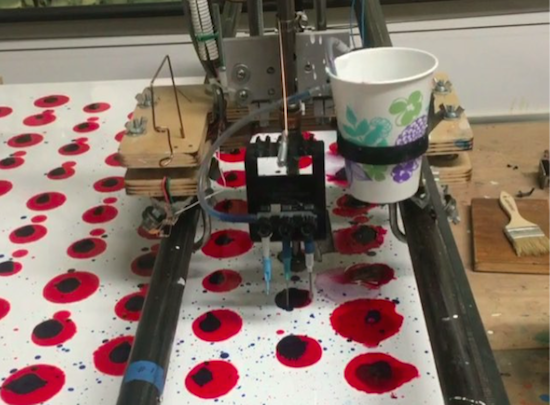
Longtime artist Jeff Leonard has built a pair of Arduino-driven CNC painting machines with the motivation to grow his toolbox and expand the kinds of marks he could make simply by hand. By pairing the formal elements of painting with modern-day computing, the Brooklyn-based Maker now has the ability to create things that otherwise would’ve never been possible.

Machine #1 consists of a 5’ x 7’ table and is capable of producing pieces of art up to 4’ x 5’ in size. The device features a variety of tools, including a Beugler pinstriping paint wheel, a brush with a peristaltic pump syringe feed, an airbrush with a five-color paint feed system and five peristaltic pumps from Adafruit, a squeegee, and pencils, pens, markers and other utensils.

In terms of hardware, it’s equipped with three NEMA 23 stepper motors, three Big Easy Drivers, as well as an Arduino Mega and an Uno. There are two servos and five peristaltic pumps on the carriage–the first servo raises and lowers the tool, while the second presses the trigger on the airbrush. An Adafruit motor shield on the Uno controls the pumps, and the AccelStepper library is used for the Big Easy Drivers.

According to Leonard:

I am coding directly into the Arduino. There are many different codes that I call and overlap and use as a painter overlaps techniques and ideas. There is a lot of random built into the code, I don’t know what the end result will be when I start. Typically on any kind of CNC machining the end result has been made in the computer and the machine executes the instructions. I am building a kind of visual synthesizer that I can control in real-time. There are many buttons and potentiometers that I am controlling while the routines are running. I take any marks or accidents that happen and learn how to incorporate them into a painting.

I am learning Processing now and how to incorporate it into the image making.

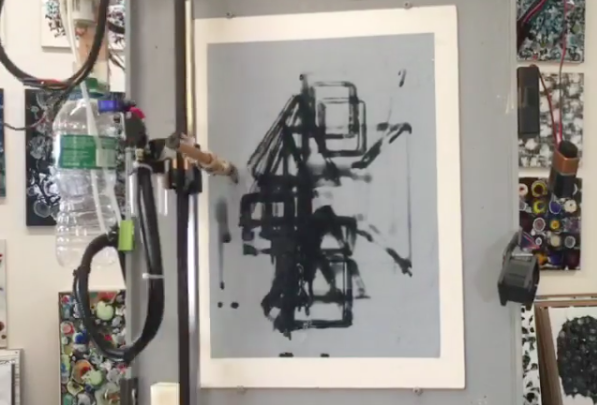
Machine #2, however, is a bit different. This one is actually a standup XY unit that was made as a concept project. It paints using water on magic paper that becomes black when wet and disappears as it dries, used mainly as a way to practice calligraphy or Chinese brush painting. Not only does it look great, there’s no clean up either!

In terms of tools, the machine has a brush and an airbrush. Two NEMA 17 stepper motors are tasked with the XY motion. There are also three servos–one servo lifts and lowers the armature away from the paper since there is no Z-axis, another controls the angle of the brush, and the third presses the trigger of the airbrush. A peristaltic pump helps to refill the water cup, along with a small fan. The system is powered by an Arduino Uno with an Adafruit Motor Shield using the Adafruit Motor Shield Library v2.

As awesome as it all sounds, you really have to see these gadgets in action and their finished works (many of which can be found on Instagram).

Meet DigiWare: Indonesia’s new Genuino reseller!

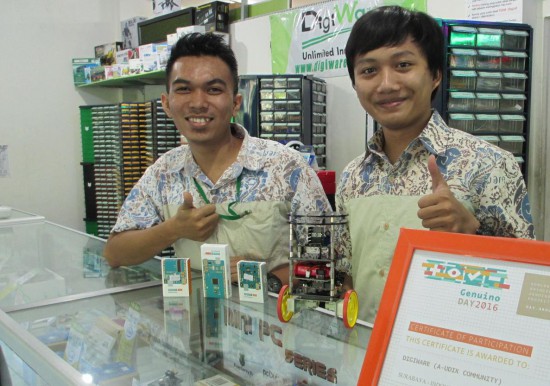
First, Malaysia. Then, Thailand. Now, Indonesia is home to an official reseller of Arduino.cc’s sister brand Genuino! Andi and Ardi of DigiWare are pictured below, also showing off the Certificate of Participation from the latest Arduino and Genuino Day organized in their location. Thumbs up to that!

- Tell us a bit more about DigiWare

DigiWare was established back in 2008 in Surabaya, Indonesia. We provide electronic components, embedded modules, and robotic parts. Besides our retail store, we also have an store and continue updating our product portfolio with the latest technology trends. One of the favorite products line is Arduino (Genuino), of course! We have been participating in Arduino Day activities since 2015, and finally became Arduino reseller in early 2016.

- What’s your company’s super power?

We have a solid technical support and training team, which makes us different from other stores. We even developed an Arduino community for vocational school called A-UDIK. Our mission is to hold Arduino training for the vocational school’s teachers and students throughout Indonesia.

- Do you have a favorite Arduino/Genuino project?

We would have to say one of the most interesting projects using Arduino/Genuino is the Vertical Hydroponic Farm (Robotic Urban Farm System) by Paul Langdon–which can be found here. It’s very useful for our environment and farmers.

Contacts

DigiWare Store Website  – Facebook