Posts with «featured» label

This handheld gadget will scan and identify fonts
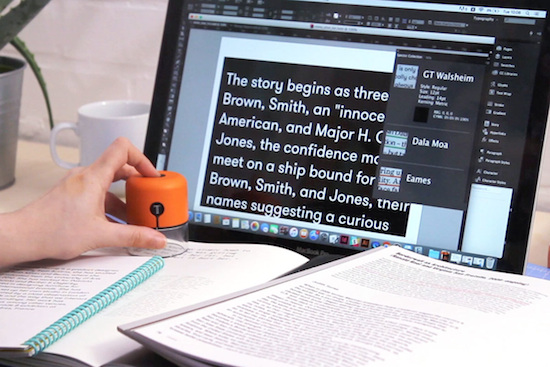
Fiona O’Leary, a design student at the Royal College of Art, has developed a handheld device that enables her to capture any font and color she sees in the real world, and magically imports them into Adobe’s InDesign. The gadget, called Spector, was born out of her own frustrations with designing for print on-screen and never actually knowing how the fonts and colors would appear in their physical form.

The tool, which was prototyped using an Arduino Pro Mini, works essentially like a “physical eyedropper” or a “Shazam for fonts.” Simply place Spector on a certain typeface and watch it change to that exact typeface right on your computer screen, all with the press of a button.
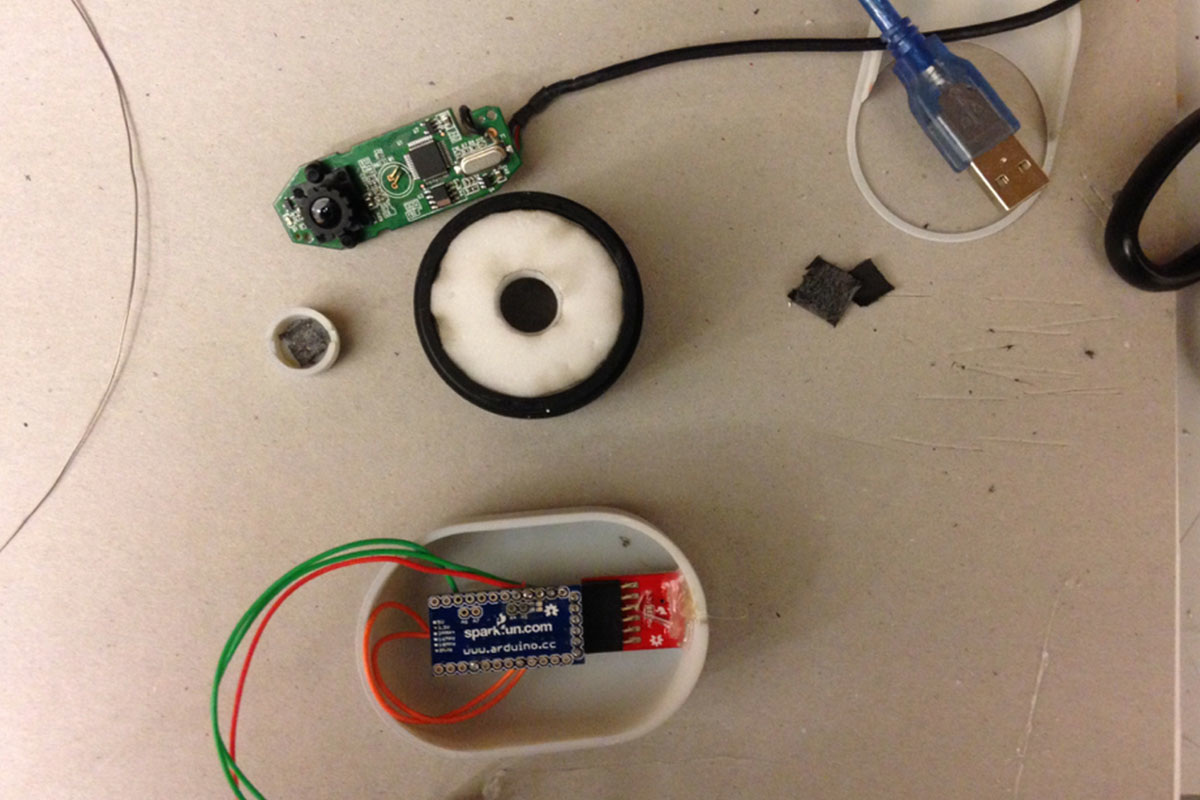
A built-in camera captures the media you’re looking at–whether that’s a billboard, a subway map, or text in a book–and an algorithm converts the image into data that detects the shape and color in CMYK/RGB values. That data is then sent to a font and color database, where the sample is further identified.

Additionally, Spector can store up to 20 fonts and colors so you can collect your favorite typography on the go and upload it later. The device is currently capable of recognizing seven different typefaces and IDs type size, kerning, and leading, although O’Leary says she is working to integrate it with a much larger database.
Creating an automatic targeting frisbee launcher with Arduino

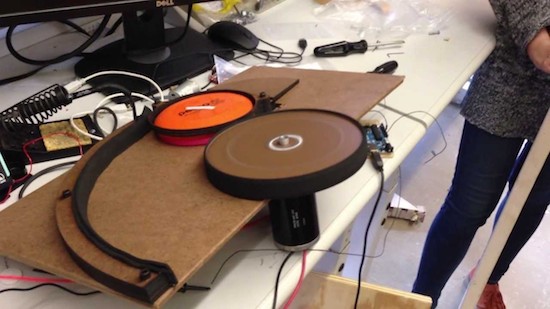
A few years ago, Jordan Réjaud and a team of his fellow Carnegie Mellon classmates built a robotic frisbee launcher. Based on an Arduino, the machine used a camera to detect colored targets, and a powerful DC motor to induce linear and rotational motion of the discs before propelling them at the selected bullseye several feet away.

A servo motor was tasked with pushing the frisbees out of a hopper made from a tin coffee can and towards the DC motor, while a planetary gear and linear actuator positioned the launcher horizontally and vertically, respectively.

You can see the entire system in action below!

Building a water collection vessel with an Arduino Mega

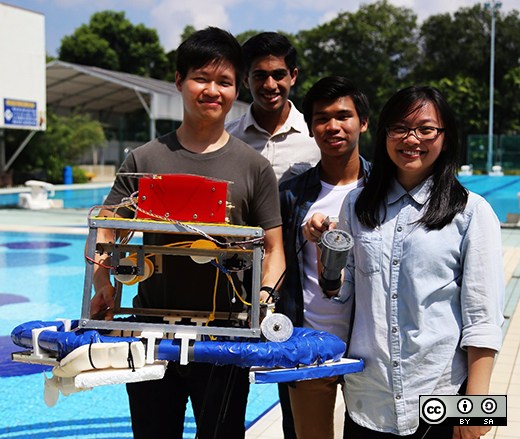
As part of an electrical and electronic engineering course at Singapore Polytechnic, a group of students were challenged to build an aquatic vehicle that could collect samples from one and two meters underwater. After three months of hard work, the Imp Bot was brought to life!

Imp Bot is controlled by a mobile application made using the MIT App Inventor. Communication is achieved via a Bluetooth module hooked up to an Arduino Mega, while an onboard GPS sensor is used to log sampling locations in the app. Power is provided by a LiPo battery, which supplies high current to the two DC motors responsible for moving the 11-pound vessel around.

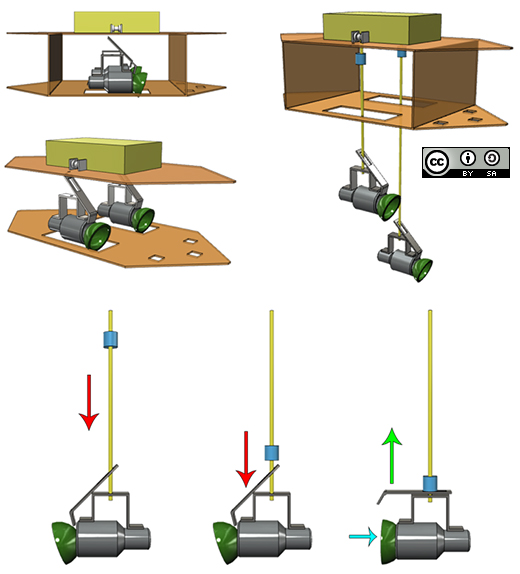
The sampler is actually a simplified Van Dorn Water Sampler, an ingenious method of water collection based upon elasticity and a quick-release mechanism. The main body of the vessel was initially made using laser-cut acrylic pieces assembled with PVC pipes, but the structure was too weak so they decided to use aluminium L-brackets instead.

Want to learn more? Check out the team’s video below, as well as read the story on one of the student’s blogs here. The code is also available on GitHub.

The World’s Largest Maker Survey Results Are Out

Over the last few weeks, our friends at Hackster.io conducted the world’s largest Maker survey–and now they’ve made the results accessible to everyone. With the help of 25 of today’s top tech companies, including Arduino, no less than 3,139 self-identified Makers and IoT developers spanning across 104 countries submitted their responses.

Gain insight into the community’s favorite tools, boards, programing languages, operating systems, cloud platforms, and more by downloading your copy of the report. In the meantime, check out their nifty infographic below!

Get your DDR on with an Arduino dance pad

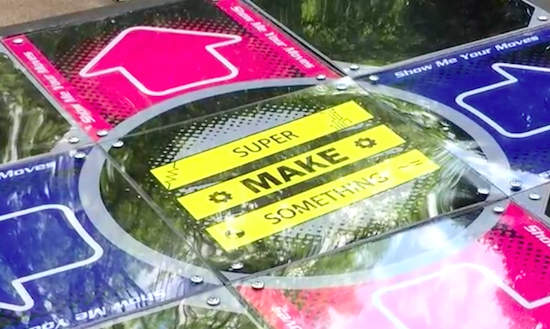
Alex of the YouTube channel “Super Make Something” is a huge fan of Dance Dance Revolution (DDR), and still has to play the game whenever he steps foot into an arcade. However, with the number of arcades slowly declining, the Maker has decided to bring that experience into his living room with a USB DDR dance pad.

And yes, you could always buy a metal dance pad but rather than spend $300, why not build your own? That is exactly what Alex has done using some easy-to-find materials: a 35″ x 35” slab of plywood for the base, four 1” x 35” pieces of wood for the border, five 11” x 11” pieces of MDF for the stationary panels, four 9″ x 9” pieces of cardboard for the riser panels, 12 metal button contacts out of aluminum, four 11” x 11” MDF button pads, acrylic sheets for the dance surface, and plenty of paint and graphics for the finishing touch.

The dance pad itself is based on pull-up resistors and an Arduino Leonardo, which is housed inside a 3D-printed enclosure. The Arduino includes an ATmega32U4 chip that can be programmed to act as a USB input device. The working principle here is that the MCU sends out a keystroke every time a button panel is stepped on. Alex provides a more in-depth breakdown of how it works in the video below! Meanwhile, the Arduino code can be downloaded here.

Hacking a rotary phone with an Arduino and a GSM shield

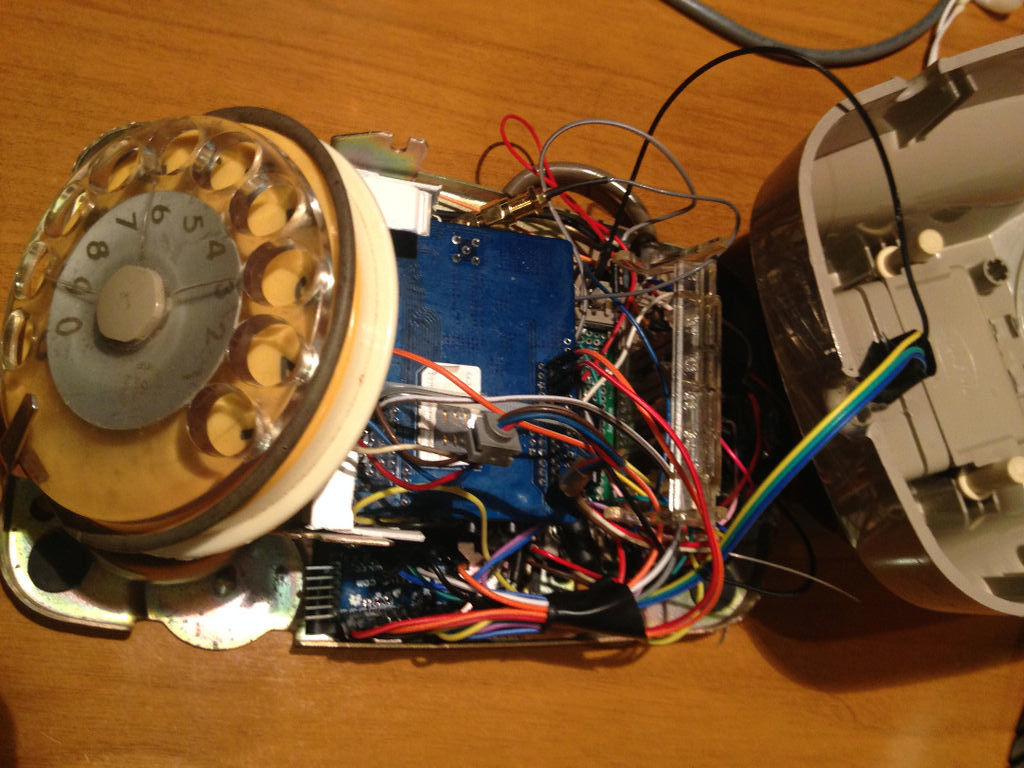
While cleaning out his closet, Instructables user “Acmecorporation”  discovered an old rotary telephone. Instead of tossing it away, the Maker decided to give the old-school device some modern-day technology using an Arduino Pro Mini and a SIM900 GSM shield.

Acmecorporation is able to use the aptly named TOWA Phone (There Once Was A Telephone) to make and receive calls, send single DMTF tones, and even program numbers on speed dial. Aside from its classic bell ringer, there’s an RGB LED that indicates GSM status: red for offline, green for online, and blue for an incoming call.

The Maker briefly explains how it works:

To make a phone call you have to pick up the handset and dial the number, that’s all. Terminate call hanging up the handset.

When phone is ringing, pick up the handset to answer. Terminate it hanging up.

If you call to a support center or an office, usually you have to dial numbers to connect a specific department. You can do this because TOWA sends single DMTF tones.

Inside the Arduino script, you can add your favorite telephone numbers and combine it with a specific integer number. For example, I’ve stored my favorites combined with numbers from 1 to 8. So when I pick up the handset and dial 1, it starts a call to my wife. When I dial 2 or 3, it calls one of my sons, and so on.

Although Acmecorporation didn’t design TOWA for everyday use, it has become a permanent fixture on his desk. Do you have a rotary phone lying around? Time to brush off the dust and rig your own!

Grab things with an Arduino robotic gripper

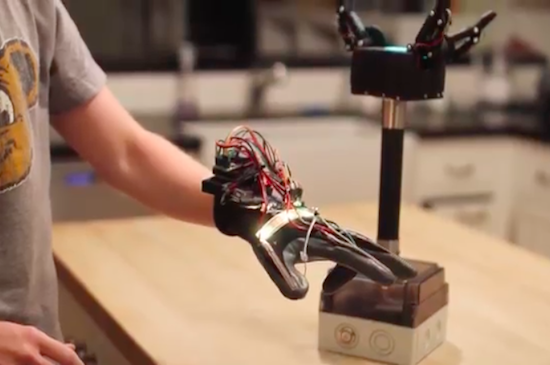
Sam Baumgarten and his friend have developed a pretty rad robotic gripper with the help of Arduino and 3D printing. The gripper itself consists of three large hobby servos joined to the fingers with a linkage. The underactuated fingers have a force sensor under each contact point, while the control glove is equipped with tiny vibrating motors at the fingertips. This, of course, provides haptic feedback to ensure that the user doesn’t crush anything–the greater the pressure, the stronger the motors vibrate.

The gripper is mounted to a handle with abrasive tape–the same kind found on staircases and skateboards. The tape is also used on each finger for optimal gripping. A box at the base of the pole houses all of the electronics, which include an Arduino Pro Mini for controlling the addressable LEDs on top, another Arduino for handling the communication and fingers, and a battery for power.

Aside from the vibration motors, the glove features flexible resistors on the back of the fingers, an LED strip for visualization, a breakout board for measuring the resistance from the flex sensors, a battery, an Arduino Uno for processing, and an XBee module for transmitting the signals to the Arduino in the gripper.

If you think this sounds awesome, wait until you see it in action. Baumgartnen has shared a demo of the project, along with a detailed breakdown of his build. Kudos to Hackaday for finding this incredible piece of work!

Intel releases an improved version of the Arduino 101 core!

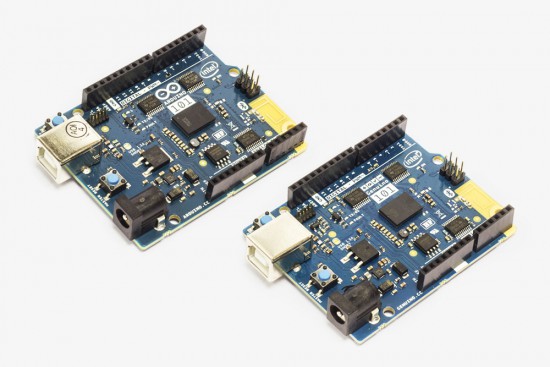
A few weeks ago, an announcement was posted on the Arduino Forum mentioning new improvements on the software side of the Arduino/Genuino 101. With this release, the board–which was developed in collaboration with Intel–is reaching its full potential, with not only better code generation but unlocking useful features to make your sketches even more interactive as well.

You can easily upgrade the core using the Arduino IDE’s Board Manager (pictured below), while Arduino Create users will be automatically updated, so no action is required–the cool thing about the cloud!

In more detail:

  • The GCC compiler has been updated to support hardware extensions to the ARC EM core in the Intel® Curie™ module. This provides significant improvements in floating point operations, bit shifting, and other operations to enhance Sketch performance.
  • The Arduino/Genuino 101 platform offers 2MB Flash storage onboard, which is now enabled for user sketches.
  • An experimental driver has been implemented to enable the I2S interface via the CurieI2S library. Connecting the I2S bus to an external DAC (digital to analog converter) allows users to play high-quality music (HiFi).

Other improvements and bug fixes:

  • Motion Sensor: Several sample sketches, like MotionDetection, have been implemented to demonstrate the application of the IMU data
  • Bluetooth LE: Several new examples for BLE peripheral library added
  • IMU: Correct motion detection setting implemented
  • Library CurieTimerOne APIs are now compatible with the TimerOne library

For comprehensive release notes refer to the Intel Open Source Technology Center on GitHub.

A giant, Arduino-powered scrolling LED sign costs $15/foot

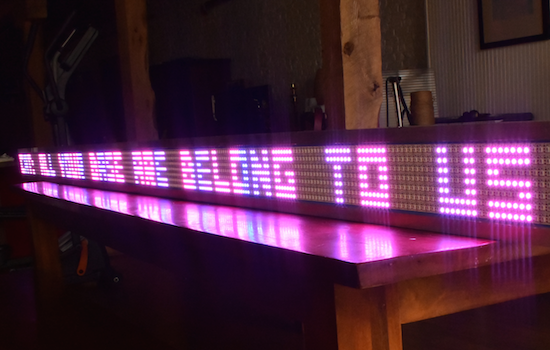
If you’ve ever wanted your own Times Square-like zipper, albeit a little smaller, you’re in luck. That’s because Josh Levine has created a giant scrolling LED display costing around $15 per foot, which consists of an Arduino Uno, a power supply, and seven programmable NeoPixel strips. The Maker also used a few pieces of plywood with a couple of aluminum angles glued to the top and bottom to enhance its sturdiness and appearance.

Equipped with 2,688 RGB pixels, the 12-foot-long sign is capable of showing text at 80 frames per second. Aside from basic scrolling messages, other features include a countdown timer with lookup-based gamma correction, column-by-column color control, custom fonts, sprite graphics with animation, and more.

The build is so simple, that you should be able to figure it out from looking at the pictures. Stick the strips to something, add some power, connect the Arduino data out pins to the strips’ data in pins.

The secret sauce is in the software. You can read about the parallel processing technique used here.

Bigger is better, right? Levine chose this size for his ticker only because it was the longest thing that could make it down his staircase–plus 400-pixels-long gives a refresh rate of 80 frames per second, which is just fast enough for nice animations. That being said, the Maker does note that he’d love to one day build a 100-foot-long sign “if you could find him a long enough surface to mount it on.” Until then, you can see it in action below and read all about the project on its page.

Venduino is a DIY Arduino vending machine

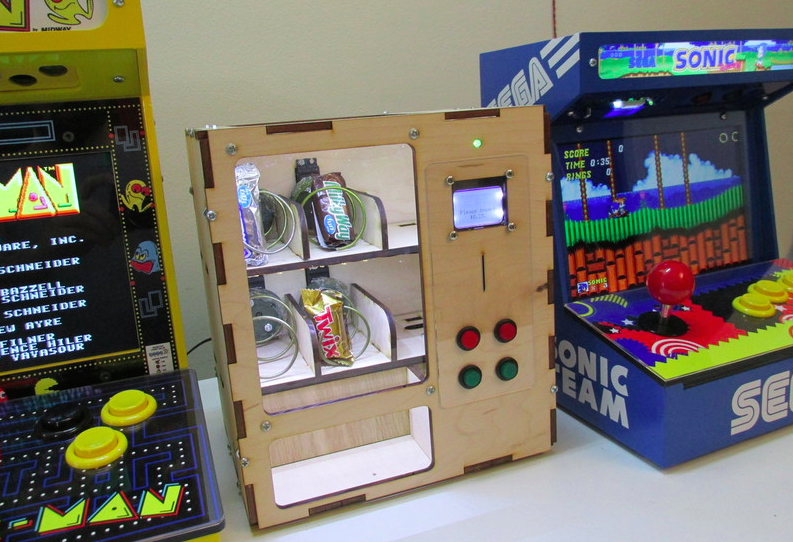
Ryan Bates has built a miniaturized vending machine from scratch using an Arduino Uno, four continuous rotation servos, and a Nokia 5110 LCD. The device, dubbed “Venduino,” includes four input buttons to make a selection, an LED indicator, and a 12V light strips to illuminate the inside of the cabinet. Whether it’s candies, toiletries, game cartridges, or miscellaneous items you’re looking to dispense, the possibilities are endless. Simply insert a coin, choose a product, and repeat.

Sound like something you’d like in your dorm room or cubicle? Bates has shared his code and schematics, and provided a detailed breakdown of his build below.