Posts with «featured» label

Maker creates a fun waveform generator with Arduino
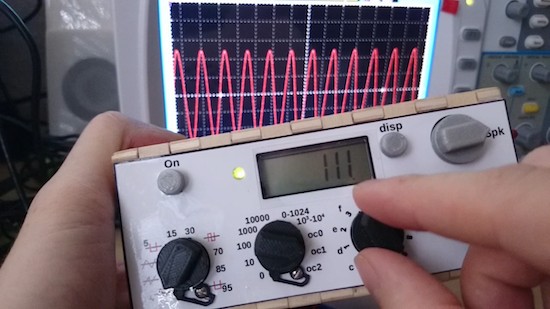
Inspired by a project he found over on Instructables, Maker JoEtuuube has created an Arduino-based waveform generator using an 8-bit resistor ladder DAC that can precisely produce different common waveforms at frequencies between 1Hz and 20Khz in sine-wave, sawtooth, triangle and various ratios of square wave. It features a speaker and a small LCD display.

A neat thing about the LCD is that it’s actually a reverse-engineered display from a cheap pocket calculator. With his hack, JoEtuuube no longer punches each digit in directly; instead, he only taps the clear, +, = and 1 keys. He can then enter arbitrary numbers by typing in the right number of ones and adding them up. For example, 345 = 111 + 111 + 111 + 11 + 1.

The generator itself uses an Arduino Uno and runs off a 9V battery. In the video below, JoEtuuube provides a detailed walkthrough of the firmware and how everything works. You can also read more about it on Hackaday.

This ‘burger drop’ machine captures the perfect shot

If you’ve ever seen a TV commercial for any fast-food chain, then chances are you’re familiar with the burger drop shot–you know, that scene where ingredients like lettuce, tomatoes, onions, bacon, beef patties and sesame seed buns fall from above and then stack themselves upon landing. Well, photographer/Maker Steve Giralt wanted to try capturing a shot like this on his own without the use of CGI or an expensive post-production process.

To accomplish this, Giralt created a rig with an Arduino-based timing control system (named P.A.T.R.I.C) that triggers the camera motion, as well as the drop of the burger’s ingredients so that everything falls perfectly. 

As he explains:

The final video is a synchronized work of art. In the half second of real time, multiple Arduino controlled servo motors with custom 3D printed scalpel blades cut through elastic bands holding up the top bun, pickles, onions, lettuce, tomato, bacon, meat, and lower bun while a 3D printed air powered catapult launched ketchup and mustard blobs into each other.

This all happened while the Phantom camera was moving down on the motion control robot arm at high speed, adjusting focus, as it raced the ingredients and gravity down to the landing.

When we got a perfect landing of the burger, I had a hand model slam down a freshly poured beer down next to the burger to finish off the shot. It was so much fun!

You can read all about the build here, and get a behind-the-scenes look in the video below!

(Photos: PetaPixel)


A 3D-printed, LEGO-like system for chemistry and biology

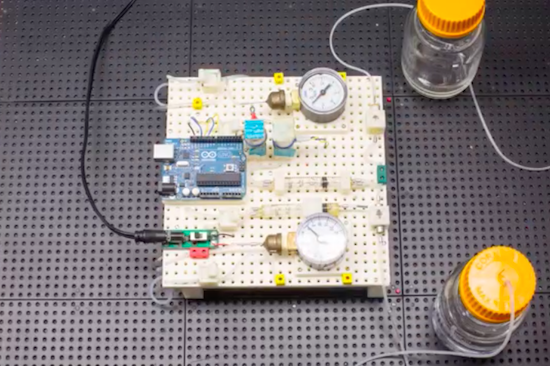
A team from the University of California, Riverside has developed a LEGO-like system of blocks that enables users to make custom chemical and biological research instruments quickly, easily and affordably. The 3D-printed blocks can create various scientific tools, which can be used in university labs, schools, hospitals, or anywhere else.

The blocks–which are called Multifluidic Evolutionary Components (MECs)–are described in the journal PLOS ONE. Each unit performs a basic task found in a lab instrument, such as pumping fluids, making measurements, or interfacing with a user. Since the blocks are designed to work together, users can build apparatus—like bioreactors for making alternative fuels or acid-base titration tools for high school chemistry classes—rapidly and efficiently. The blocks are especially well-suited for resource-limited settings, where a library of blocks could be utilized to create an assortment of different research and diagnostic equipment.

The project is led by graduate student Douglas Hill along with assistant professor of bioengineering William Grover, and is funded by the National Science Foundation. You can read all about the 3D-printed system here, and check out the video below which reveals an Arduino Uno being put to work.


Monome + Raspberry Pi + Arduino + Python Step Sequencer

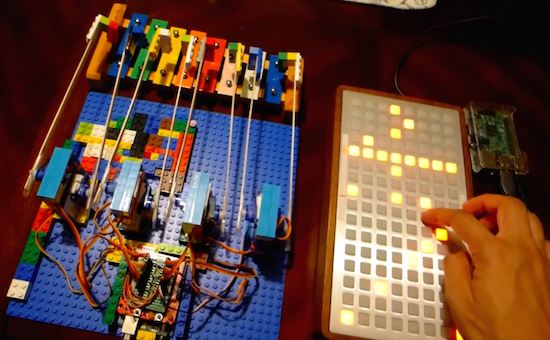
Created by “modulogeek,” the MonomePi is a step sequencer that uses a monome as an input controller and a toy glockenspiel as the output instrument.

The brain of the device is a Raspberry Pi 3, which runs a step sequencer program written in Python. Both the monome and an Arduino Uno are connected to the Pi via USB. The Arduino controls eight servos, each attached to a “mallet” made of LEGO bricks taped onto coffee sticks.

As modulogeek explains, the Arduino is programmed to receive serial commands from the Python program. A command is one byte or 8 bits, each bit representing ‘on’ (play the note) and ‘off’ (do nothing) states of each servo.

The monome is entirely controlled by the Python program, which sends serial commands that, for example, tell the monome which buttons need to light up or turn off. It also receives serial data from the monome, like which buttons are getting pressed and depressed.

You can see it below, as well as check out its GitHub page here.

Create a simple lie detector using Arduino

Have you ever found yourself in an argument with a friend and wanted to know once and for all if they were telling the truth? Lucky for you, 17-year-old Dante Roumega has created a simple lie detector using an Arduino.

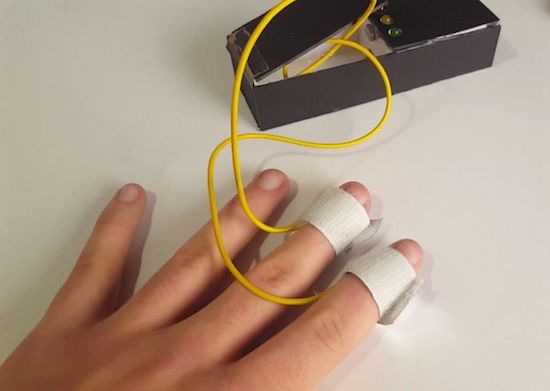
This system works by measuring an individual’s galvanic skin response, which is a fancy way of saying their conductivity. The basis for the project is that our skin changes its conductivity depending on how we feel, particularly following an evocative question.

Roumega connects an Arduino housed inside a small cardboard box to person being interrogated and to a computer running graphing software, which allows him to monitor the results in real-time. There are also three LEDs that enable him to tell if someone’s lying without looking at the screen. He starts by asking his subjects some easy things that they’d answer truthfully, like “what’s your name” or “where do you live,” followed by some that would likely prompt a false answer to get a baseline.

As for the finger pads, Roumega just used a few pieces of tinfoil, velcro and tape. He connects the Arduino’s A0 pin to one of the tinfoil strips and the 5v pin to another, and then wraps them around the middle and index fingers, respectively. You can find all of the wiring instructions and polygraph code here.

It goes without saying that this isn’t the most accurate system in the world, but still cool nevertheless!

HardWino is an open-source, Arduino-based cocktail maker

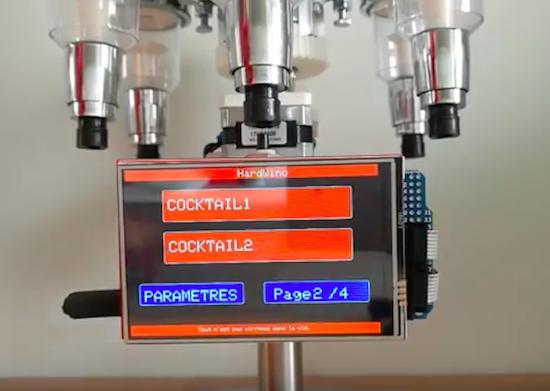
While it may not be the first (nor will it be the last) robotic bartender we’ve seen, Pierre Charlier has come up with a clever and affordable way to mix the perfect drink at home. Say hello to HardWino.

The automatic cocktail maker consists of a six-slot, rotating beverage holder that is controlled by an Arduino Mega and uses a TFT screen to accept orders. The project also includes stepper motors and L298 driver boards, which are supported by 3D-printed parts. Power is supplied through a 12V DC jack.

Charlier provides a step-by-step breakdown of the build in the video below. Keep in mind, however, that this is merely a prototype. We can’t wait to see the final result!

Build an electric go-kart on a budget with Arduino

Growing up, there was nothing cooler than hopping in a go-kart for a quick spin around the neighborhood. But you know what would make it even cooler? If you built your own electric set of wheels. That’s exactly what two engineering students, Adrian Georgescu and Masoud Johnson, have done using commonly available components along with a secondhand frame they picked up for $125 and a few Arduino.

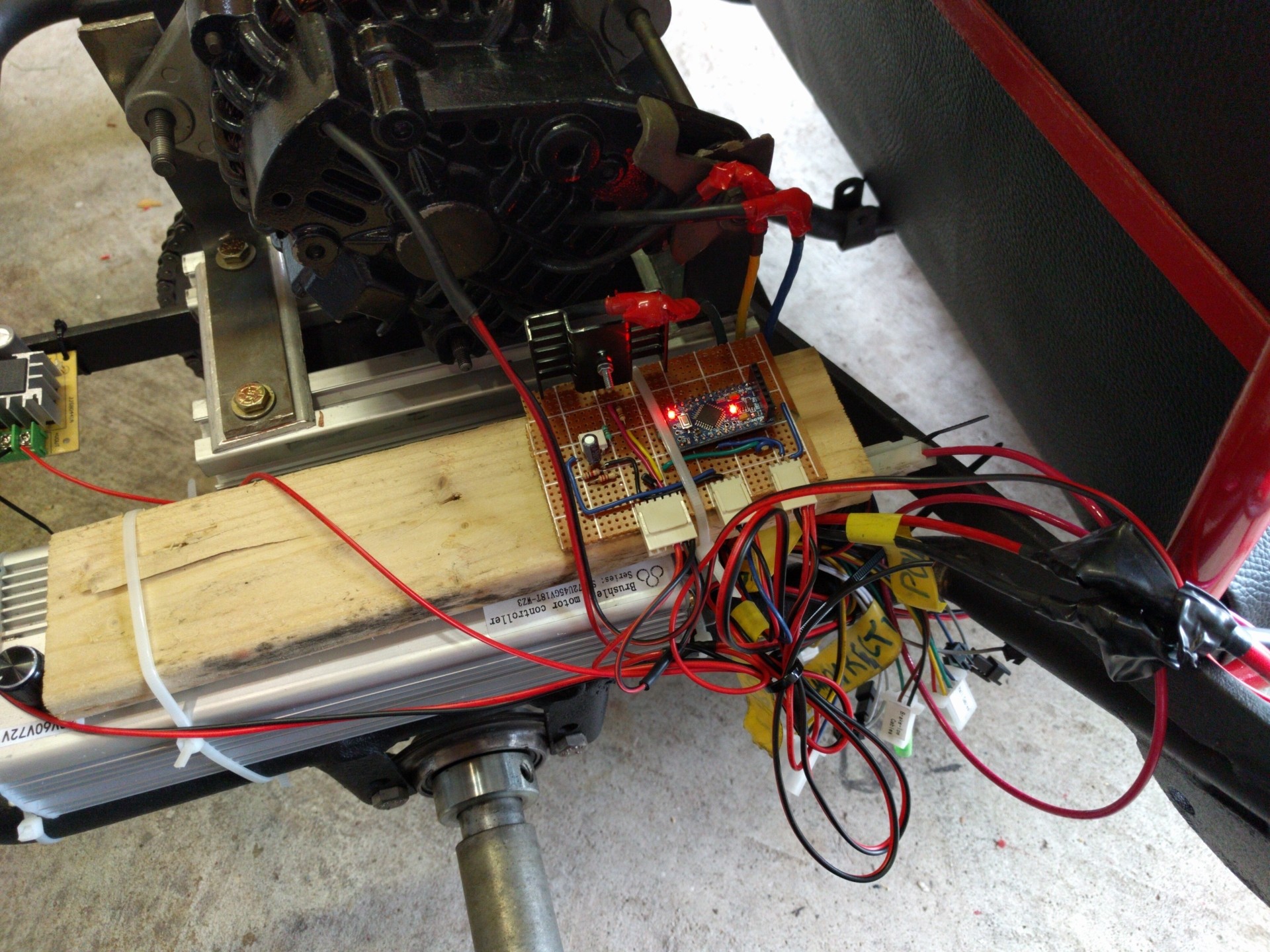
Although they initially targeted a motor power output of 3kW, they were unable to find any that fit their budget. So as any true Makers would do, the duo settled on creating one out of an old Subaru alternator instead. Price tag? $30.

For the rest of their project, Georgescu and Johnson used an electric scooter’s three-phase motor controller, three LiPo battery packs, a trio of Arduino Pro Minis, and an Arduino Mega. The Arduinos are tasked with throttle control, speed sensing, RPM measurement, and transmitting the data over to a virtual dashboard on an Android app.

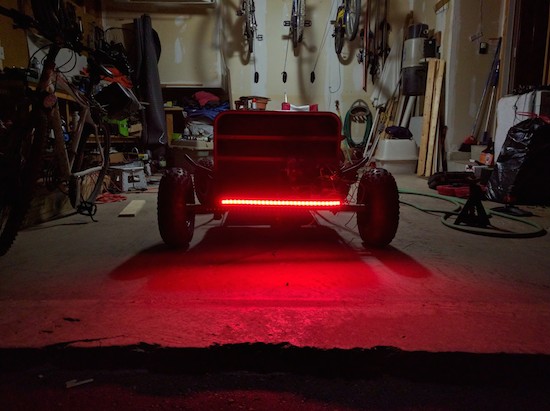
To finish off the build, the students reupholstered the seat, painted the chassis red and black, and threw on 60 LEDs. You can see the end result in action below, as the e-kart reaches a top speed of roughly 33mph (53km/h).

These Arduino bots move plants to sunny and shady spots

What do you do when you want your plants to grow but you lack a green thumb? Give them wheels and the ability to seek out sunny and shady spots on their own. This was media artist Kathleen McDermott has done.

The aptly named Sunbot and Shadebot are robots that help houseplants tour the outside world. Sunbot uses photocell (light) sensors to look for sunny places to rest, while Shadebot employs the same sensors to locate shadowy spots.

Both platforms are made out of a recycled fan case and wood, along with an Arduino, DC motors, rechargeable batteries and solar panels.

See them in action below!

Arduino Blog 12 Aug 21:21

Build a simple VU meter with an Arduino Uno and LEDs

If you’ve been looking for a simple audio Arduino project, you may want to check out this VU meter from YouTuber RZtronix. The Maker built the device using an Uno along with some LEDs, a couple wires, a breadboard, a sound sensor, and a 5V power supply.

Throwback: Machine pours a drink every time the U.S. wins a medal

What do you get when you combine the Olympics, alcohol, and Arduino? An awesome machine that automatically pours a shot whenever your country wins a medal. Although a throwback, we can’t see why this project can’t be replicated for Rio!

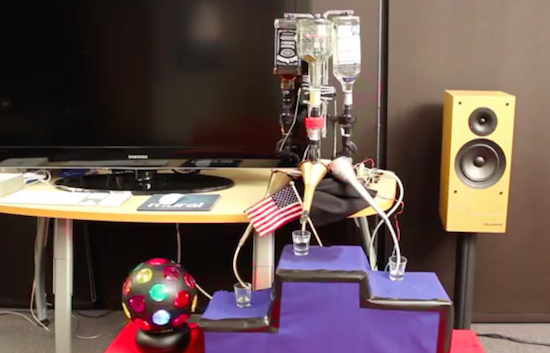
It all began four years ago when a bunch of Makers were given early access to the SmartThings platform. To coincide with the London 2012 Summer Games, the team developed a device that would celebrate a U.S. victory by dispensing one of three different drinks–Goldschläger for gold, Jose Cuervo for silver, and Jack Daniels for bronze–while waving the American flag, turning on a strobe light, and playing the national anthem.

An Arduino is connected to a SparkFun XBee shield and the ZigBee network links it to the SmartThings platform online. The Arduino controls the servos responsible for releasing the liquid into the glass, and the relays that switch the power strip on/off for the party effects. Of course, you can always just pour a drink manually by selecting the appropriate medal on the accompanying SmartThings Medal app.

With the 2016 Games now underway, check out the entire build below to help get you started on a machine of your own!


Arduino Blog 11 Aug 21:43