Posts with «arduino» label

New Arduino Micro available

We’re happy to announce the release of the new Arduino Micro board.

The Arduino Micro packs all of the power of the Arduino Leonardo in a 48mm x 18mm module (1.9? x 0.7?).

It makes it easier for makers to embed the Arduino technology inside their projects by providing a small and convenient module that can be either used on a breadboard or soldered to a custom designed PCB.

The Micro has been developed in collaboration with Adafruit Industries, one of the leaders of the Maker movement. Adafruit is already developing a series of accessories for the new board that will complement its power and simplicity.

Throughout the month of November the product is available exclusively from Adafruit online and Radio Shack in retail stores.

Main features of Arduino Micro:

  • The Arduino Micro is a microcontroller board based on the ATmega32u4.
  • Like its brother the Leonardo board, the Arduino Micro has one microcontroller with built-in USB. Using the ATmega32U4 as its sole microcontroller allows it to be cheaper and simpler. Also, because the 32U4 is handling the USB directly, code libraries are available which allow the board to emulate a computer keyboard, mouse, and more using the USB-HID protocol.
  • It has 20 digital input/output pins (of which 7 can be used as PWM outputs and 12 as analog inputs), a 16 MHz crystal oscillator, a micro USB connection, an ICSP header, and a reset button. It contains everything needed to support the microcontroller; simply connect it to a computer with a micro USB cable to get started.
  • This allows the Micro to appear to a connected computer as a mouse and keyboard, in addition to a virtual (CDC) serial / COM port.

Technical specifications:

  • Microcontroller: ATmega32u4
  • Operating Voltage: 5V
  • Input Voltage (recommended): 7-12V
  • Input Voltage (limits): 6-20V
  • Digital I/O Pins: 20
  • PWM Channels: 7
  • Analog Input Channels: 12
  • DC Current per I/O Pin: 40 mA
  • DC Current for 3.3V Pin: 50 mA
  • Flash Memory: 32 KB (ATmega32u4) of which 4 KB used by bootloader
  • SRAM: 2.5 KB (ATmega32u4)
  • EEPROM: 1 KB (ATmega32u4)
  • Clock Speed: 16 MHz
Arduino Blog 08 Nov 17:31

StickBug

Primary image

What does it do?

Avoids Danger!

This is my Lumi bug. I was poking aroung looking at my favorite robotsand I though hmmmI have all these parts already and should take advantage of Hurricane Sandy's time off.


Love this little guy!

I may improve him or shrink him in the future, for now he is complete.

This is also my first complete robot that recharges and has a tiny arse switch.

Cheers! 

Cost to build

$45,00

Embedded video

Finished project

Complete

Number

Time to build

1 hour

Type

legs

URL to more information

Weight

MR-808 recreates Roland drum machine with robot instruments, puts them in an 808 State (video)

Music lovers will often tell you that Roland's TR-808 gave birth to modern music. Acid house, rap, techno and other genres owe some of their original (and even current) sounds to that synthetic beat. Moritz Simon Geist appreciates the effort, but has built a solution for those who think the drum machine is a little too perfect: his MR-808 installation has robot limbs playing all the equivalent real-world instruments, right down to the cowbell. A laptop musician at the helm sends MIDI input to an Arduino controller that then triggers the robot's instrument motors and matching lights. The effect is a unique mix of flawless cues with imprecise, almost organic sounds -- imagine 808 State or Kanye West replacing each and every machine with a live band and you've got the idea. Although the sheer size of the MR-808 sadly nixes chances you'll ever see one at the local nightclub, it could give any of Geist's recorded music one of the more distinct vibes we've heard.

Continue reading MR-808 recreates Roland drum machine with robot instruments, puts them in an 808 State (video)

Filed under: Robots, Alt

MR-808 recreates Roland drum machine with robot instruments, puts them in an 808 State (video) originally appeared on Engadget on Wed, 07 Nov 2012 18:36:00 EST. Please see our terms for use of feeds.

Permalink | Email this | Comments

Voice controlled TV

As seen in the picture there is an Arduino Uno with a protoshield on top with an IR receiver and IR LED. I undertook this project to learn how we used infra red light to control everyday devices and why it was used so often. I found that the process behind it is actually quite simple and I now have a better understanding of what is happening in the invisible infra red world. The basis of the code was taken from adafruit as this is where I mainly learnt how it all worked.

read more

Rafinho

Primary image

What does it do?

"Internet controlled" robot. HTTP Interface in a external webserver, comunicates with an Arduino Mega with a Ethernet Shield which controls a Wild Thumper Controller via I2C.

In the future, i will use some sonars and program an IA, put some blades to cut the glass :D

Work in progress!


Soon, i Will post the codes. Both: Arduino Mega and Wild Thumper Controller(some changes to work with I2C)

Cost to build

Embedded video

Finished project

Number

Time to build

Type

URL to more information

Weight

Pantry Light Demo

The pantry light is installed and working perfectly: I'll post code and circuit details eventually, not much to it though.

Weird Eye Robot with the Arduino Starter Kit

[Robotgrrl] made a nice project with the Arduino Starter Kit: The Eye Robot.

It reacts differently when you ‘pet’ it and ‘poke’ it. Beware when it ruffles its brow! It enjoys singing short jingles. Rumour has it that the light up googely eye can peer into your soul.

source [Robotgrrl]

Arduino Blog 06 Nov 17:31

Dumpster diving nets 100 Arduino-powered motor controllers

Never one to pass up the recycle pile at work, [Scott] usually doesn’t find much. A few old hard drives, maybe a ancient laptop every once in a while, but on very rare occasions he finds something actually useful. This latest haul is a gaggle of stepper motor drivers that, with a bit of work, can be reverse engineered and turned into an Arduino.

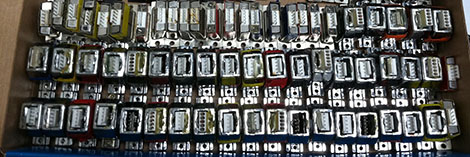
After prying into one of the plastic-enclosed boards, [Scott] found a LED, a quartet of transistors for powering the motor, and an ATMega168 microcontroller. Interestingly, most of the pins for the 168 were already broken out on the DA15 connector on each controller. The only thing needed was to build a programmer to dump the Arduino bootloader onto these little widgets.

After much trial and error (and building a new programming interface), [Scott] now has 100 Arduinos with a single stepper motor controller built in. He’s already made a toy light cycle rotate on a small stepper (after the break) and blink a LED, but with this many widgets, we’re wondering what crazy contraption [Scott] will come up with.


Filed under: arduino hacks

Arduino Due VGA Signal Out

Photo credit: [Stimmer] on the Arduino Forum

[Stimmer] on the Arduino Forum hardcoded a way to display 160×240 (320×240 after some posts) VGA signal.

After working out how to do a timer interrupt I’ve had a go at making a VGA framebuffer. It is rather low-res at present(160×240) and fuzzy but I hope to be able to improve that. It has 8-bit colour (RRRGGGBB).
I cannot get Eagle to run right now so will have to describe the schematic in text:
Due pin 2 -> VGA pin 13 (HSync)
Due pin 3 -> VGA pin 14 (VSync)

Due pin 25 -> 820R resistor -> VGA pin 3 (blue)
Due pin 26 -> 390R resistor -> VGA pin 3 (blue)

Due pin 27 -> 2k2 resistor -> VGA pin 2 (green)
Due pin 28 -> 1k resistor -> VGA pin 2 (green)
Due pin 14 -> 470R resistor -> VGA pin 2 (green)

Due pin 15 -> 2k2 resistor -> VGA pin 1 (red)
Due pin 29 -> 1k resistor -> VGA pin 1 (red)
Due pin 11 -> 470R resistor -> VGA pin 1(red)

Due pin GND -> VGA pins 5,6,7,8,10

Via [Arduino Forum]

Where should I start with wireless robot-to-computer data transmission?

I'm working on a project where my bot collects some information while traversing a grid. I want to send the findings back to my computer wirelessly as the robot is moving. The range is not far (2-5 metres) and I am on a budget (Up to $20 but the lower the better).

The data I need to relay needs only be three sets of three single digit numbers. I could even condense it to be three 3 digit numbers or one 9 digit number I suppose.

read more