Posts with «arduino» label

HummingBird Duo is an Arduino At Heart Robotics Kit for Ages 10 to 110

Today we want to introduce you to a new Arduino at Heart Partner launching on Kickstarter this week: Hummingbird Duo is an electronics kit designed to be fun and educational for a fourth grader, a high school student, a college engineering student, or an adult maker.

Hummingbird Duo  creates a bridge between making and classroom education combining craft materials, electronic components and drag &drop programming. Part of Hummingbird’s mission is, in fact, to explode common conceptions of how robotics can be used in K-12 education:

 We have designed several levels of learning into the Hummingbird experience. Instead of a steep learning curve, learners go up a staircase where each step increases skills and where mastering each step allows one to use the Hummingbird in a new and more interesting way.


The kit was developed by BirdBrain Technologies, a Pittsburgh, PA firm founded by Tom Lauwers in 2010 to commercialize educational technology developed by the Carnegie Mellon Robotics Institute’s CREATE lab and since 2012, they have pledged 1% of their net profits to the Computer Science Teacher’s Association.

Support them on Kickstarter!


Museum for all: a tactile exhibition and project from Minsk

Gleb Kanunnikau is  a designer and trainer based in Minsk. He is part of a group of volunteers running a meetup group and an open laboratory bringing together people from the tech and education/media and experimental, hackerspace scene trying to solve a few very local and very practical problems that don’t seem to be getting a lot of attention from the tech community.  Their initiative is focused on providing educational tools for children and adults with vision disabilities and is organized as an open laboratory with contribution from Minsk hackerspace (the first in Belarus), Belarusian meetup.by community, and monogroup.by - community of architects and visual artists.

Gleb wrote me a long email and explained the aims and the context of their amazing work:

The problem is that schools for the visually impaired aren’t getting new books with Braille type and the education system for these kids is stuck in the 1970s, only now it is much worse (at least in the USSR there were factories and employment options for these people, as well as city districts with disabilities-friendly housing). They are the forgotten, invisible people – no textbooks means there are few people able to read Braille books – and they just can’t leave their apartments nor get education or a job.

Luckily, Ludmila Skradal, who works with these children on a regular basis as a tour guide and a teacher, had met a few architects, as well as people from the first Belrusian hackerspace and we’ve organized a hackathon a year ago.

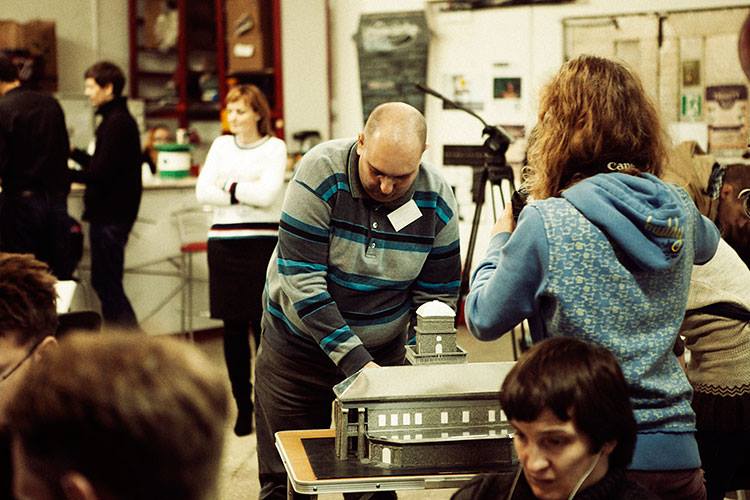
We are building the first tactile museum exhibition for these children (but also for adults) on history/ethnography/architecture.

This is a sound/tactile installation that uses technology but isn’t tech-centric and solves a practical problem. We are combining hand-built architectural plastic models of buildings and elements printed with a 3d printer (open source mendel prusa, with Arduino inside) for small-scale columns and ornaments etc.
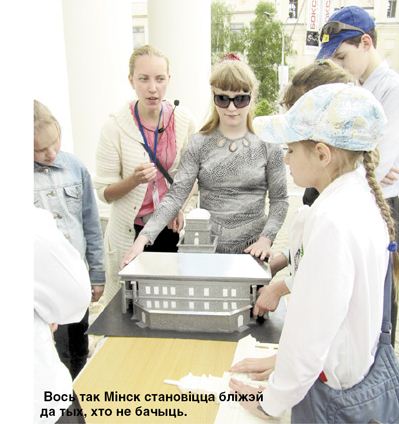
The models serve as instructional materials and partly substitute for the missing handbooks on history and culture that the children in schools for the visually impaired are not receiving currently.
The kids say that these architecture lessons were the first time they’ve been able to even imagine what buildings in cities “look like” above ground level. Things that were outside of their reach, like the clock tower on the city hall building, rooftops, column capitals were suddenly accessible – they were invited to touch the real city hall walls during the field trip to feel their texture and then they explored the model, and hearing the sound of the real city hall clock they examined it in the model.

The current goal is to build a museum exhibition unified by narrative and allowing self-exploration within the space, using Arduino for controlling the exhibits.

We hope that 3d printed objects could work as handbooks on history, culture, art. Maybe we’ll even print DNA segments that can be combined as like lego puzzles – so that kids can try to put together a DNA chain out of aminoacid plastic blocks to understand how the spiral of amino-acids looks like. There are many possibilities.
If you want to get in touch and know more about their project, visit the website.

Arduino Prototyping with your Android Phone

1Sheeld connects with and exposes the device’s sensors, actuators, and selected app APIs for easy access by the Arduino.

Read more on MAKE

This Microcontroller is All About Capacitance

Bare Conductive’s Touch Board is based on Arduino Leonardo.

Read more on MAKE

See you at Maker Faire Bay Area! 17th and 18th of May

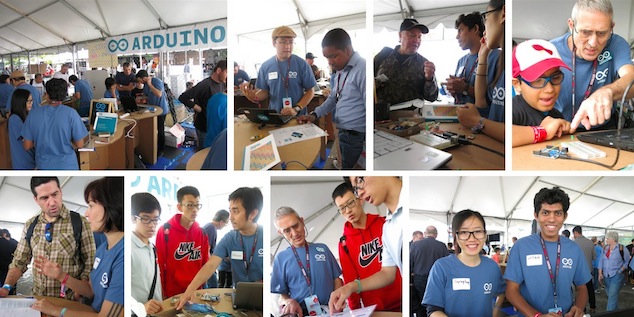
Today and tomorrow you visit us at the Arduino booth (#204) right next to Atmel booth (#205) and have a look at our cool demos. You’ll find all the new boards: Arduino TRE Development Edition and Arduino ZERO, Arduino Yún together with Temboo and the freshly baked Arduino at Heart littleBits Module!

Massimo Banzi keynote is scheduled at 4.00PM and Michael Shiloh’s Getting Started with Arduino talks are waiting for you 2 times a day.

We are looking forward to see you all and we give a big “thank you”  to all our volunteers who are supporting us this weekend, talking with hundreds of people visiting our booth and showing their passion for Arduino!


LED Clock Looks Cool AND Tells Time

Clocks have taken many forms of the years, starting with shadow clocks and sundials in Egypt around 3500 BC. Obviously, these could only tell the time while the sun was out. Water Clocks followed which could track time in the dark. Water Clocks are basically a bowl with a hole in the bottom. This bowl was set in a container filled with water. The water entered the bowl at a consistent rate and graduations on the inside of the bowl showed how much time had passed.

Mechanical clocks followed, as did quartz and the atomic clock. We have now entered a new era in time-telling, the Bamboo LED Clock. [Pascal] brings us this funky fresh chronometer all the way from Germany.

The front face is made from a bamboo pizza plate and gives the clock some modern minimalist pizzazz. A 1-meter long LED strip is attached to the circumference of the plate and contains 60 individually assignable RGB LED’s. An Arduino and Real Time Clock are responsible for the time keeping and coordination of the LED’s.

As you can see in the photo, 2 of the LED’s colors are used. The single red LED indicates the hour. The strip of blue LED’s show the minutes. If you’d like to build one of these [Pascal] has shared the Arduino code on his Instructables page.


Filed under: clock hacks
Hack a Day 17 May 03:00

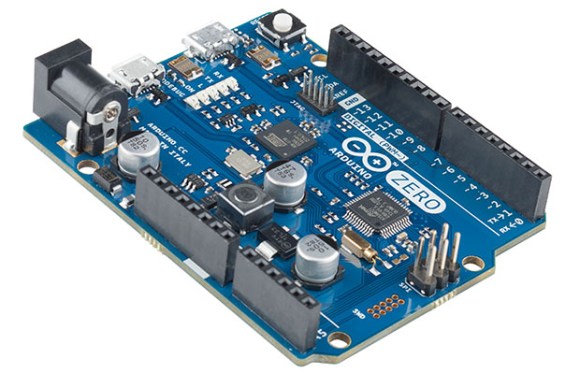
Introducing The Arduino Zero

The Arduino Uno is the old standby of the Arduino world, with the Arduino Due picking up where the Mega left off. The Arduino Tre is a pretty cool piece of kit combining a Linux system with the Arduino pinout. Care to take a guess at what the next Arduino board will be called? The Arduino Zero, obviously.

The Arduino Zero uses an Atmel ARM Cortex-M0+ for 256kB of Flash and 32k of RAM. The board supports Atmel’s Embedded Debugger, finally giving the smaller Arduino boards debugging support.

The chip powering the Zero features six communications modules, configurable as a UART, I2C, or SPI. USB device and host are also implemented on the chip, but there’s no word in the official word if USB host will be available. There are two USB connectors on the board, though.

The Arduino folk will be demoing the Zero at the Bay Area Maker Faire this weekend. Hackaday will have boots on the ground there, so we’ll try to get a more detailed report including pricing and availability then.


Filed under: Arduino Hacks
Hack a Day 15 May 16:00

There’s a new Arduino At Heart: littleBits Arduino Module!

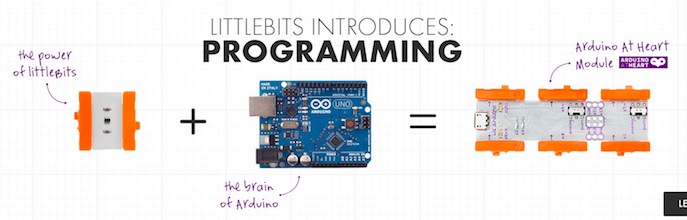
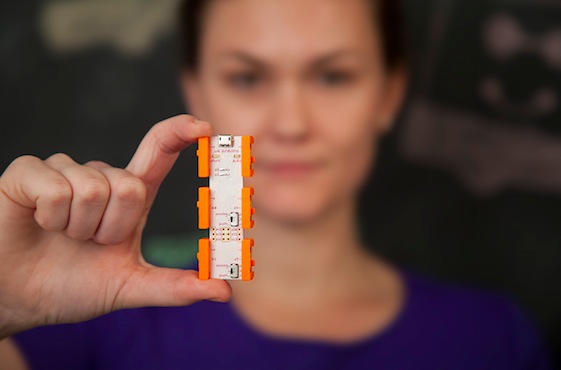
We are excited to announce that littleBits joined the Arduino At Heart Program to easily incorporate programming into littleBits circuits!

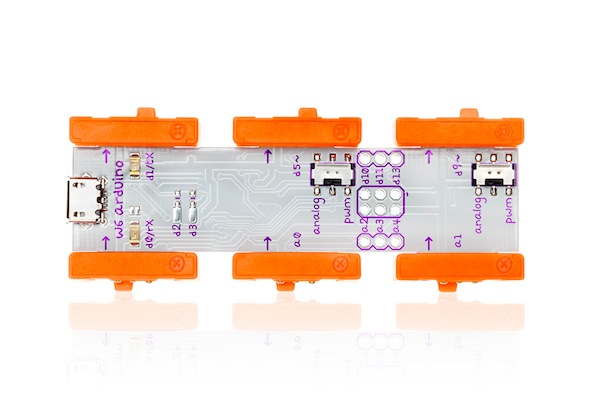
littleBits Arduino Module is everything you know and love about Arduino without the breadboarding, soldering or wiring.  littleBits takes care of the electronics, while you focus on the code.

The new littleBits Arduino Module allows to:

• Create code using the Arduino programming environment
• Communicate with software (Processing, MaxMSP, Flash etc…)
• Play with 3 inputs and 3 outputs using littleBits bitSnap™ magnetic connector as well as additional I/O for advanced hardware interaction
• Getting started with 10 sketches, including Analog Pong, Tone Libraries and more!
• Access to Arduino AND littleBits community support

Inventing on this platform requires the user to be able to debug through electronics issues as well as software bugs.
For example, instead of having to solder together a complete circuit of power, ground, resistors and LEDs, a user can simply snap a power and an LED module to the Arduino module and dive straight into programming. This will make hardware innovation even more friendly for beginners, and further lower the entry to physical computation.

Take a look at the video and discover what  you could do with it!


Learning to Reverse Engineer on a Broken Printer

When a Lexmark inkjet printer stopped working, [Mojobobo] was able to claim it as his own. He quickly realized that the machine was flooded with ink and not worth repairing, but that didn’t mean he couldn’t still find a use for it. When he learned that the printer’s firmware was not only upgradable but also unprotected, he knew he should be able to get the printer to do his own bidding.

[Mojobobo] started his journey with the motherboard. The unit still powered up, but it was asking to insert a “duplex module” before it would boot any further. [Mojobobo] first tried to find a way to trick the duplex module sensor, but was unsuccessful. His next step was to search for some kind of serial communications port. He didn’t have an oscilloscope, so instead he used a speaker with a wire probe. In theory, if the wire was pressed against an active serial port, he would be able to hear varying tones through the speaker. Sure enough, he found some interesting tones after probing around some ports next to a “JTAG” label. He looked up some information about the nearby chip and found that it included an SPI bus.

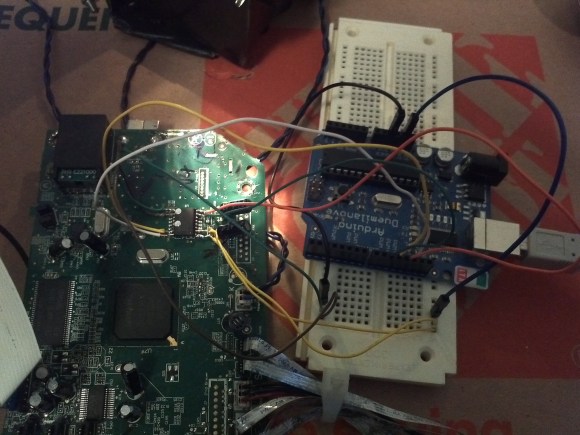
After some internet research, [Mojobobo] learned enough about SPI to have a rough idea of how to use it. Having limited tools available to him, he decided to use his Arduino to try to communicate with the motherboard. After wiring up a simple circuit, (and then re-wiring it) he was able to dump the first 4096 bytes of the motherboard’s boot loader to the Arduino via the SPI interface.

[Mojobobo's] next steps will be to find a faster way to dump the boot loader. At 9600 baud, he grew tired of waiting after three hours. Once he has the full boot loader he intends to search for a way to bypass the duplex sensor and get the board to finish booting. Then he may just use the printer for its scanning functions, or he might find other interesting uses for it.


Filed under: peripherals hacks

littleBits Arduino Module Unveiled

The snap-together circuits are now programmable thanks to the new Arduino module.

Read more on MAKE

MAKE » Arduino 15 May 15:00