Posts with «arduino» label

Shining Back liveset blows your mind with light and sound

Last year, we featured an awesome audiovisual project from ANGLE that applied videomapping techniques to their livesets. Now, the Florence-based duo is back with their latest A/V system, “Shining Back,” which was designed in collaboration with JoinT Studio’s Stefano Bonifazi.

Essentially, it’s a grid structure consisting of LED lights that pulse in a geometric matrix to the duo’s live rhythms. The installation runs on an Arduino Uno and uses Mad Mapper and Modul8 software.

The immersive atmosphere created by the music is emphasized by a new research in the visual realm. Taking an architectural form of a kaleidoscope the lighting visually weaves and refracts the music into a surreal yet symbiotic form.

Arduino Blog 19 Oct 08:01

Shining Back liveset blows your mind with light and sound

Last year, we featured an awesome audiovisual project from ANGLE that applied videomapping techniques to their livesets. Now, the Florence-based duo is back with their latest A/V system, “Shining Back,” which was designed in collaboration with JoinT Studio’s Stefano Bonifazi.

Essentially, it’s a grid structure consisting of LED lights that pulse in a geometric matrix to the duo’s live rhythms. The installation runs on an Arduino Uno and uses Mad Mapper and Modul8 software.

The immersive atmosphere created by the music is emphasized by a new research in the visual realm. Taking an architectural form of a kaleidoscope the lighting visually weaves and refracts the music into a surreal yet symbiotic form.

Arduino Blog 19 Oct 08:01

Turning Broken Toy Into Laser Target Practice

[Mathieu] wrote in with his laser target practice game. It’s not the most amazing hack in the history of hackery, but it’s an excellent example of the type of simple and fun things you can do with just a little bit of microcontrollering.

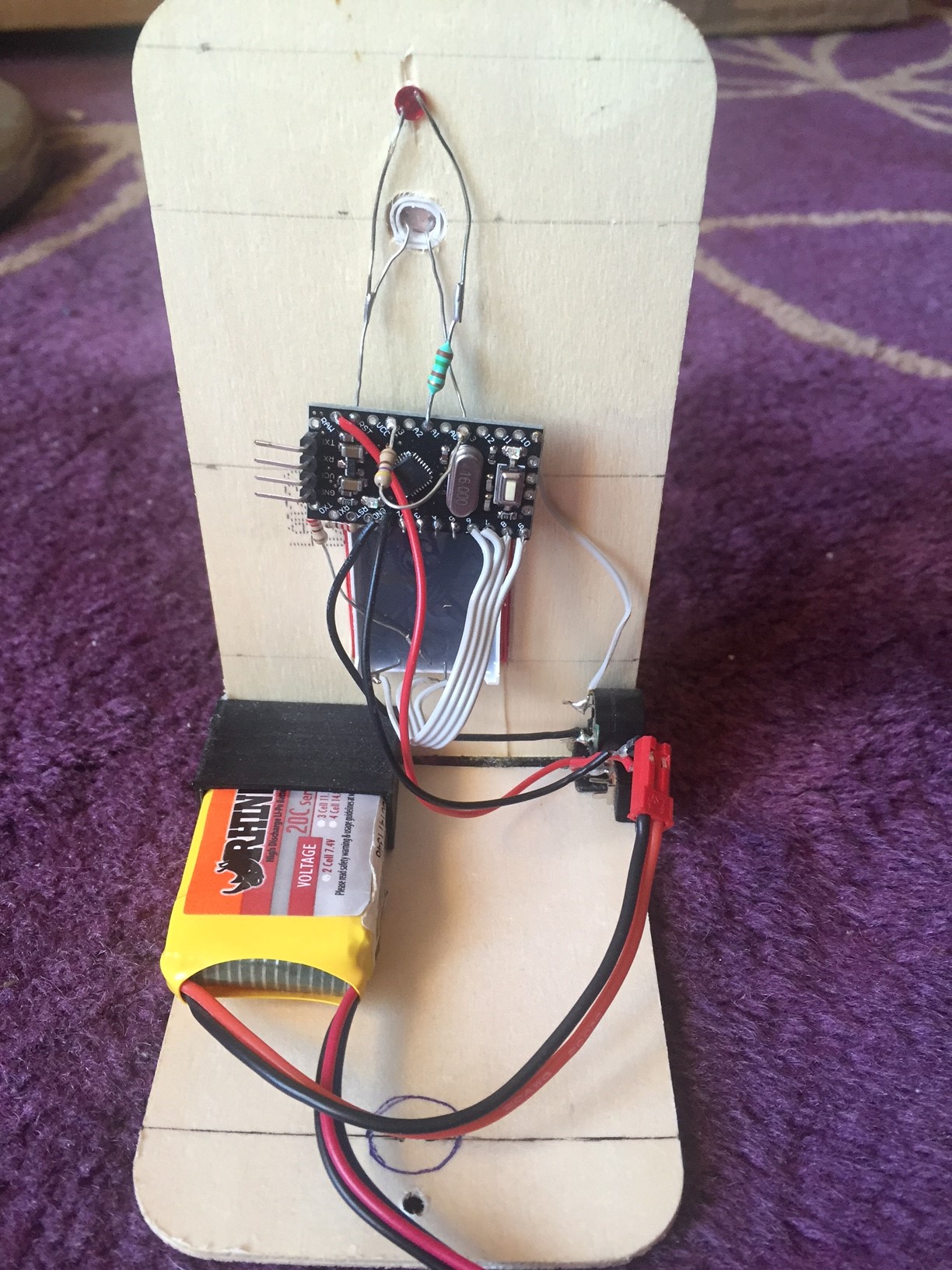
First off, the gun is a broken toy gun that used to shoot something other than red collimated light beams. The Arduino knockoff inside reacts to a trigger pull and fires the laser for around 200 milliseconds. The gun also has a “gas gauge” that fills up with repeated shots and cools down over time. And therein lies the game — a simple race to ten, where each player only has a fixed number of shots over time.

The targets are simply a light sensor, scorekeeping LED display, and a buzzer that builds tension by beeping at you as the countdown timer ticks down. The bodies are made out of 3D-printed corners that connect some of [Mathieu]’s excess wooden goat-cheese lids.

All the code is up on GitHub so you can make your own with stuff that you’ve got lying around the house. The “gun” can be anything that you can embed a laser in that makes it aimable. Good clean fun!


Filed under: toy hacks
Hack a Day 19 Oct 00:00

Invent Your Future with the Arduino 101

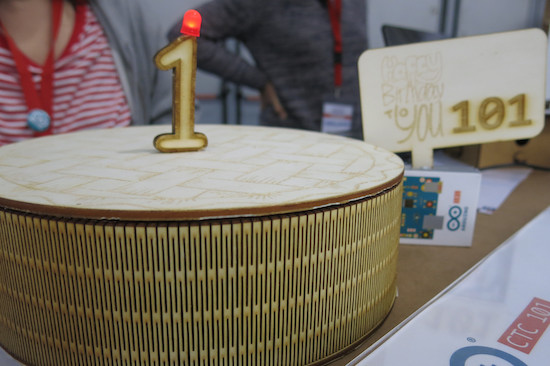
Just days after celebrating the Arduino 101‘s first birthday at Maker Faire Rome, we’ve partnered with Hackster, Intel, and Seeed Studio to launch an exciting new contest. We’re challenging you to unleash the powers of the Intel® Curie™ Module-based board and “Invent Your Future.”

Perhaps you want to build an autonomous boat for collecting ocean pollution data, or a pair of shoes that play different sounds for different exercises, or maybe even a wireless gesture-based home automation controller? Whatever you choose, we want to see how you use the Arduino 101 as the brains behind your next creation.

For those who may not be familiar with the 101, the board combines the performance and low-power consumption of the Intel® Curie™ Module with the simplicity of Arduino. It keeps the same robust form factor and peripheral list as the Uno with the addition of Bluetooth LE capabilities and a six-axis accelerometer/gyro to help you easily expand your creativity into the connected world.
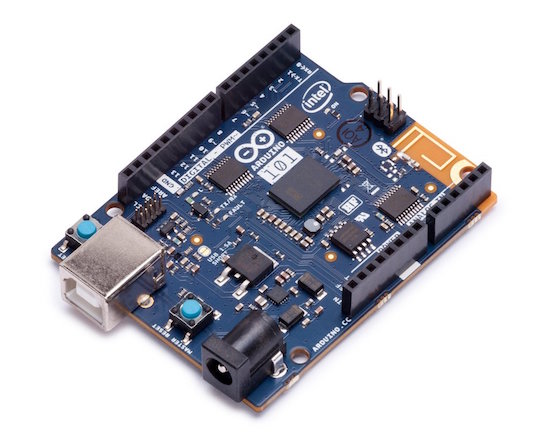
The Arduino 101 is designed with two tiny 32MHz cores: an x86 (Curie™, a Quark™ module) and a 32-bit ARC architecture core. Even with this added power, the Arduino 101 is still programmable using sketches from the Arduino IDE.

And now back to the contest… To kick off things, Hackster is giving away 150 Arduino 101 and Seeed Studio Grove Starter Kits to the best ideas submitted by November 20, 2016. But that’s not all, top entries in each category?—?smart home, environment, and healthcare—will receive a Microsoft Surface Pro 4! You have until February 26, 2017 to submit your projects!

Want to learn more? Head over to the contest’s official page on Hackster.io.

Invent Your Future with the Arduino 101

Just days after celebrating the Arduino 101‘s first birthday at Maker Faire Rome, we’ve partnered with Hackster, Intel, and Seeed Studio to launch an exciting new contest. We’re challenging you to unleash the powers of the Intel® Curie™ Module-based board and “Invent Your Future.”

Perhaps you want to build an autonomous boat for collecting ocean pollution data, or a pair of shoes that play different sounds for different exercises, or maybe even a wireless gesture-based home automation controller? Whatever you choose, we want to see how you use the Arduino 101 as the brains behind your next creation.

For those who may not be familiar with the 101, the board combines the performance and low-power consumption of the Intel® Curie™ Module with the simplicity of Arduino. It keeps the same robust form factor and peripheral list as the Uno with the addition of Bluetooth LE capabilities and a six-axis accelerometer/gyro to help you easily expand your creativity into the connected world.

The Arduino 101 is designed with two tiny 32MHz cores: an x86 (Curie™, a Quark™ module) and a 32-bit ARC architecture core. Even with this added power, the Arduino 101 is still programmable using sketches from the Arduino IDE.

And now back to the contest… To kick off things, Hackster is giving away 150 Arduino 101 and Seeed Studio Grove Starter Kits to the best ideas submitted by November 20, 2016. But that’s not all, top entries in each category?—?smart home, environment, and healthcare—will receive a Microsoft Surface Pro 4! You have until February 26, 2017 to submit your projects!

Want to learn more? Head over to the contest’s official page on Hackster.io.

Rotating Frame Will Change Your View of Vertical Images

[Tim] was tired of compromising his portrait-oriented digital photos by shoehorning them into landscape-only frames. Unable to find a commercial solution, he built his own rotating digital photo frame from a 27″ LCD TV.

It uses a Raspi 3 to find [Tim]’s pictures on a giant SD card. He originally wanted to have the Pi pull pictures from Google Photos and display them randomly, but the API doesn’t work in that direction. Instead, a Python script looks at the pictures on the SD card and determines whether each is landscape or portrait-oriented. If a picture was taken in portrait-mode, the display will rotate 90 degrees. Rotation is handled with an Arduino, a stepper motor, and some 3D-printed herringbone gears. The first version was a bit noisy, so [Tim] re-printed the motor mount and the pinion gear out of flexible filament.

[Tim] designed the mount and frame himself and laser-cut the pieces out of birch plywood. We like that he accounted for the front-heaviness and that he covered the high voltage circuitry with acrylic to mitigate the risk of shock. All the code and design files are available on his project page. Make the jump to see a brief demonstration followed by a walk-through and stay for the six-minute slide show.


Filed under: Arduino Hacks, Raspberry Pi

Interfacing accelerometer with arduino uno

Interfacing accelerometer with arduino uno


Introduction:

In this post, we are going to interface accelerometer with arduino. Accelerometer is a sensor used for detecting motion or change in coordinates. We have three coordinates i.e X, Y and Z axis. It's a five-pin device out of which are for power supply Vcc and Ground. The output of the sensor is in analog.
This sensor required three analog pins. We can provide Vcc and ground directly from the analog pins.
So, we are using five analog pins. Three for axis and two for providing power to the module.

Components required:

  1. Arduino Uno
  2. ADXL335 (accelerometer)
  3. USB type B cable for interfacing with computer.
Connections:

Make connections as follows:

ADXL335                                    Arduino
Vcc                                               A0
X                                                  A1
Y                                                  A2
Z                                                  A3
Gnd                                              A4

The program is quite simple. We are using adc for reading the values of X, Y and Z axes. 
Also, the adc value  is in raw format means its value ranges from 0 to 1023.
No need to manipulate the raw adc value.


Once, we get the raw values of adc, we will fed it to serialprint function to check its output through serial monitor.

Application of accelerometer:

Used in smartphones for motion detection and orientation sensor. It found enormous application in
motion sensing game consoles. In case of robotics, we can use it for hand gesture based robot or to synthesize the hand gesture into voice.

Source code:

// these constants describe the pins. They won't change:
const int groundpin = A4;             // analog input pin 4 -- ground
const int powerpin = A0;              // analog input pin 5 -- voltage
const int xpin = A1;                  // x-axis of the accelerometer
const int ypin = A2;                  // y-axis
const int zpin = A3;                  // z-axis (only on 3-axis models)


void setup() {

  Serial.begin(9600);

  pinMode(groundpin, OUTPUT);
  pinMode(powerpin, OUTPUT);
  digitalWrite(groundpin, LOW);
  digitalWrite(powerpin, HIGH);
}

void loop() {
  Serial.print(analogRead(xpin));
  Serial.print("\t");
  Serial.print(analogRead(ypin));
  Serial.print("\t");
  Serial.print(analogRead(zpin));
  Serial.println();
  delay(100);
}


Output from serial monitor of arduino

Thanks for viewing this post.


A touchless MIDI controller for your electric guitar

If guitar effects pedals aren’t really your thing, perhaps Evan Kale’s touchless MIDI controller will fit the bill.

Using an Arduino, along with a Colpitts oscillator and some other electronics, Kale has come up with a rather unique interface for his guitar. Instead of using a foot pedal, he put a strip of aluminum foil inside of a fingerless glove, then attached a homemade metal detector coil and circuit to the back.

This allows him to strum the guitar, then change the sound by moving his hand away and toward the strings as a MIDI input. Very clever, and as always, Kale outlines everything in his own zany video style!

You can find the code for this project here and check out the schematic on Imgur. On the other hand, if this looks slightly familiar, he uses the same type of circuit for this MIDI controller as the metal detector previously covered on our blog.

A touchless MIDI controller for your electric guitar

If guitar effects pedals aren’t really your thing, perhaps Evan Kale’s touchless MIDI controller will fit the bill.

Using an Arduino, along with a Colpitts oscillator and some other electronics, Kale has come up with a rather unique interface for his guitar. Instead of using a foot pedal, he put a strip of aluminum foil inside of a fingerless glove, then attached a homemade metal detector coil and circuit to the back.

This allows him to strum the guitar, then change the sound by moving his hand away and toward the strings as a MIDI input. Very clever, and as always, Kale outlines everything in his own zany video style!

You can find the code for this project here and check out the schematic on Imgur. On the other hand, if this looks slightly familiar, he uses the same type of circuit for this MIDI controller as the metal detector previously covered on our blog.

Square Off is a chess board with a high-tech twist

If you love chess, but aren’t thrilled about playing it on an app, the InfiVention team has just the board for you.

The origin of the game chess is a fascinating and somewhat unknown tale, stretching continents and many hundreds of years. In the last 25 or so years, however, it has gone from a game played on a beautiful board with finely crafted pieces, to something played on a computer or smartphone. Perhaps this is a good thing, since finding competition is as easy as signing into the correct game.

On the other hand, this type of play looses a lot of charm, and you can’t exactly pass the app on your beat up smartphone to your kids one day. Attempting to fill in the gap is the amazing automated board called “Square Off.” With an Arduino Mega 2560 at its core, it automatically moves the pieces, and detects where you move, allowing you to play in the real world with someone remotely–even if he or she is merely using a tablet!

Square Off is all set to redefine the world of board games, starting with chess. Bringing to you the world’s smartest, most connected and the most evolved chess board. It enables you to play your favorite game against a fellow chess enthusiast from anywhere in the world. The automated board is designed to reflect the move of your opponent with precision. Not just that, you can challenge the artificial intelligence of the board, too.

Intrigued? You can learn more about Square Off on its nearly-funded (as of this writing) Kickstarter page, as well as on the Arduino Project Hub!