Posts with «arduino» label

Say hello to the next generation of Arduino boards!
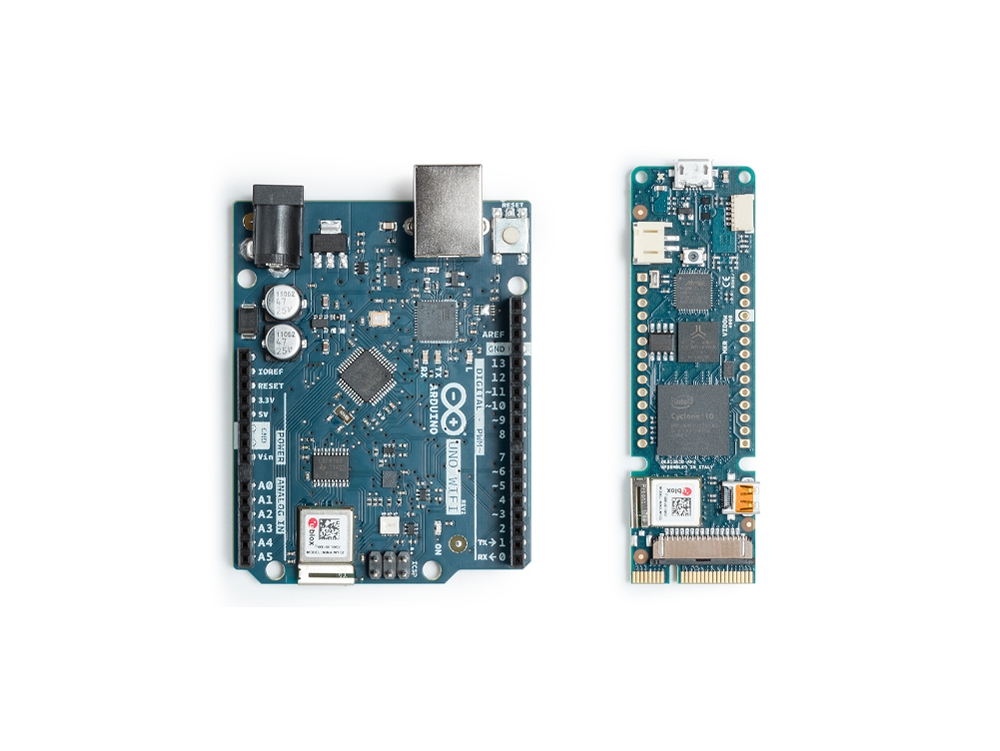
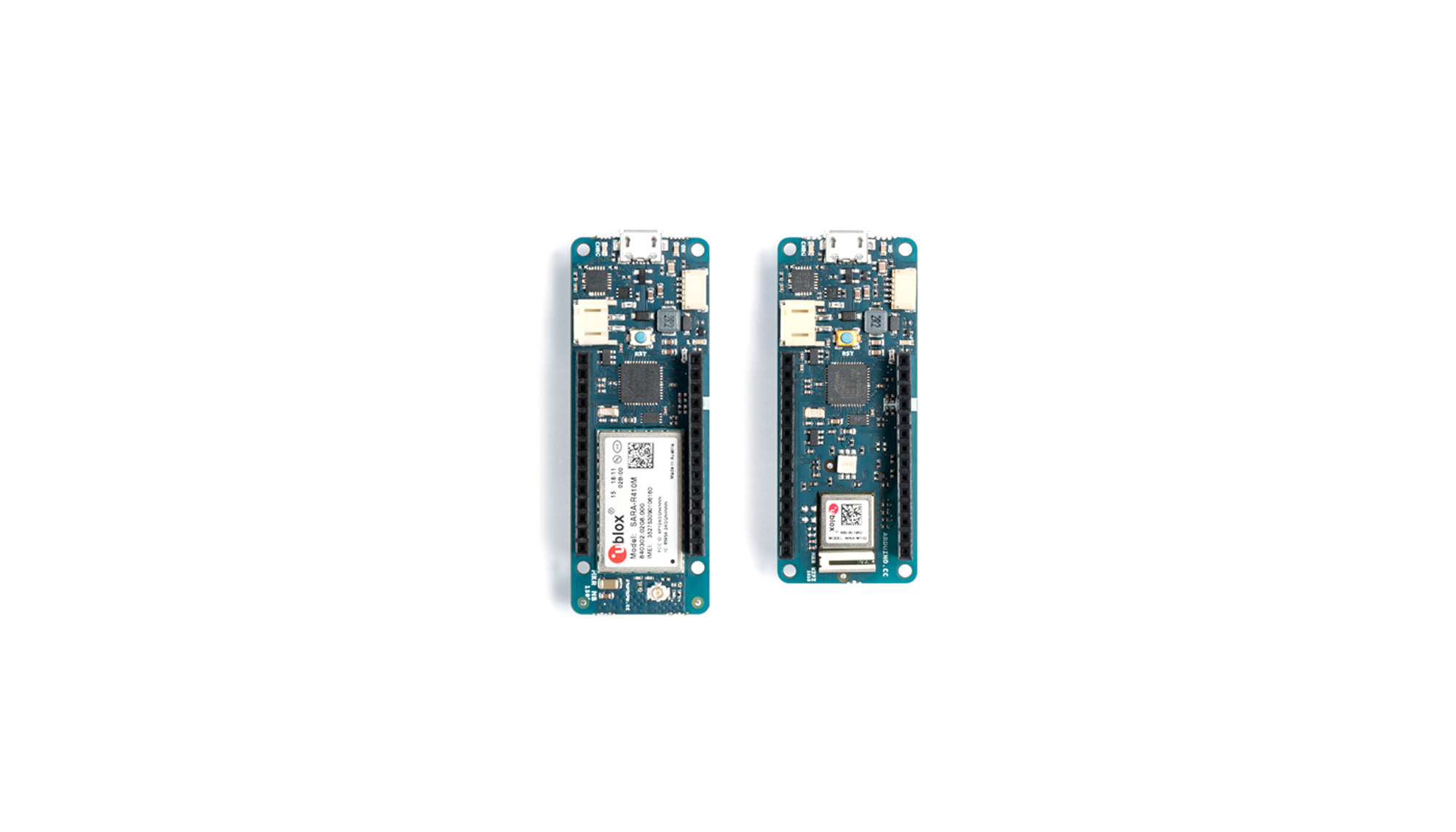
We’re excited to kick off Maker Faire Bay Area by expanding our IoT lineup with two new boards: the MKR Vidor 4000 and the Uno WiFi Rev 2.

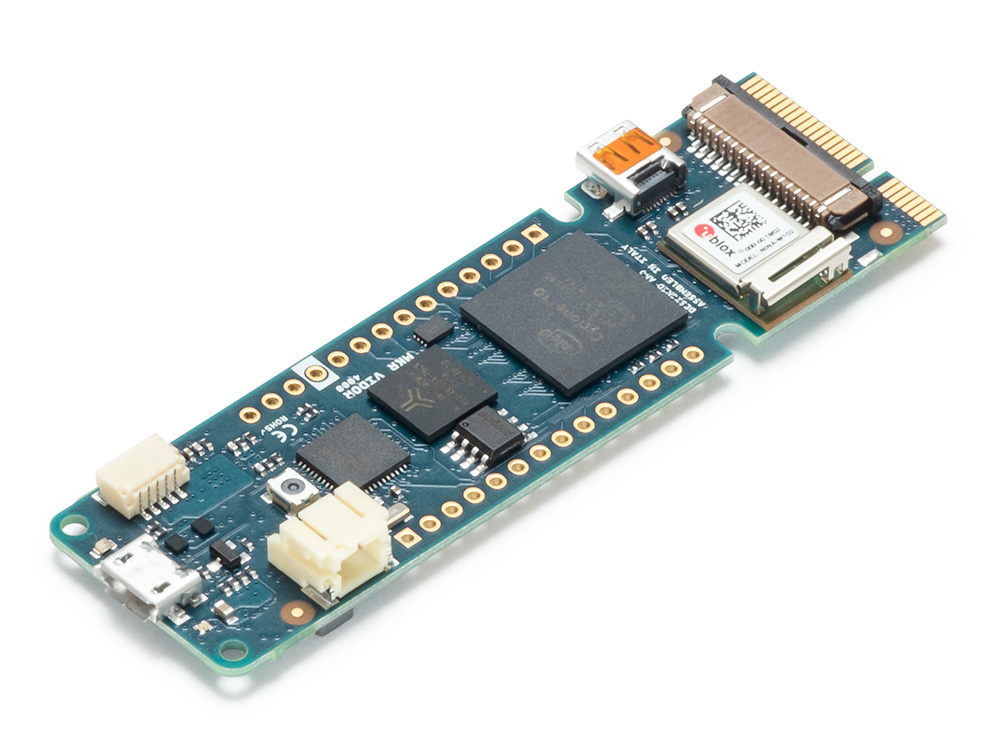
The MKR Vidor 4000 is the first-ever Arduino based on an FPGA chip, equipped with a SAM D21 microcontroller, a u-blox Nina W102 WiFi module, and an ECC508 crypto chip for secure connection to local networks and the Internet. MKR Vidor 4000 is the latest addition to the MKR family, designed for a wide range of IoT applications, with its distinctive form factor and substantial computational power for high performance. The board will be coupled with an innovative development environment, which aims to democratize and radically simplify access to the world of FPGAs.
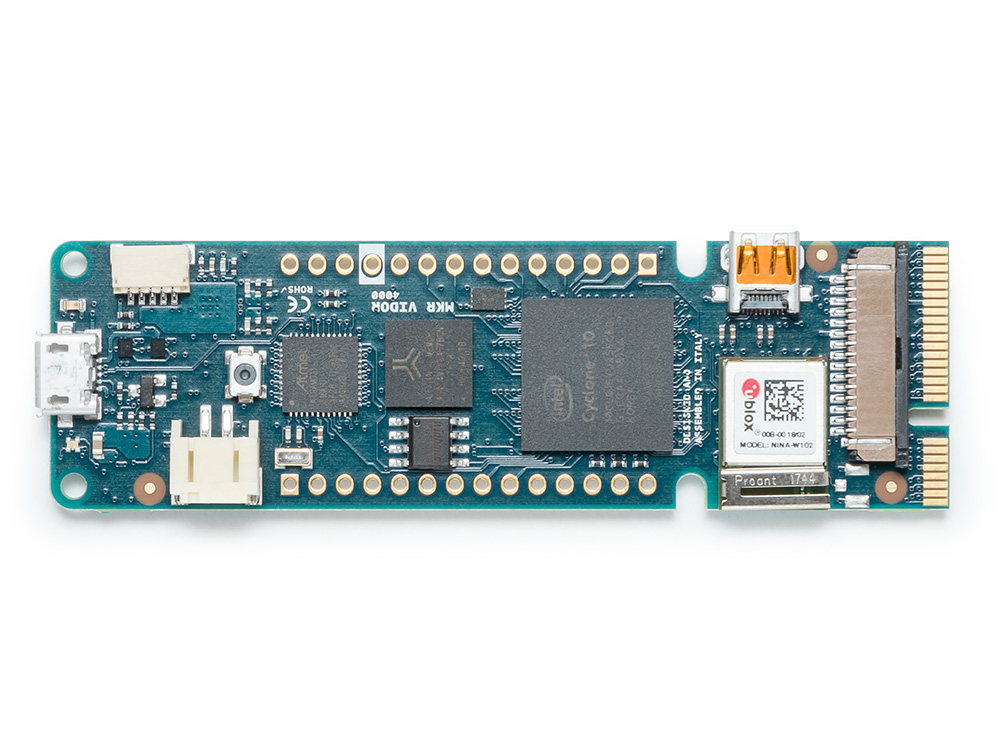
“The new MKR Vidor 4000 will finally make FPGA accessible to makers and innovators,” said Massimo Banzi, Arduino co-founder. “And we are looking forward to changing the game yet again.”

“Maker Faire Bay Area is always an unparalleled opportunity to interact with the Arduino community and makers,” added Fabio Violante, Arduino CEO. “This year I’m extremely excited about the launch of the most flexible Arduino ever, the MKR Vidor 4000 and the development environment vision around it. With this new product we aim at putting in the hands of professionals, makers and educators the electronic equivalent of a resourceful Swiss Knife to bring their creativity to the next level. The applications are countless.”
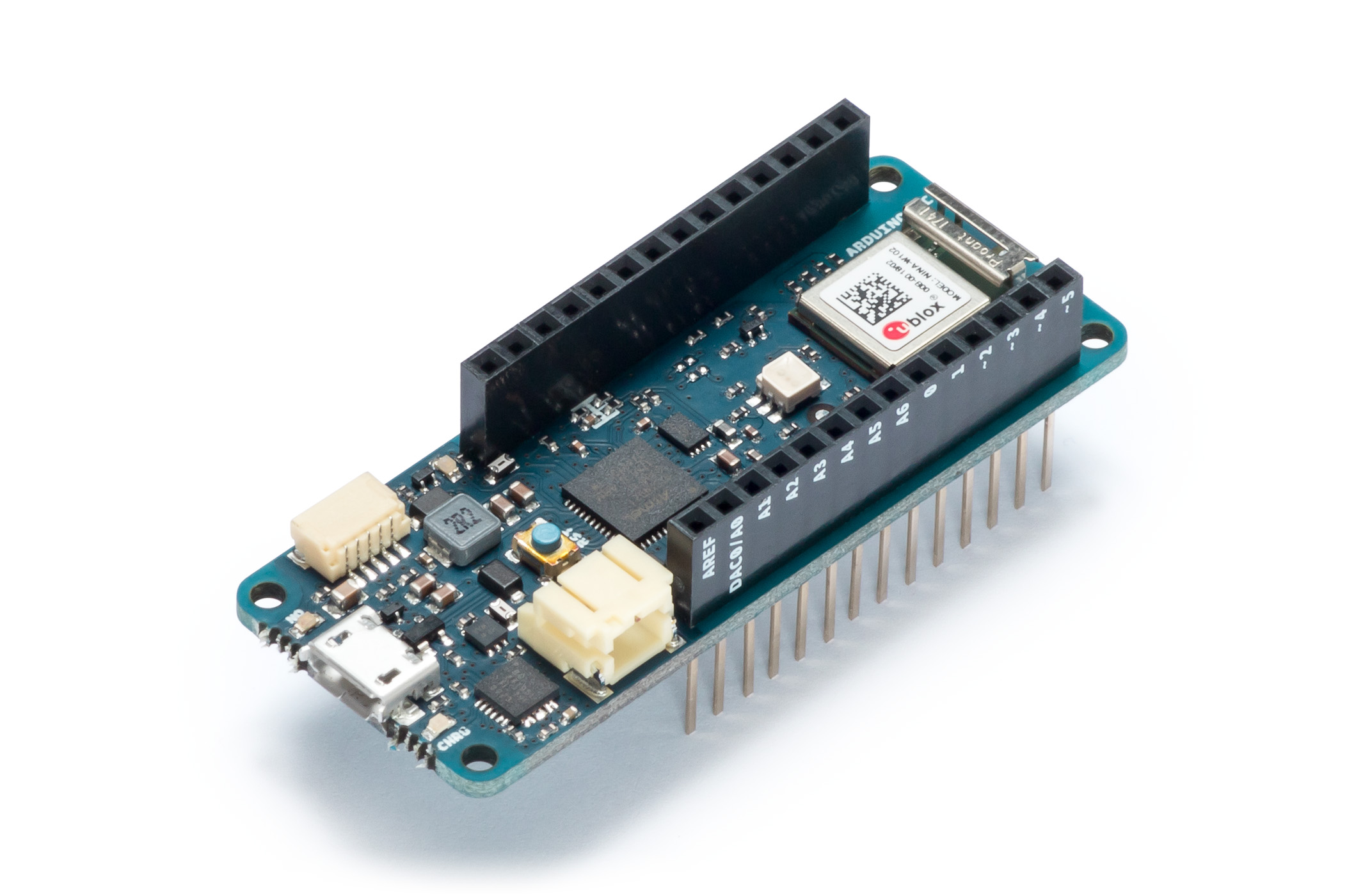
Co-developed with Microchip, the Uno WiFi Rev 2 is built around the new ATmega4809, u-blox Nina W102 WiFi module, and an integrated IMU. The Uno WiFi will make it even easier to deploy products that need connectivity using the classic Arduino form factor, and is ideal for emerging IoT industries such as automotive, agriculture, consumer electronics, smart home, and wearables. Among its other features, the ATmega4809 provides 6KB of RAM, 48KB of Flash, three UARTS, Core Independent Peripherals (CIPs), and an integrated high-speed ADC. Combined with Microchip’s ECC608 crypto chip on the Uno board, the microcontroller also provides hardware-based security for connecting projects to the cloud including AWS and Google.
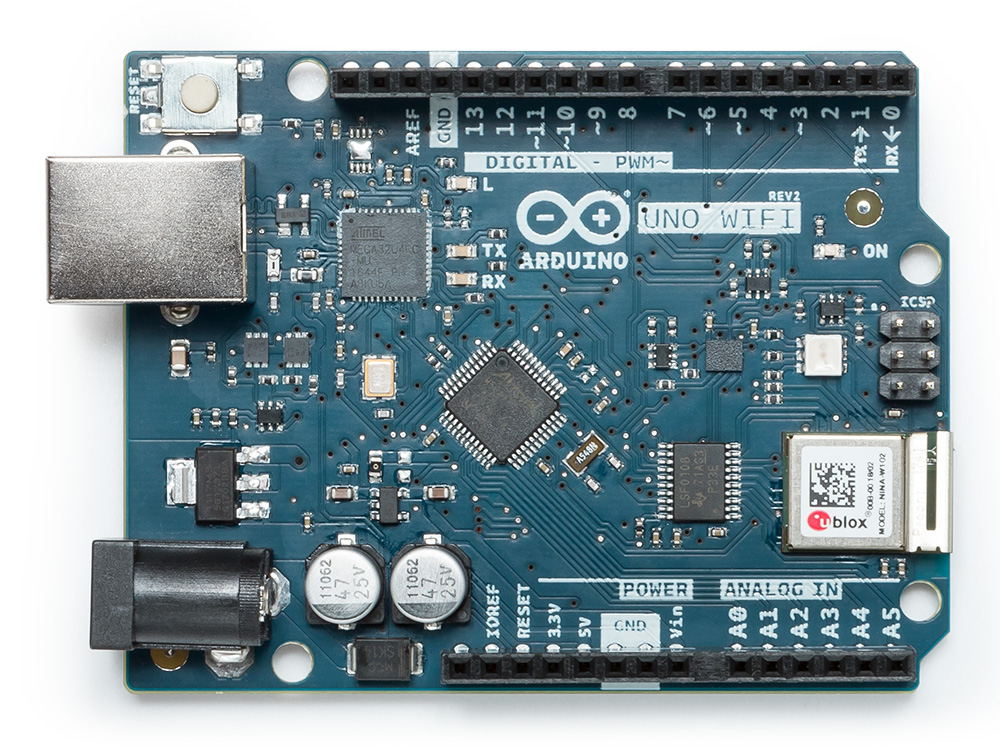
“As we grow, partner and invest, we will fuel the vast IoT and software markets across the industry,” said Banzi. “Inspiring the Arduino community with easy to deploy solutions that enable our users to have access to larger both flash and RAM memory for more demanding IoT projects.”

“Arduino aims at supporting professional developers, makers and educators during the entire lifecycle of IoT product development, from the initial learning phases to mass deployment,” noted Violante. “Being based on the popular AVR technology, but on steroids, and with an enhanced WiFi connectivity, the UNO WiFi Rev 2 is a big step forward for all users that want to leverage the vast ecosystem of shields and libraries available for the traditional UNO form factor, in connected use cases.”
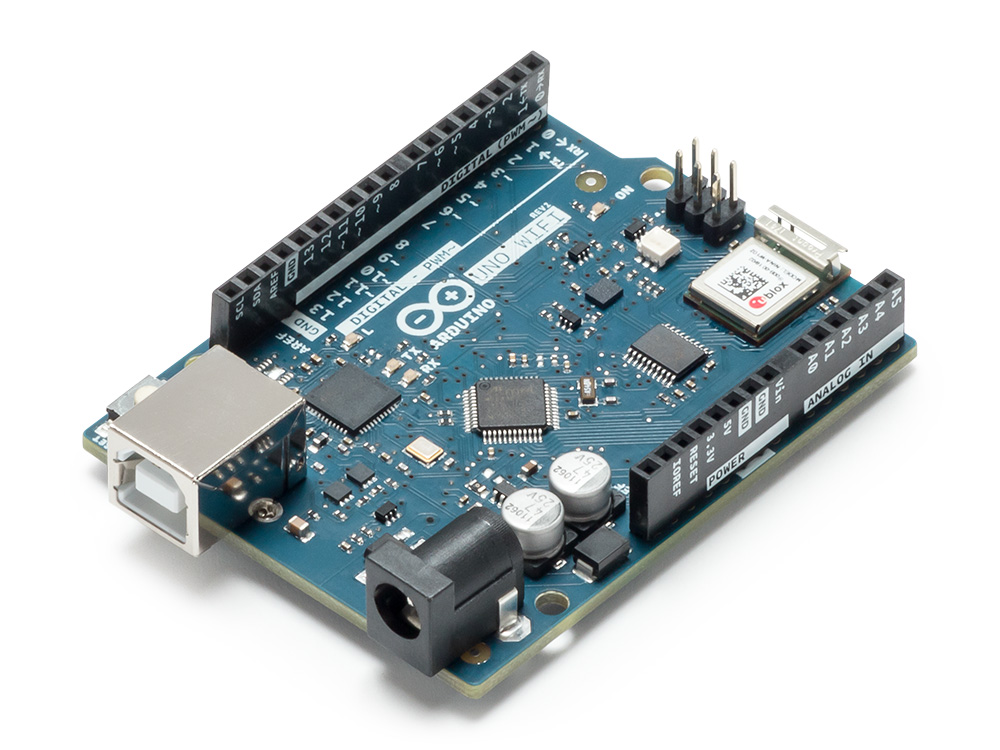
Those heading to Maker Faire this weekend are invited to attend Massimo Banzi’s semi-annual ‘State of Arduino’ talk, where you can learn more about our latest developments including the MKR Vidor 4000, Uno WiFi Rev2, and our Arduino Day releases.

Both the MKR Vidor 4000 and Uno WiFi Rev2 will be available on the Arduino online store at the end of June.
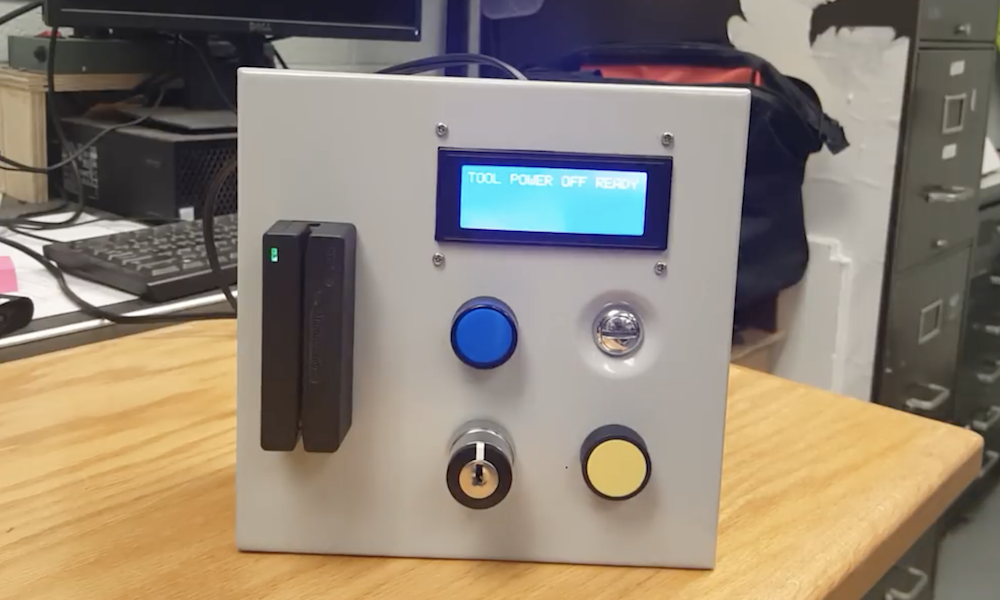
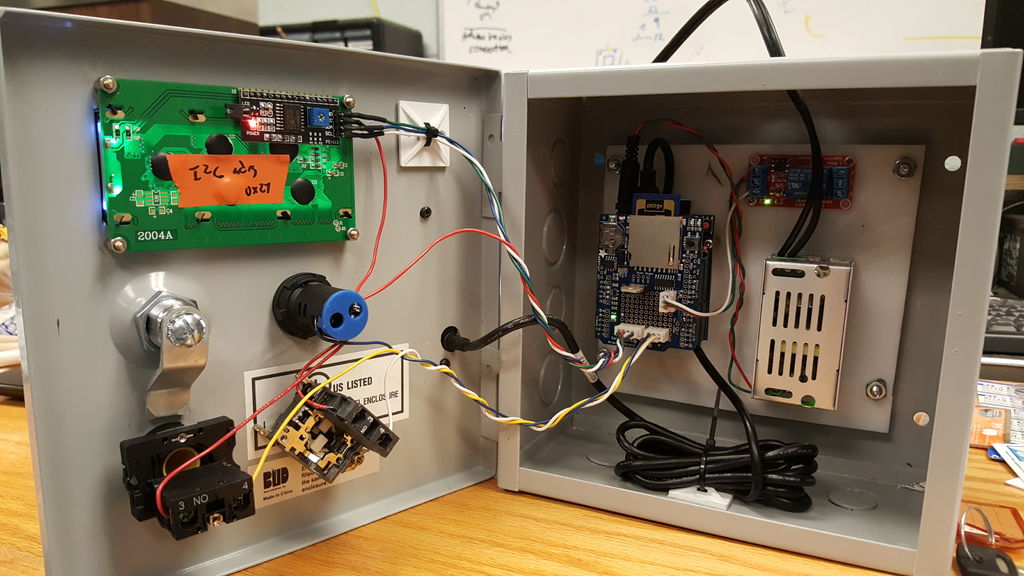
Restrict access to tools with this card reader power switch

If you need a way to restrict access to power tools to only authorized users, Casey Horton’s magnetic card reader setup, shown in the video below, looks like a great solution. 

When you swipe the correct card through a reader mounted in an 8”x8”x4” electrical enclosure, the Arduino Uno mounted inside turns on power to the equipment via a relay.

The system uses a USB host shield to interface with the reader, and a datalogger shield to handle file manipulation and record who swipes in at what time. Admin mode is accessed by holding the device’s single button by swiping the correct card, at which time another magnetic card can be swiped and added. 

Full instructions and code is available here.

An Arduino-based RFID tag system perfect for escape rooms

As seen here, “Annaane!” has come up with what could form the guts of a very interesting escape room puzzle. 

Her build features four RFID card readers, which cause an Arduino Uno to release a door lock or other device via a 5V relay, only when the corresponding tags are arranged correctly.

From the looks of the video below, the design is very much a prototype, but could easily be morphed into an arrangement to frustrate and entertain participants. As noted, the project uses all but the TX and RX pins on the Uno, but this could be expanded by using a Mega or an I2C port expander. 

Code for the system can be found on GitHub.

Reflowduino: Put That Toaster Oven To Good Use

There are few scenes in life more moving than the moment the solder paste melts as the component slides smoothly into place. We’re willing to bet the only reason you don’t have a reflow oven is the cost. Why wouldn’t you want one? Fortunately, the vastly cheaper DIY route has become a whole lot easier since the birth of the Reflowduino – an open source controller for reflow ovens.

This Hackaday Prize entry by [Timothy Woo] provides a super quick way to create your own reflow setup, using any cheap means of heating you have lying around. [Tim] uses a toaster oven he paid $21 for, but anything with a suitable thermal mass will do. The hardware of the Reflowduino is all open source and has been very well documented – both on the main hackaday.io page and over on the project’s GitHub.

The board itself is built around the ATMega32u4 and sports an integrated MAX31855 thermocouple interface (for the all-important PID control), LiPo battery charging, a buzzer for alerting you when input is needed, and Bluetooth. Why Bluetooth? An Android app has been developed for easy control of the Reflowduino, and will even graph the temperature profile.

When it comes to controlling the toaster oven/miscellaneous heat source, a “sidekick” board is available, with a solid state relay hooked up to a mains plug. This makes it a breeze to setup any mains appliance for Arduino control.

We actually covered the Reflowduino last year, but since then [Tim] has also created the Reflowduino32 – a backpack for the DOIT ESP32 dev board. There’s also an Indiegogo campaign now, and some new software as well.

If a toaster oven still doesn’t feel hacky enough for you, we’ve got reflowing with hair straighteners, and even car headlights.

See you at Maker Faire Bay Area!

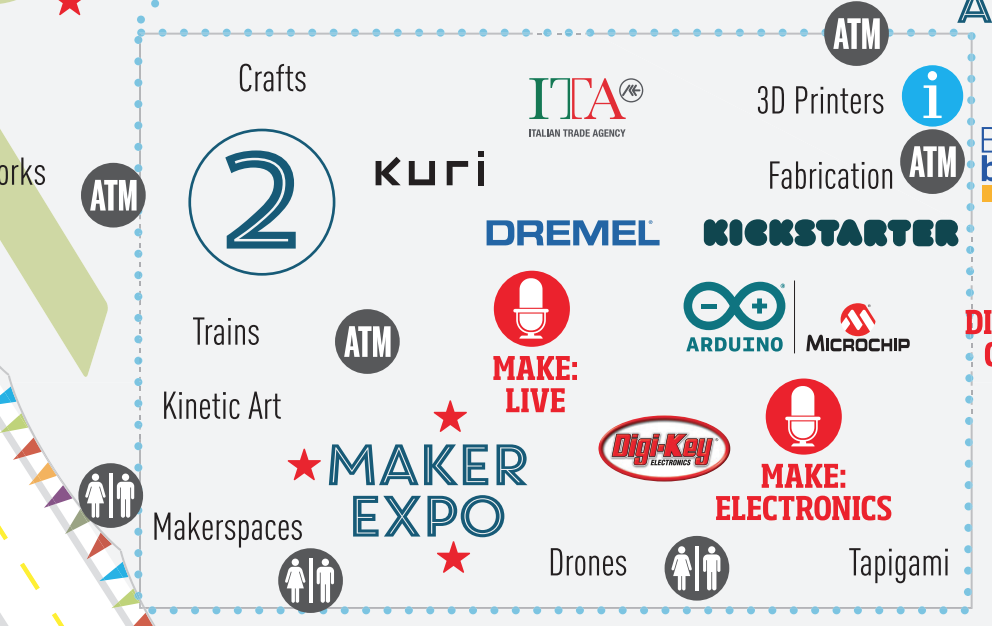
In just a few days, the Arduino team will once again be attending Maker Faire Bay Area! Those heading to San Mateo on May 18-20th will want to swing by our booth, where we are partnering with Microchip, inside the Electronics Pavilion (Zone 2). 

We have also been preparing a series of demos that showcase the latest Arduino products announced during Arduino Day, including the new MKR WiFi1010, MKR NB 1500, and Arduino Engineering Kit.

As is tradition, Massimo Banzi will take Center Stage on Saturday at 12:30pm PT for The State of Arduino. 

We look forward to seeing you this weekend in Zone 2! For more information on the program and venue, be sure to check out the Maker Faire website. 

Held Captive by Arduino and Multiple RFID Readers

If you’re the kind of person who has friends, and/or leaves the confines of the basement from time to time, we hear that these “Escape Rooms” are all the rage. Basically you get locked into a room with a couple other people and have to solve various problems and puzzles until you’ve finally made enough progress that they let you out. Which actually sounds a lot like the working conditions here at Hackaday HQ, except they occasionally slip some pizza rolls under the door for us which is nice.

Whichever side you find yourself on in one of these lighthearted hostage situations, knowledge of this multi-tag RFID lock created by [Annaane] may come in handy. By connecting multiple MFRC522 RFID readers to an Arduino Uno, she’s come up with a method of triggering a device (like an electronic door lock) only when the appropriate combination of RFID tags have been arranged. With a little imagination, this allows for some very complex puzzle scenarios which are sure to keep your prisoners enthralled until you can lower the lotion down to them.

Her code allows you to configure the type and number of RFID cards required to trigger one of the Arduino’s digital pins, which usually would be connected to a relay to fire off whatever device you want. The Arduino sketch is also setup to give “hints” to the player by way of a status LED: fast blinking let’s you know the tag scanned is wrong, and slow blinking means you don’t have enough scanned in yet.

The video after the break shows some highlights of the build, as well as a quick demonstration of how both the RFID “combination” and manual override can be used to trigger the attached relay.

Hackers do love RFID. Using them for physical access control is a fairly common project around these parts, and we’ve even seen similar setups for the digital realm.

Weekend Watch: Making in Mexico with Hacedores

An active makerspace in Mexico City partners with Make: to tranlate books into Spanish.

Read more on MAKE

The post Weekend Watch: Making in Mexico with Hacedores appeared first on Make: DIY Projects and Ideas for Makers.

A Two-Range OLED Capacitance Meter

If you are just starting out in electronics, you need tools. But it is hard to build all your tools. Even though we see a lot of soldering station builds, you really ought to have a soldering iron to build the station. It is hard to troubleshoot a multimeter you just built if you don’t have a multimeter. However, a capacitance meter is a handy piece of gear, relatively simple to build, and you should be able to get it working without an existing capacitance meter. [gavinlyonsrepo] presents a simple design using an Arduino, an OLED display, and a few components.

The principle of operation is classic. On one range, the Arduino charges the capacitor through one resistor and discharges it through another while timing the operation. The amount of time taken corresponds to the capacitance.

The other range doesn’t use external components but relies on the internal resistance of the Arduino and the stray capacitance in the chip and the board. Because these parameters vary, you’ll need to calibrate the device with a capacitor of known value.

This is one of those projects that would have been more complicated before microcontrollers. With an Arduino or similar device, though, it is pretty straightforward.

We looked at a project that explores the second method in depth quite some time ago. We’ve seen some similar meters in the past you might enjoy.

The MKR family gets bigger with two new IoT boards!

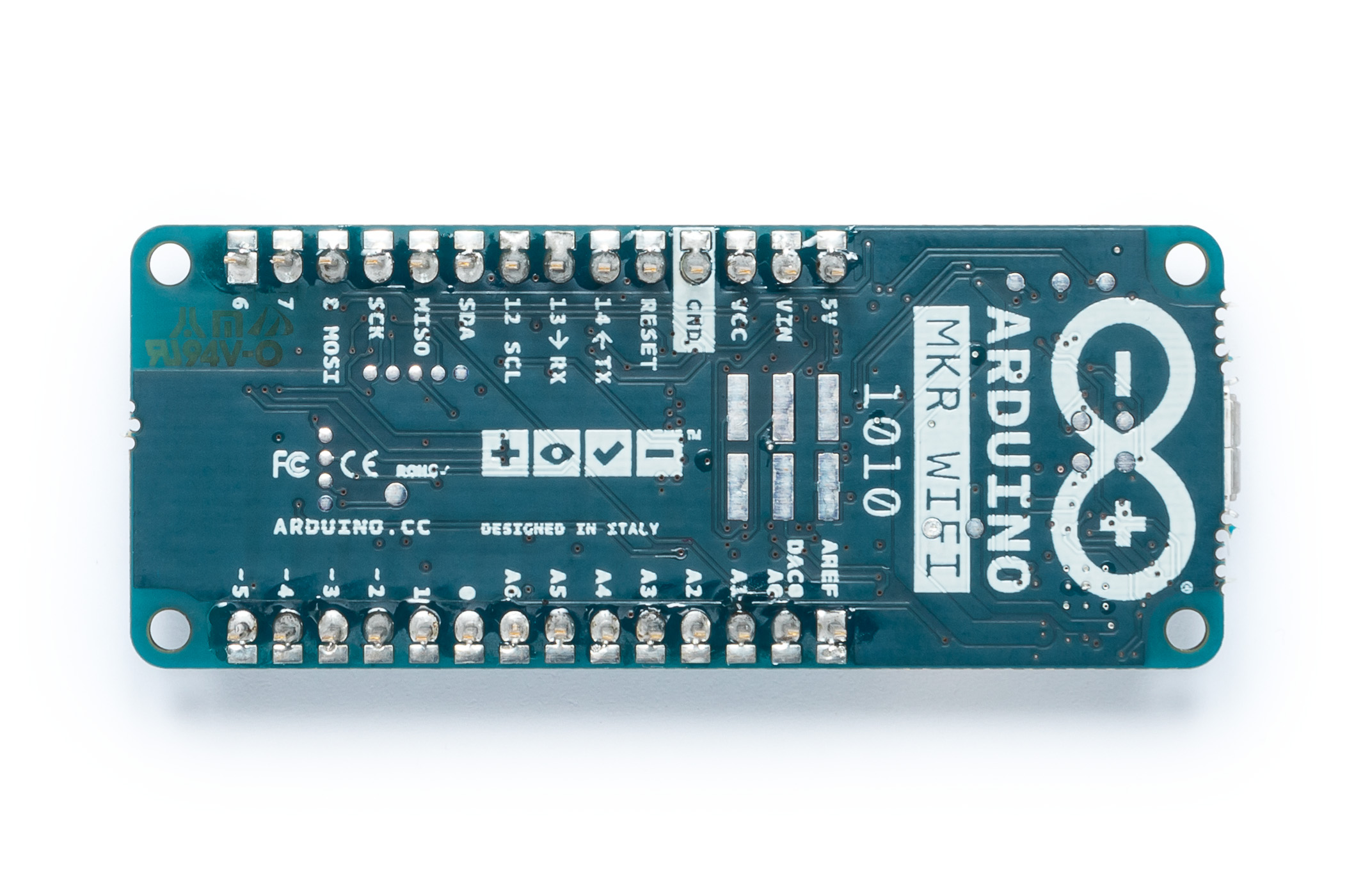
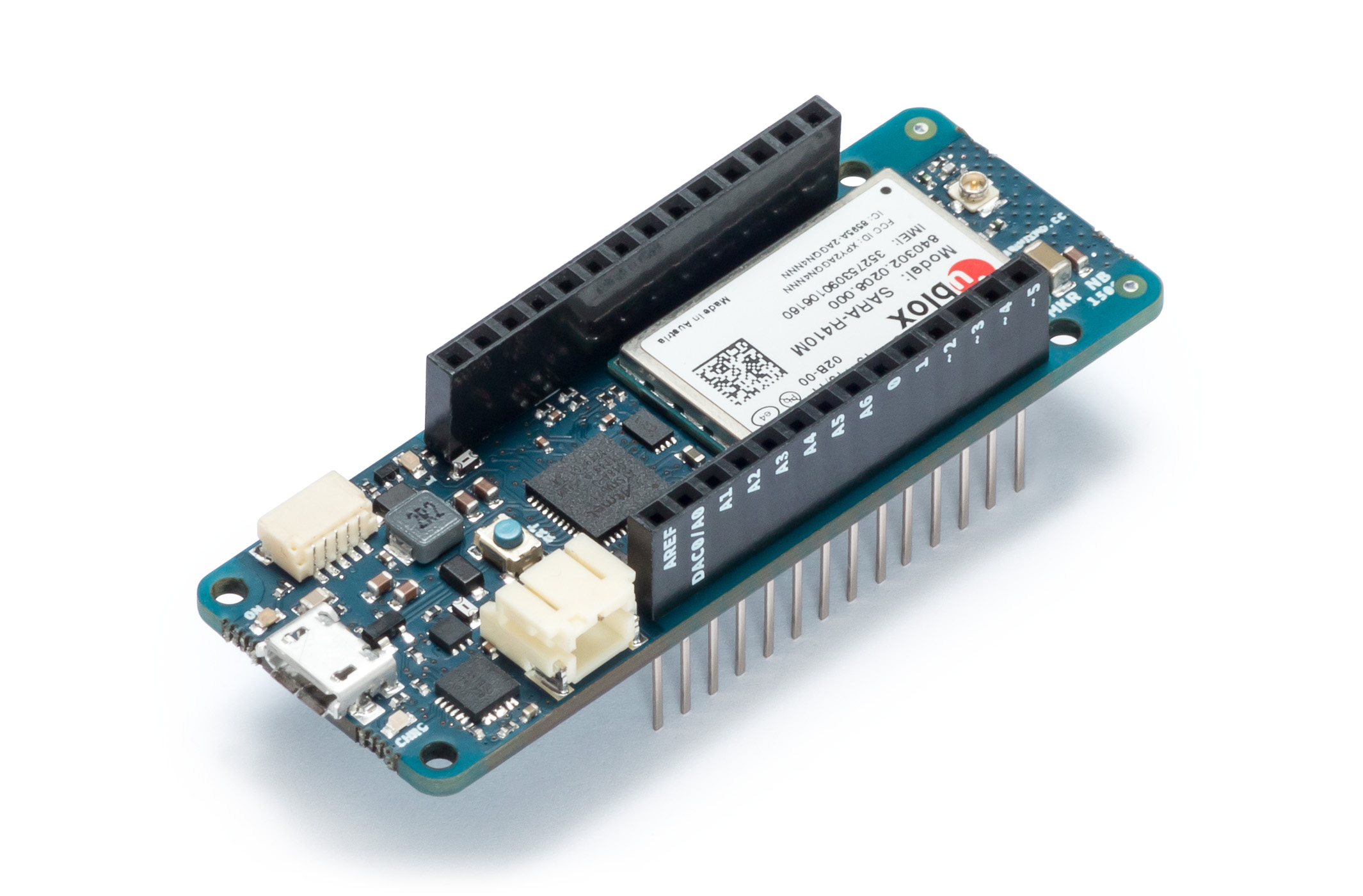
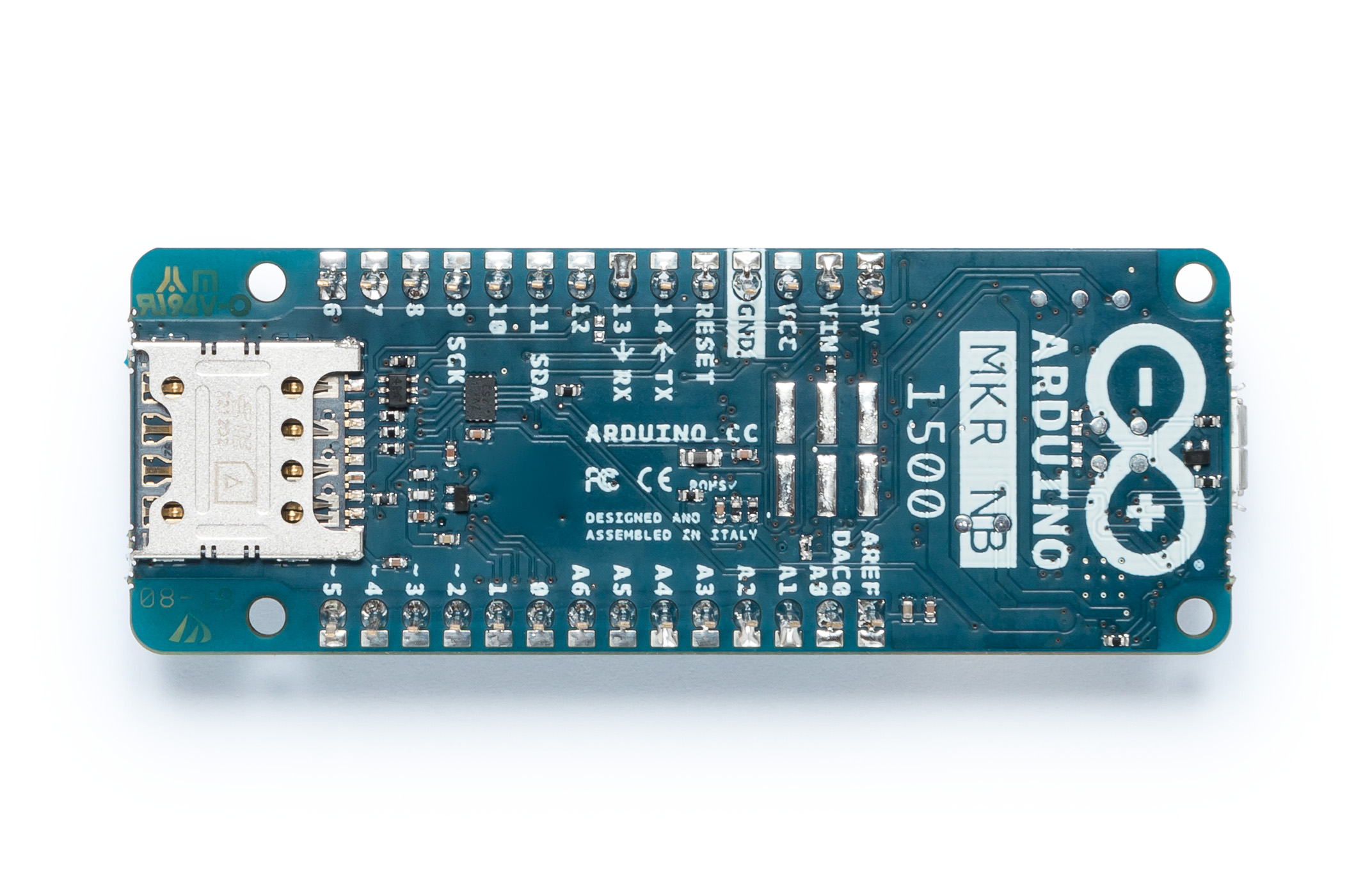
We’re excited to announce two new wireless connectivity boards to help streamline Internet of Things development, the MKR WiFi 1010 and MKR NB 1500.

The first of the boards is the MKR WiFi 1010, which offers low power consumption and has been designed not only to speed up and simplify the prototyping of WiFi-based IoT applications, but also to be embedded in production IoT applications that require WiFi connectivity. The board is an evolution of the existing Arduino MKR1000, but now comes equipped with an ESP32-based module manufactured by U-blox. This key element delivers 2.4GHz WiFi and Bluetooth communications capability, along with leading RF and power performance: the ESP32 is a highly flexible device that provides adjustable power output, enabling optimal trade-offs between communication range, data rate, and power consumption.

Fully compatible with the Arduino IT cloud, the MKR1010 also offers simple migration from other Arduino boards, and uses open-source WiFi firmware, which makes it easy to reprogram for upgrading or to repair any security flaws. A significant feature is the MKR1010’s two standalone programmable processors – the first based on ARM processor core technology, the second based on a dual-core Espressif IC – making the board a high-performance solution that can distribute its workload across its dual-processor system. Another major feature is the integration of a secure authentication module – Microchip’s ECC508 – which uses crypto authentication to secure TLS network communications and connections.

The second board to be introduced is the MKR NB 1500, which employs the new low-power NB-IoT (narrowband IoT) standard, designed to work over cellular/LTE networks. When combined with the ease of use of the Arduino ecosystem, the MKR1500 becomes an excellent choice for applications in remote areas such as on-field monitoring systems and remote-controlled LTE-enabled modules.

Designed for global deployment, it supports transmissions via AT&T, T-Mobile USA, Telstra, Verizon over the Cat M1/NB1 deployed bands 2, 3, 4, 5, 8, 12, 13, 20 and 28. The NB-IoT communications technology makes use of existing LTE cellular networks and delivers significantly faster communications than alternative IoT networks such as LoRa and Sigfox, while also having a low impact on battery consumption. In addition, when compared to typical GSM or 3G cellular connectivity, wake up times and connections are much faster, which enables significant power saving. Importantly, both of the new boards are fully compatible with the Arduino Uno, Mega and existing MKR hardware. Also common to both boards is their MKR footprint, as well as the same wide range of available interfaces, including I2S, I2C, UART and SPI. Both boards also operate at 3.3V and offer input/output options including 22 digital I/Os – 12 with PWM outputs – and seven analog inputs.

“The new boards bring new communication options to satisfy the needs of the most demanding use cases, giving the users one of the widest range of options on the market of certified products,” said Arduino co-founder and CTO Massimo Banzi.

“NB-IoT and CAT M1 are gradually becoming a reality in many countries in the world. With MKR NB 1500 we wanted to create a versatile and standard technology to democratize the access to the new networks, enabling our customers  to take advantage of this big opportunity early on,” said Fabio Violante, CEO of Arduino. “We strongly believe the MKR NB 1500 has all the ingredients to become the go to product for many professional use cases”.

“As far as the MKR 1010 is concerned, we had the opportunity to learn a lot from all the WiFi products that we had on the market for several years. Based on customers’ feedback we thought it was now time to release a new ultra reliable board that was suitable for a variety of use cases that were difficult to support with other products,” added Fabio Violante. “The other aspect that we love about the products is that the firmware of the WiFi part is developed by us and open-source, opening new opportunity for continuous improvements and contributions from the community.”

Both the MKR WiFi 1010 and the MKR NB 1500 will be available on the Arduino online store starting in June 2018.

Arduino goes to college with the new Arduino Engineering Kit!

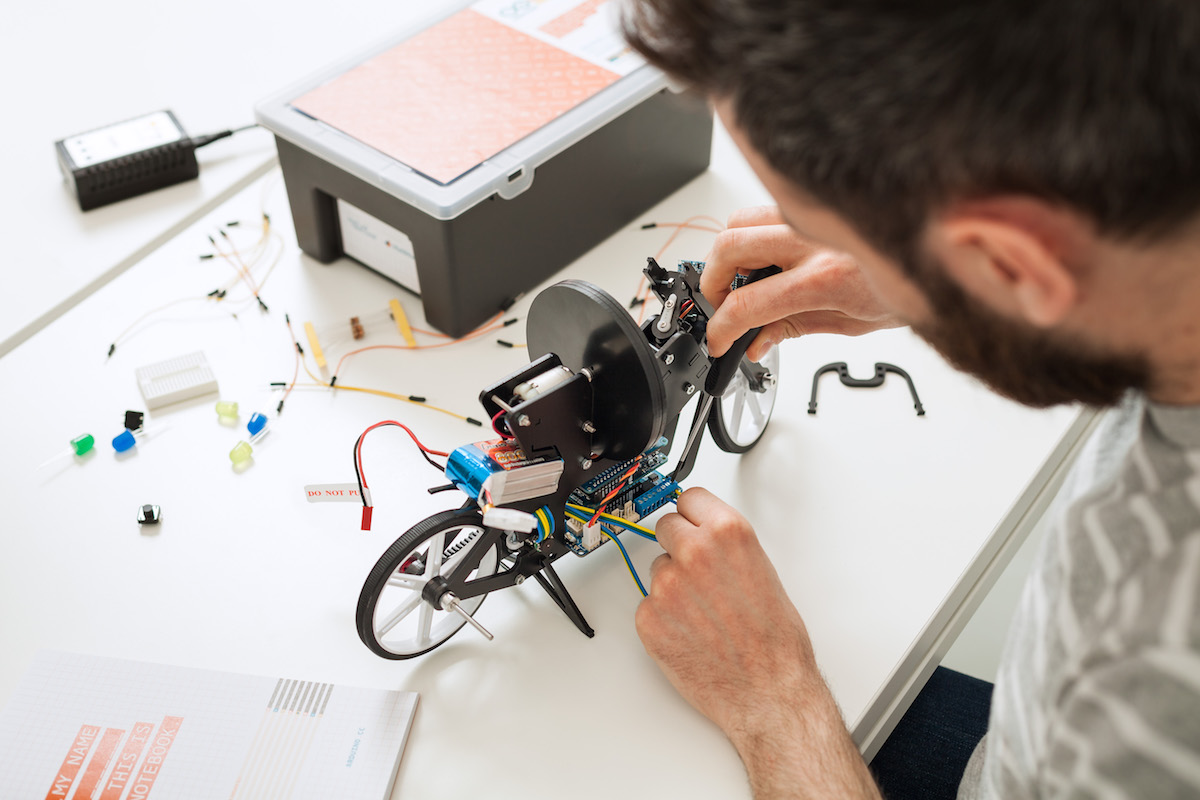
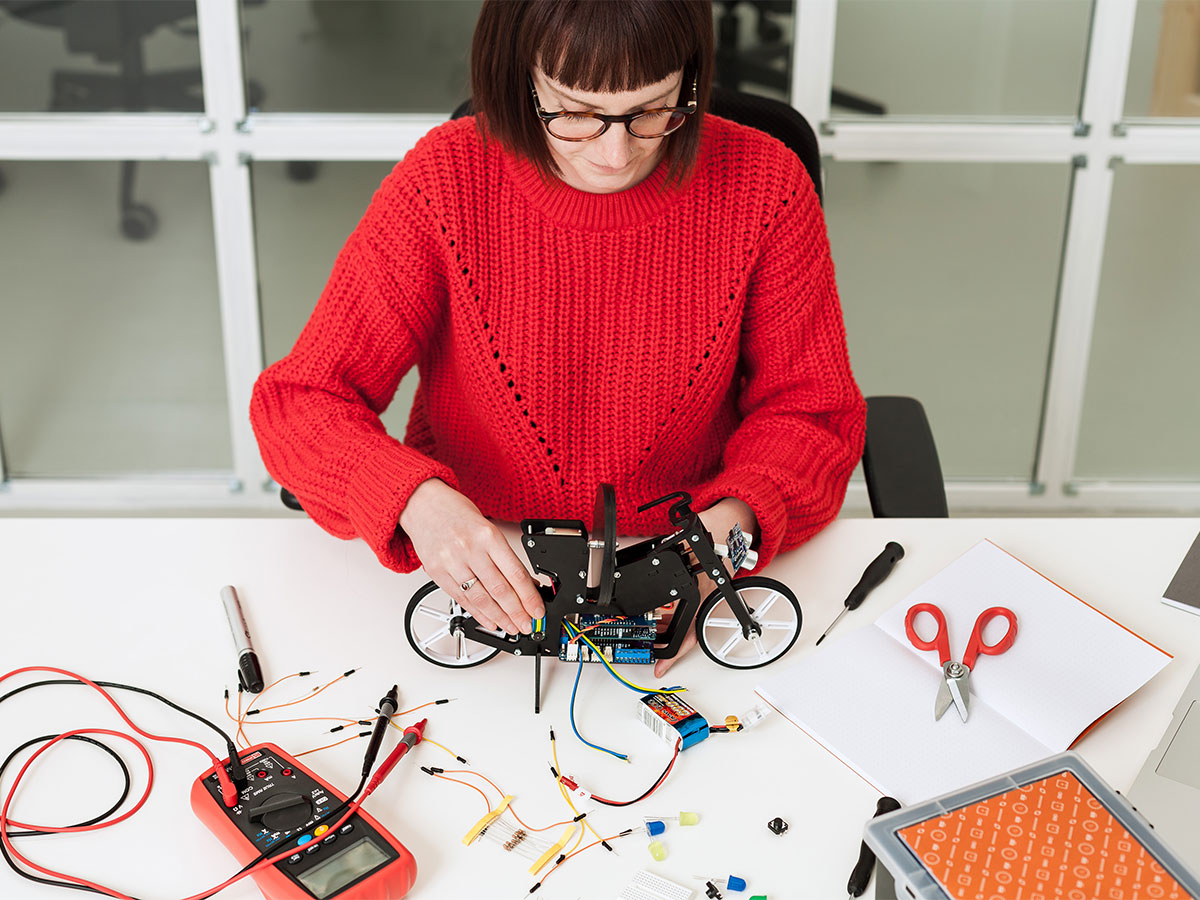
We’re excited to announce the Arduino Engineering Kit, the first product released as a result of our new partnership with MathWorks, to reinforce the importance of Arduino at the university level in the fields of engineering, Internet of Things, and robotics.

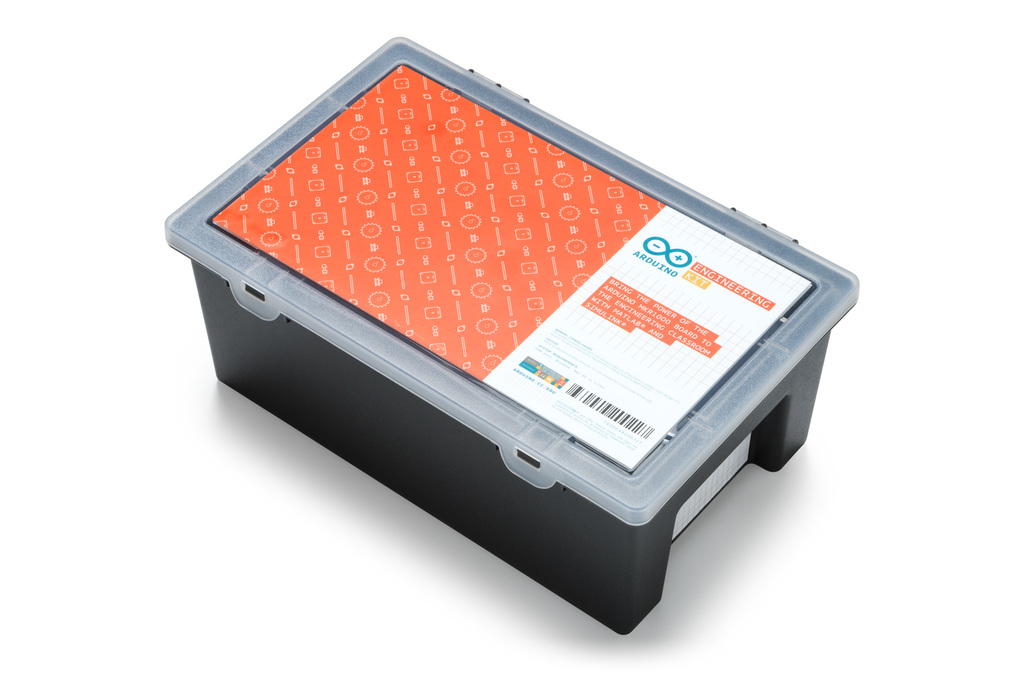
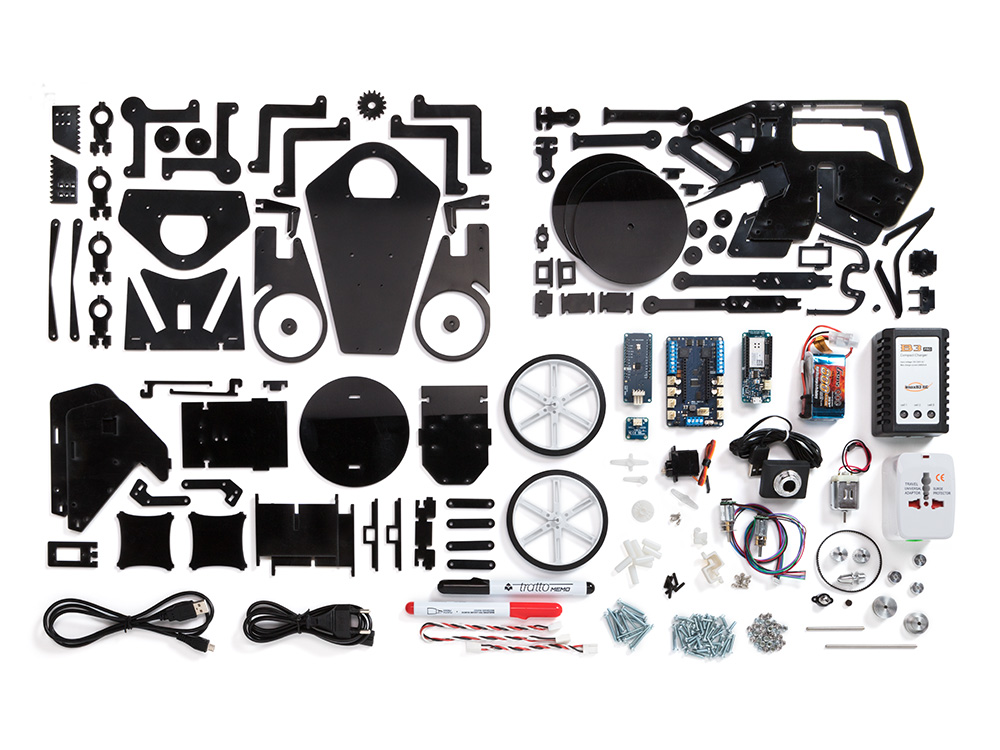
The Arduino Engineering Kit, which will be available for purchase starting today on the Arduino online store, consists of three cutting-edge, Arduino-based projects and will teach students how to build modern electronic devices – challenging them intellectually and helping them develop physical engineering skills that will better prepare them to enter the commercial market following graduation. In addition to the hardware, after registering online, students and educators will have access to a dedicated e-learning platform and other learning materials. The kit also includes a one-year individual license for MATLAB and Simulink, providing the user with hands-on experience in system modeling and embedded algorithm development.

Following the global success of Arduino CTC 101, a program tailored for upper secondary schools, the Arduino Engineering Kit enables college students and educators to incorporate core engineering concepts like control systems, inertial sensing, signal and imaging processing, and robotics with the support of MATLAB and Simulink programming. These software packages are the base of industry-standard tools for algorithm development, system modeling, and simulation, all of which will be required in their future careers.

Each Arduino Engineering Kit comes with a durable and stackable plastic toolbox for easy storage and years of reuse. Inside the box is an Arduino MKR1000 board, several customized parts, and a complete set of electrical and mechanical components needed to assemble all three projects:

  • Self-Balancing Motorcycle: This motorcycle will maneuver on its own on various terrains and remain upright using a flywheel for balance.
  • Mobile Rover: This vehicle can navigate between given reference points, move objects with a forklift, and much more.
  • Whiteboard Drawing Robot: This amazing robot can take a drawing it’s given and replicate it on a whiteboard.

“We designed the Arduino Engineering Kit the way we would have liked to have learned mechatronics, control algorithms, state machines, and complex sensing when we were in our first years of engineering school: in a fun and challenging way,” said David Cuartielles, Arduino co-founder and Arduino Education CTO. “It’s all about hands-on activities built on top of well-grounded theoretical concepts. But more importantly, after finishing the basic materials, there’s plenty of flexibility to experiment, for the students to deviate and test their engineering creativity.”

https://youtu.be/pymRl7FCV0A