Posts with «arduino» label

Electric Mountain Board with Wireless Control

As though an electric mountain board isn’t cool enough for zipping around, this industrious inventor just added wireless control.  We previously featured Andres Guzman’s mountain board which, at the time, was controlled via a PlayStation Controller.  This time, he uses a glove laced with sensors & switches to control the device

A power supply and an Arduino are mounted to the glove, as well as a transceiver serving as the communication link between the board and the glove. Speed control is provided by a flex sensor and a dead-man switch stops the board if Guzman takes a fall.  An awesome build to add to our collection of robotics & Arduino projects!

Popular Transportation Projects

Digidrench whets our appetite for water-based Arduino adventures (video)

Wondering what you get when you mix an Arduino kit with some food coloring and plenty of water? Well, the Digidrench team came up with the concept of developing a media controller that mimics the flow of water in and out of three separate containers. The pay-off? Seeing three of the team get coated in a brightly colored mess. An Arduino kit is connected to a sensor that gauges the amount of water in the tanks and transmits the watery action to a corresponding video slice. Take the water out, and the deluge reverses. Pour faster, and the test subjects get poured on faster. Pour slowly and, well, you get it. You can laugh at their cheerfully colored misery right after the break.

Continue reading Digidrench whets our appetite for water-based Arduino adventures (video)

Digidrench whets our appetite for water-based Arduino adventures (video) originally appeared on Engadget on Thu, 10 Nov 2011 15:18:00 EST. Please see our terms for use of feeds.

Permalink | Email this | Comments

IKEA lamp mod – STRÅLA

I love IKEA and her low cost products.

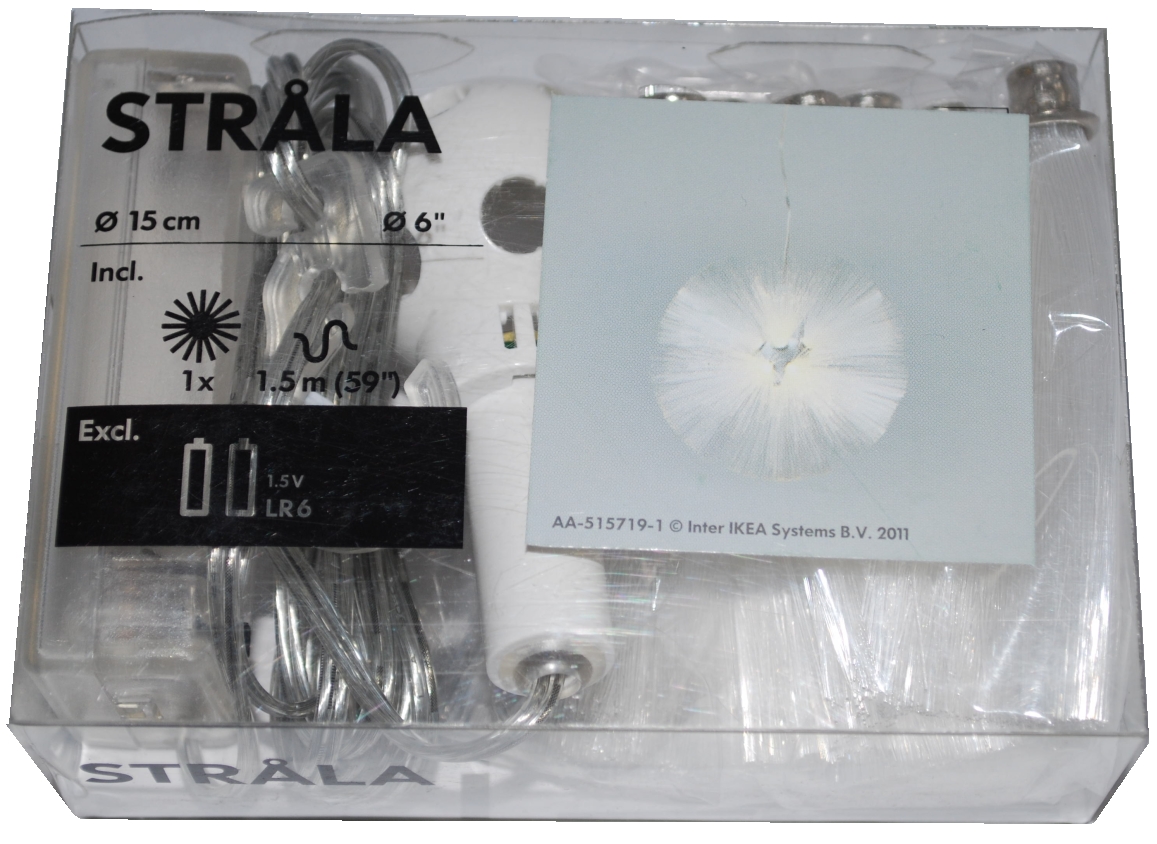
Last week I found this STRÅLA lamp.

The cost is $4.99, so I bought it.
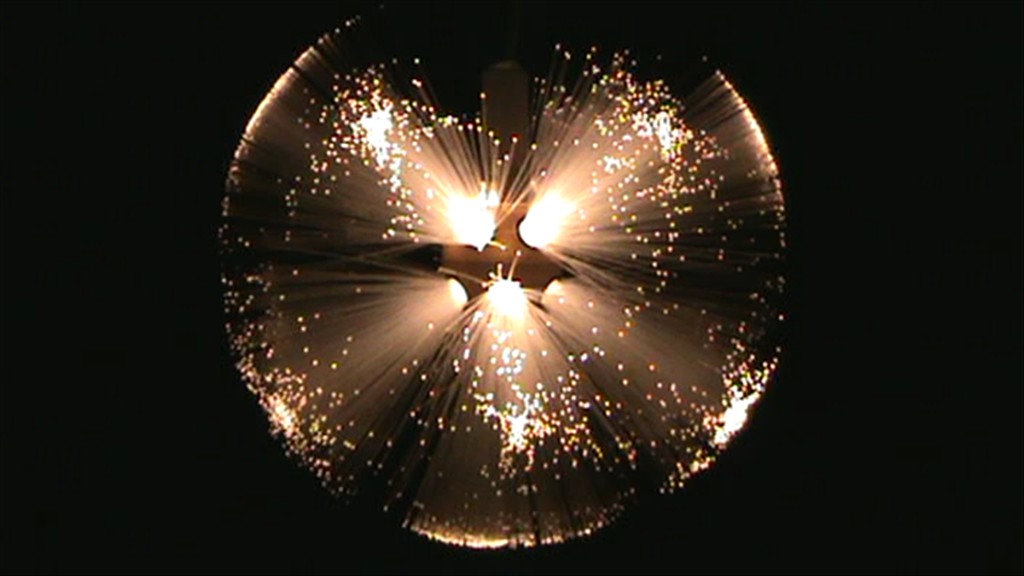
Lighting the lamp I saw that it ‘s very pretty but also … too soft…

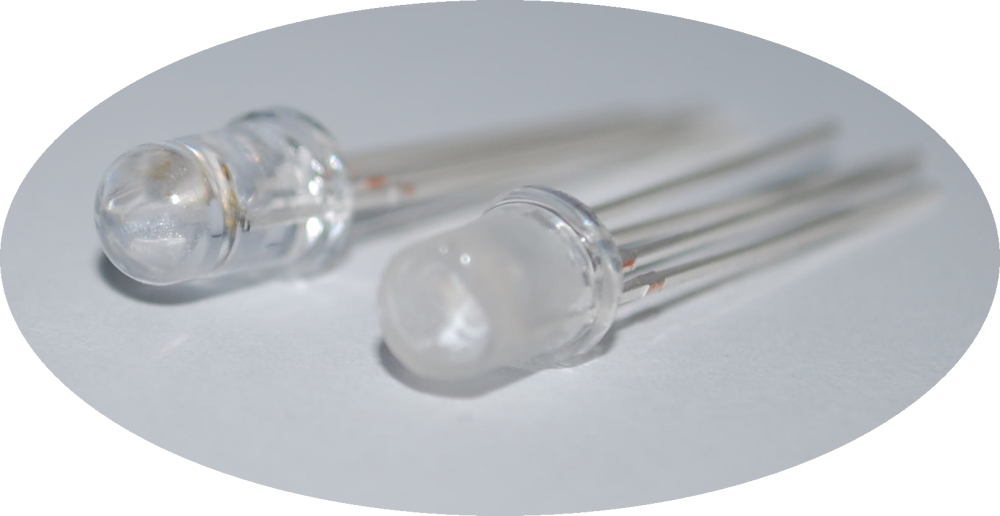
So I thought to modify the LED and add a RGB led.
With simple modify you can obtain a dinamic lamp.
I used an Arduino to do a fast work, but of course it isn’t necessary.
You can use a small microcontroller like a PIC12F675, or a ATTiny.

And this it the result:

How to

Before all, you have to buy a STRÅLA 

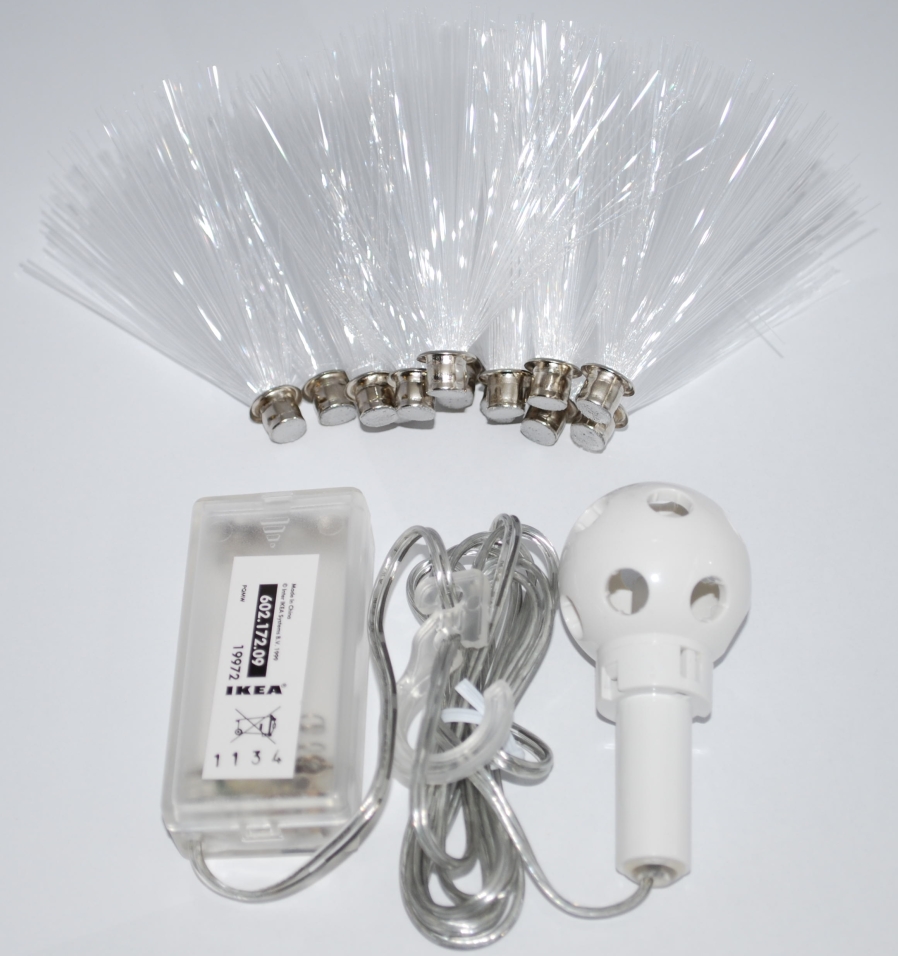
Open the package

And disassemble the original LED

As you can see the LED shape isn’t normal, but there is a cone in the center to better spread the light.
So I modify the RGB led to obtain the same effects and I also smoothed the surface.

Connect the wire to the led and reassemble all.

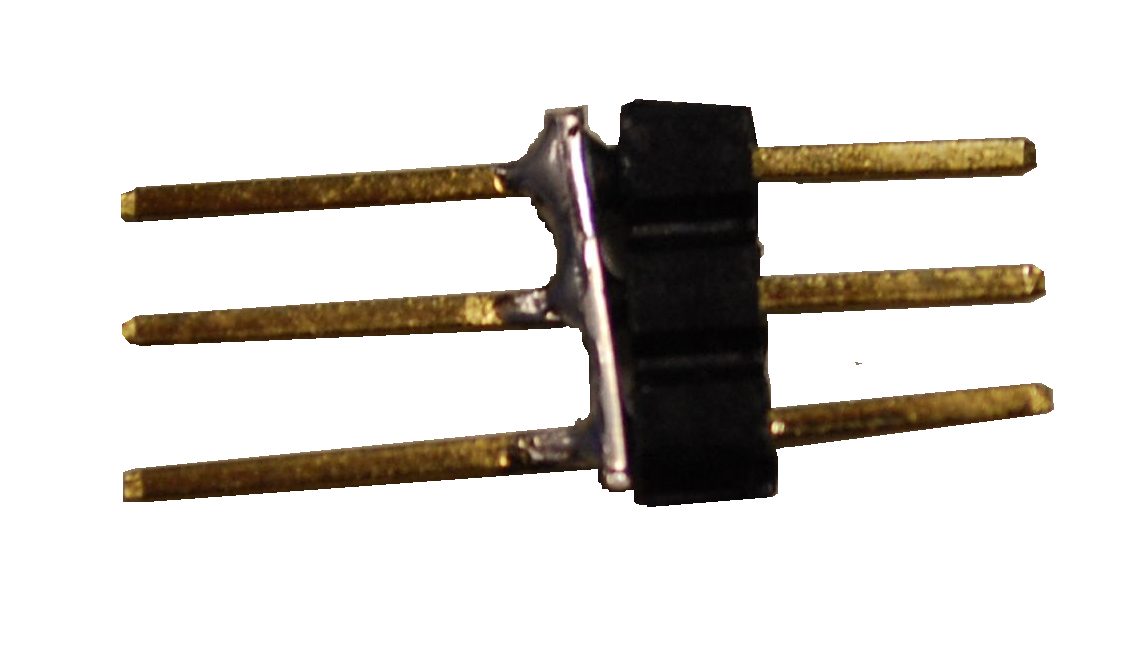
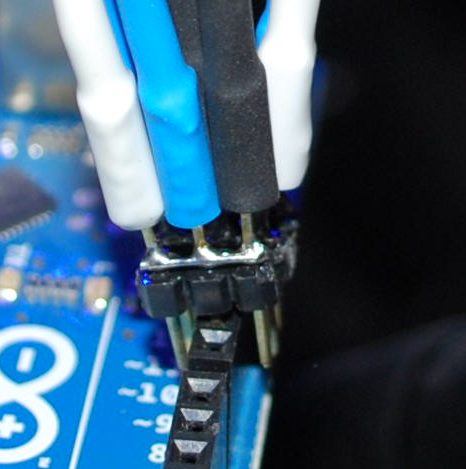
To connect the RGB led I used a strip wire and some pin.

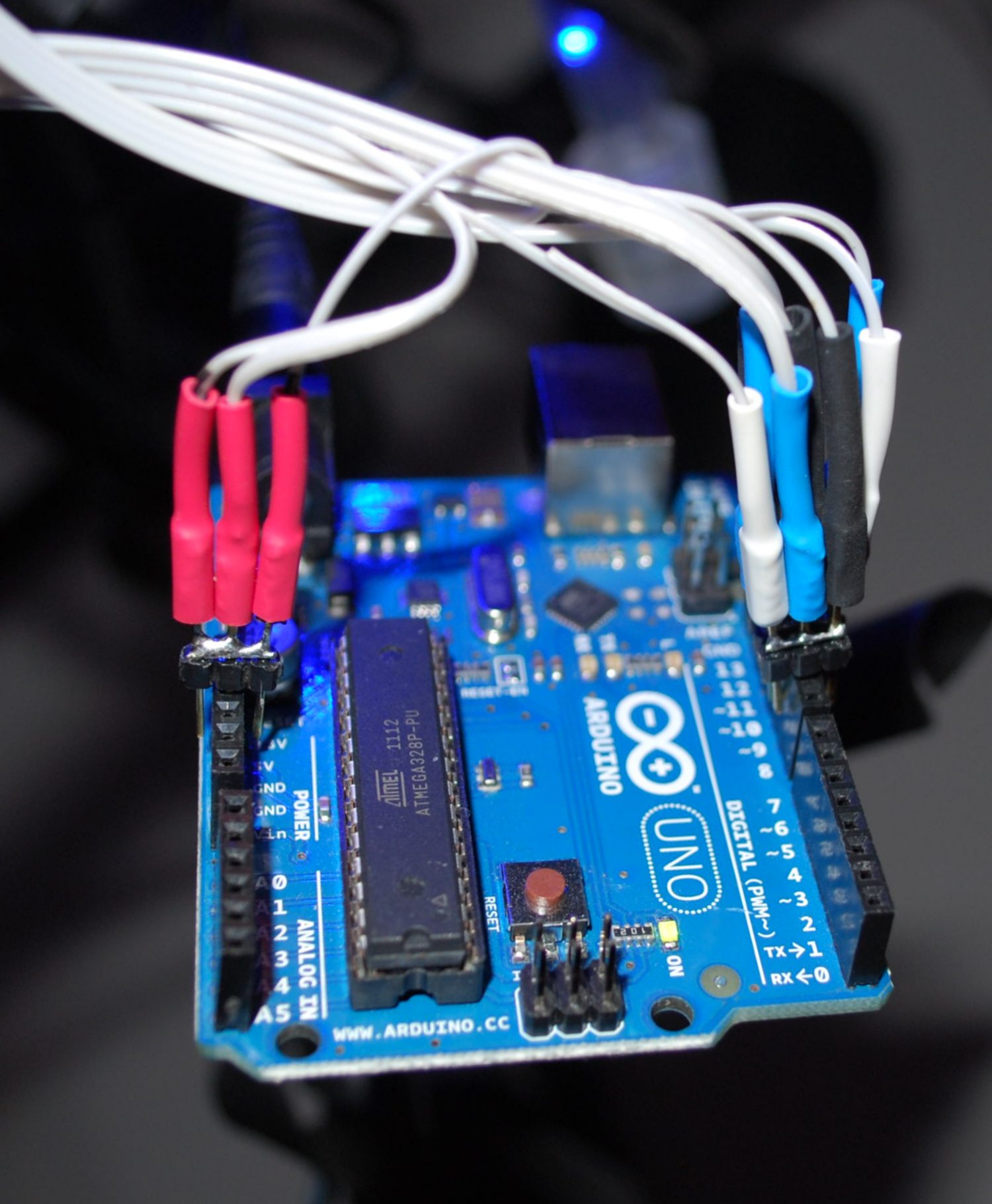
And now you can connect this pin to PWM ports of Arduino.

The black, blue and white wire are the RGB pin of the LED.

The red one is the Anode.

 The sketch

/* IKEA Strala mods

 created 2011
 by Boris Landoni

 This example code is in the public domain.

http://www.open-electronics.org

http://www.futurashop.it

http://blog.elettronicain.it/

 */

#include <EEPROM.h>

int red = 9;    // RED LED connected to PWM pin 3
int green = 10;    // GREEN LED connected to PWM pin 5
int blue = 11;    // BLUE LED connected to PWM pin 6
int r=50; int g=100; int b=150;
int rup; int gup; int bup;
int fader=1;
int inc=10;
void setup()
{
  // start the Ethernet connection and the server:
      Serial.begin(9600);
      Serial.println("Serial READY");
      r = EEPROM.read(1);
      g = EEPROM.read(2);
      b = EEPROM.read(3);
      inc = EEPROM.read(4);
      fader = EEPROM.read(5);
      rgb(r, g, b);
} 

void loop()  { 

  if (fader==1){
    funcfader();
  }

}

void funcfader(){
    Serial.println("fader");
    if (rup==1){r+=1;}
    else{r-=1;}
    if (r>=255){rup=0;}
    if (r<=0){rup=1;}

    if (gup==1){g+=1;}
    else{g-=1;}
    if (g>=255){gup=0;}
    if (g<=0){gup=1;}

    if (bup==1){b+=1;}
    else{b-=1;}
    if (b>=255){bup=0;}
    if (b<=0){bup=1;}

    delay(inc*2);
    rgb(r, g, b);
}

void rgb(int r, int g, int b)
{

  Serial.print("RGB: ");
  Serial.print(r);
  Serial.print(" ");
  Serial.print(g);
  Serial.print(" ");
  Serial.print(b);
  if (r>255) r=255;
  if (g>255) g=255;
  if (b>255) b=255;
  if (r<0) r=0;
  if (g<0) g=0;
  if (b<0) b=0;

  analogWrite(red, r);
  analogWrite(green, g);
  analogWrite(blue, b);
}

Good modding

Open Electronics 09 Nov 17:27
arduino  featured  gadget  ikea  mods  

IEEE Spectrum: The Making of Arduino

An excellent article in IEEE Spectrum magazine gives a rundown of the origin of the Arduino board, outlining the motivations behind the open source design and the increasing impact it has on creative communities all over the world. It's a good read for answering the question, "What is Arduino?"
Jeff's Arduino Blog 07 Nov 21:30
arduino  ieee  

Tweephone is a rotary phone Twitter client, even your grandma could love

The collectives behind the Tweephone, UP digital Bureau and Unteleported tech agency, claim that it's the first analog Twitter client. We find that hard to believe but, while we've seen rotary phone-based Twitter tools before and analog meters that measure microblogging activity, we couldn't come up with a single example of a client that lets you punch in messages through non-digital means. Even if it's not the first of its kind, the Tweephone is still a pretty neat hack. Inside the old-school chassis is the ubiquitous Arduino, which interprets your pulls of the dial as letters. Like a phone with only a dial pad, you'll have to ring up numbers multiple times to get the right letter (i.e. dial "2" three times to get a "c"). It definitely not the most efficient method for sending out 140-character missives, but certainly one of the more unique. Check out the video after the break to see it in action.

Continue reading Tweephone is a rotary phone Twitter client, even your grandma could love

Tweephone is a rotary phone Twitter client, even your grandma could love originally appeared on Engadget on Tue, 01 Nov 2011 19:04:00 EST. Please see our terms for use of feeds.

Permalink | Email this | Comments

Lego CD / DVD ripper lets you drop your physical media -- literally (video)

If the only thing standing between you and a full abandonment of physical media is the tedious task of ripping all of your CDs and DVDs, boy have we got the Lego-based gadget for you. Paul Rea whipped up this little beauty -- it's an Arduino-powered Lego arm that swings to pick up a disc, deposit it in the drive and then drop it (perhaps a bit too literally) into a finished pile. It's not quite perfect -- the arm is a bit loud as it moves, and anyone who's ever owned CDs or DVDs may likely grimace as the thing tosses finished discs into a pile, but it's an entertaining break from what can ultimately prove an arduous task.

Continue reading Lego CD / DVD ripper lets you drop your physical media -- literally (video)

Lego CD / DVD ripper lets you drop your physical media -- literally (video) originally appeared on Engadget on Tue, 01 Nov 2011 16:44:00 EST. Please see our terms for use of feeds.

Permalink | Email this | Comments
Engadget 01 Nov 22:44

Insert Coin: BoardX is an open-source, modular motherboard for prolific prototypers

In Insert Coin, we look at an exciting new tech project that requires funding before it can hit production. If you'd like to pitch a project, please send us a tip with "Insert Coin" as the subject line.
We're more than a little enamored with Arduino and its DIY microcontroller ilk. But we'll admit, there are a few limitations that the compulsive prototyper might find bothersome. Chief amongst them is the lack of modularity, Now, sure, you can easily add all sorts of sensors, ports and radios to your Uno (or Duemilanove if you're old school) but that generally requires piling shield, upon shield, upon shield, until you've got a stack of boards three-feet high. And, if you want to use an ARM chip instead of an AVR for a project? Well that's a whole other set of boards. Kevin Greene has decided to address these perceived "weaknesses" with BoardX -- a modular, open-source prototyping platform.

Continue reading Insert Coin: BoardX is an open-source, modular motherboard for prolific prototypers

Insert Coin: BoardX is an open-source, modular motherboard for prolific prototypers originally appeared on Engadget on Tue, 01 Nov 2011 13:15:00 EST. Please see our terms for use of feeds.

Permalink | Email this | Comments

Simple Halloween Skull


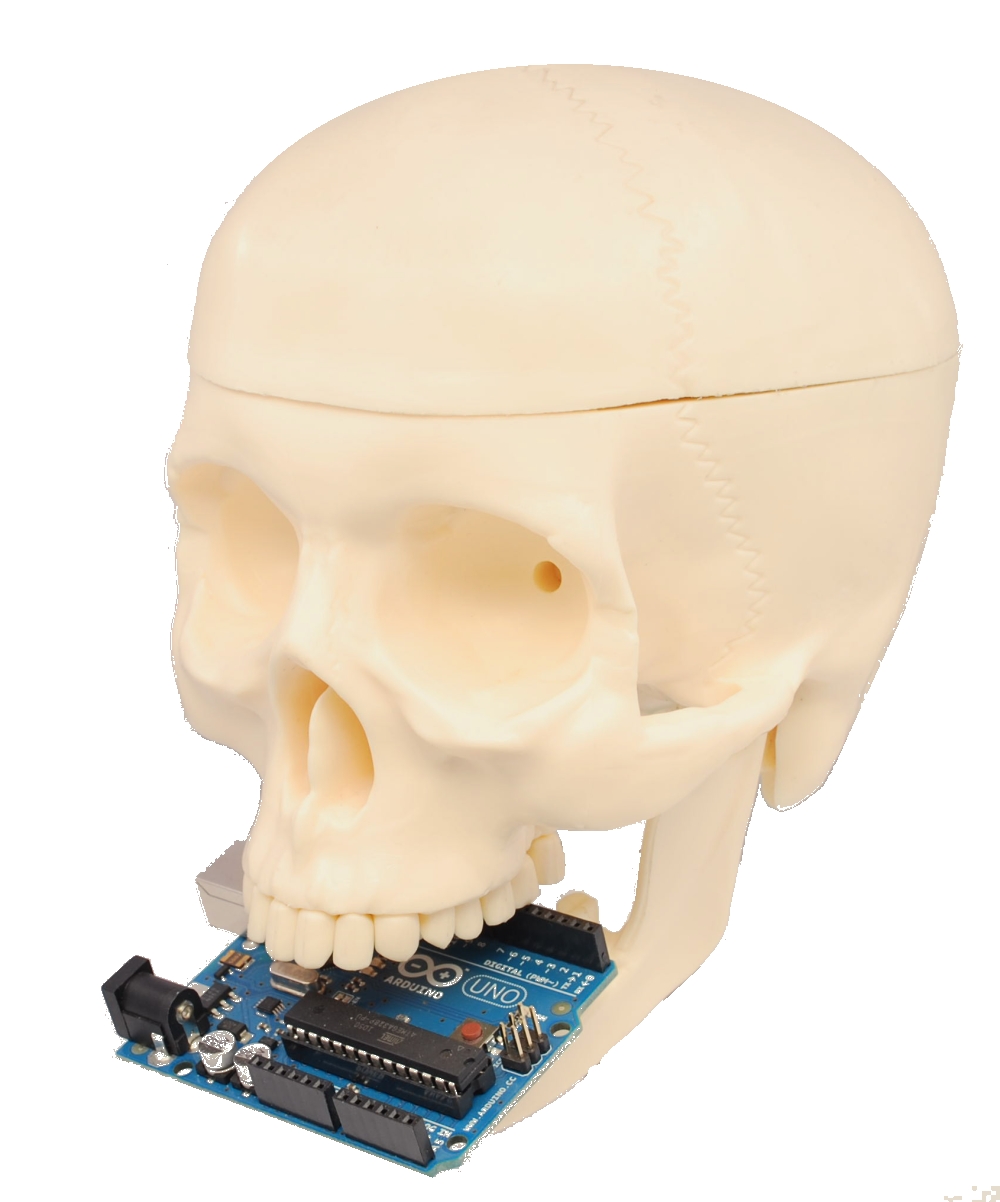
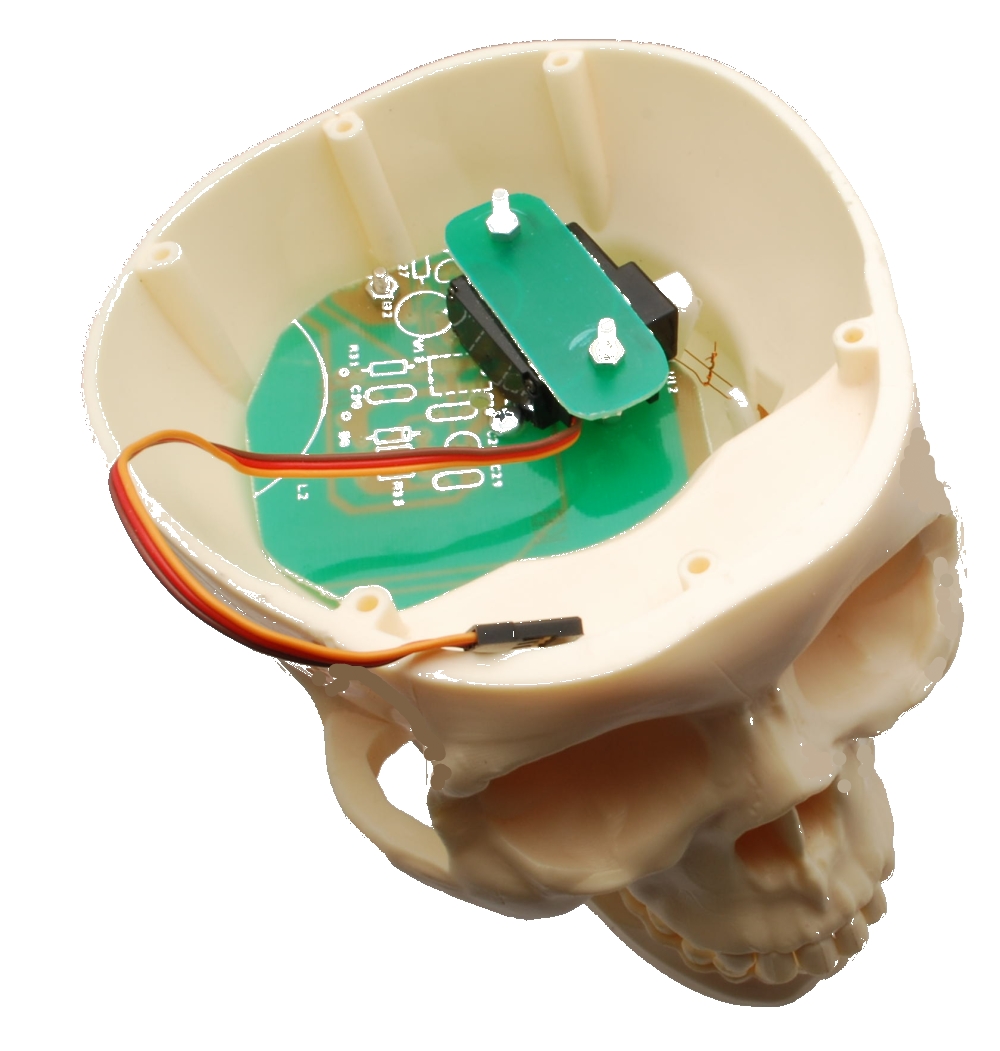
Maybe it’s too late to present an Halloween project with a lot of function, so we decide to develope a simple application to show how controll a mandible of a skull.

In this project the skull speaks and moves the mandible according to the sound level.
An Arduino analyzes the level sound of a audio source and drives a servo motor connected to the mandible.
All very simple.

The video show how it works.

The sketch:


/* Skull
 created 2011
 by Boris Landoni

 This example code is in the public domain.

http://www.open-electronics.org

http://www.futurashop.it

*/

#include <Servo.h> 

Servo myservo;  // create servo object to control a servo 

int potpin = 0;  // analog pin used to connect the potentiometer
int val;    // variable to read the value from the analog pin 

void setup()
{
  myservo.attach(9);  // attaches the servo on pin 9 to the servo object
} 

void loop()
{
  val = (analogRead(potpin)*3);            // reads the value of the potentiometer
  val = map(val, 0, 1023, 50, 0);     // scale it to use it with the servo
  myservo.write(val);                  // sets the servo position according to the scaled value
  delay(15);                           // waits for the servo to get there
}


The schemtaics shows how we connect the servo to Arduino.

     Download the Fritzing file


Inside the skull we use an old PCB to fix the servo (you can use what you want).

This project wants to be a start point for yours ideas….
Have a good work

Open Electronics 26 Oct 13:53

HexMotor 2.3 and pressure-sensor boards

Top view of my second PC board. 3 copies of HexMotor 2.3 and 2 copies each of 3 different breakout boards for a pressure sensor.

I got the boards back from 4pcb.com about a week ago.

The HexMotor rev2.3 boards have several new features: LEDs for +5v and +6.25v, a reset button, 16-bit shift register instead of 8-bit, servo outputs connected to pins 13, 7, 2, 9, 10 (rather than to the pins used for PWM).  The new board should be able to do either 6 PWM motors or 4 PWM motors, 5 servos, and 2 non-modulated reversible motors.  I was going to have the robotics club solder the board today, but they did not have time.

[Note: as of 1March 2012, I have put the HexMotor Eagle design files on the web.]

I made some breakout boards for the MPXHZ6250A pressure sensors from Freescale Semiconductor,  which gave me my first taste of SMD soldering.  At least the design uses gull-wing pins, which can be hand soldered.  The breakout board that I think that the robotics club will end up using puts a pressure sensor on one side and headers for a piggyback ADXL335 breakout board on the back.  that way there only need to be one set of wires for connecting the analog inputs and power to the sensors.

That is the board I soldered a sensor to.

Top view of the breakout board with the sensor and headers soldered in place.

The pressure sensors are tiny! I found it fairly difficult to solder the  sensor to the boards, even holding it with clamping tweezers. I did eventually get everything to stick with no shorts between the 3 signal wires, but I did have some trouble with the unused copper pads delaminating from the board.  For future reference: all pads should have wires going to them (even the unused pads) to have enough surface area for good adherence and so that some of the pad is tucked under the solder mask.

Here are the solder connections on the side where none of the pins are used.

Here are the solder connections for the power and signal pins (and an SMD capacitor).

Despite the rather sloppy soldering, the pressure sensor does work.  It turns out that the port size is just the right size for Lego pneumatics components, so testing was pretty easy.

Sensor attached to Lego pump and gauge for testing.

Here are the results of calibration tests with the (probably not very accurate) Lego gauge, done by my son and me.

Pressure (psi) Arduino analogRead
0 367
5 518
6 542
7 576
8 599
9 632
10 657
11 683
12 710
13 734
14 775
15 801
16 832
17 861
18 887
19 915
20 941
21 967
22 1000

The range is about right, since 22 psi plus one atmosphere is about 250kPa, which is supposed to be the high end of the sensor’s range. Also, 600″ (50′) of water is 21.67 psi, so the range from 367 to 1000 corresponds to about 50′, so the sensor should give the robotics team a resolution of about 1″ for measuring depth, as expected from the spec sheet.

The data are well fit by The club members will have to recalibrate the pressure sensor in water, to get calibration as depth in cm. They’ll probably have to re-zero the sensor every day they use it, to compensate for atmospheric pressure, since it is an absolute pressure gauge.


Tagged: Arduino, Lego pneumatics, pressure sensor, Printed circuit board, SMD soldering

Physics Lab 3

The Physics Lab 2 post and Physics class progress described some experiments we were going to do this week with the ultrasonic range finder(s).

What we actually did, after spending a fair amount of time discussing the schedule for the year and expectations (one of the students has not started yet, because of the amount of time he was putting into his Stanford essays—I hope he gets in after all the effort he has expended, was to drop balls and try measuring the drop with both the Maxbotix sensor and a video camera.

We tried both a ping-pong ball and a slightly larger plastic ball.  With both of them the Maxbotix sensor only detected them intermittently, and we go no useful data from the rangefinder.

The HD video from the camera was more usable, but I was not aware that Tracker could use MTS (AVCHD format) files, since it greyed them out. I wasted a lot of time converting the movies to .mov format using iMovie, a piece of software that I have come to hate for its slowness, inefficient use of disk, rigid insistence on a specific directory structure, and generally unfriendly and unintuitive user interface. I’ve gone so far as to buy Premiere Elements, with the hope that it is not so awful (but I’ve not tried to use it yet, so it might be just as bad).

It turned out that my son had not installed the Tracker software on the desktop machine, so we had to get out my laptop and try analyzing the frames there.  I remembered how to calibrate and get the autotracking set up, but I forgot how to specify the beginning and ending frame (I eventually figured it out, but only after some false starts).  The data was pretty clean, though autotracking did lose the ball at one point because of some really stupid projections about where it ought to be.  Redoing the autotracking fixed that problem.  The errors in the tracking due to motion blur were not noticeable in the position plot, made small wiggles in the velocity plot, and made huge wiggles in the acceleration plot.  We did get a chance to talk about how a ±1mm error in position results in a ±3 cm/sec error in velocity and a ±90 cm/sec2 error in acceleration, when using 30 frames per second.

I tried redoing the autotracking using the AVCHD format directly from the camera, but it turns out that AVCHD uses interlaced images, so one gets two pictures of the ball in each frame. When the ball is motionless, this makes a nice circle, but when the ball is moving fast, you get two striped circles that may overlap. Tracker has trouble handling the interlacing, though a really clever algorithm could take advantage of it to get effectively double the frame rate when tracking large objects moving with reasonably constant acceleration.

Bottom line was that neither the ultrasonic rangefinder nor Tracker resulted in fast, painless measurement. We’ll have to try again next week, perhaps with bigger targets for the rangefinder. I initially thought that brighter light for the video would reduce motion blur by reducing shutter time, but it seems that the motion blur is due to interlacing, not to a slow shutter, so changing the lighting won’t help. Algorithmic changes to Tracker would be needed.

What to do in next week’s lab

  1. Analyze the balldrop clips (in .mov format). For calibration, the distance we measured between the top and bottom stile of the file cabinet was 112cm. Since the ball was a few cm in front of the file cabinet, there may be some perspective error in using that measurement to calibrate the drop. Get Tracker to give you position, velocity, and acceleration plots. Use the fluctuation in the acceleration estimates to estimate the errors in the velocity and position measurements.
  2. Write a Vpython program that simulates the motion of the falling ball including the initial pause before dropping, but not including the bounces.

Other homework

  • Read Chapter 3.
  • Work problems 3.P.36, 3.P.40, 3.P.43, 3.P.46, 3.P.52, 3.P.65, 3.P.72.
  • Do computational problem 3.P.76. Note that the computational problems for Chapter 3 are not independent of each other, and you should read all the preceding problems to get hints for this problem.

Tagged: AP physics, Arduino, high school, physics, rangefinder, Tracker, ultrasonic sensor, VPython